How to navigate game ratings & find fun, age-appropriate titles for my kids?

In today’s digital age, video games are an integral part of many children’s lives. While they offer immense opportunities for learning, creativity, and social interaction, parents often face the daunting task of ensuring their kids are playing age-appropriate and wholesome titles. The sheer volume of games available can be overwhelming, making it challenging to decipher what’s suitable. This guide will help you navigate the world of game ratings and empower you to make informed decisions for your children.
Understanding Game Rating Systems
Globally, several systems exist to help consumers understand game content. The two most prominent are the Entertainment Software Rating Board (ESRB) in North America and the Pan European Game Information (PEGI) system in Europe and other regions.
The ESRB System (North America)
The ESRB assigns ratings based on content and age appropriateness. Their primary ratings include:
- EC (Early Childhood): Content suitable for ages 3 and older.
- E (Everyone): Content generally suitable for all ages.
- E10+ (Everyone 10+): Content generally suitable for ages 10 and older.
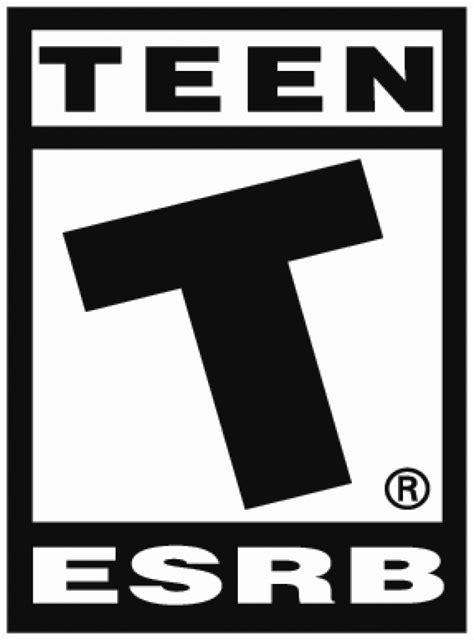
- T (Teen): Content generally suitable for ages 13 and older.
- M (Mature 17+): Content generally suitable for ages 17 and older.
- AO (Adults Only 18+): Content suitable only for adults.
Beyond the primary rating, ESRB also uses “Content Descriptors” which indicate specific types of content that may have triggered the rating (e.g., “Fantasy Violence,” “Mild Language,” “Blood”).
The PEGI System (Europe & Other Regions)
PEGI uses age recommendations, but also incorporates content descriptors that appear as icons. Their age ratings are:
- PEGI 3: Suitable for ages 3 and older.
- PEGI 7: Suitable for ages 7 and older.
- PEGI 12: Suitable for ages 12 and older.
- PEGI 16: Suitable for ages 16 and older.
- PEGI 18: Suitable for ages 18 and older.
PEGI content descriptors include icons for violence, bad language, fear, sex, drugs, gambling, discrimination, and in-game purchases.

Going Beyond the Rating: What Else to Consider?
While ratings are an excellent starting point, they are not the only factor. Every child is different, and what’s appropriate for one 10-year-old might not be for another. Consider these additional points:
- Child’s Maturity and Sensitivity: Some children are more sensitive to certain themes (e.g., scary imagery, intense competition) regardless of the age rating.
- Type of Gameplay: Is it a cooperative puzzle game, a competitive online shooter, or a narrative-driven adventure? Different gameplay styles can impact a child’s experience.
- Online Interactions: Many games feature online multiplayer modes where kids can interact with strangers. Be aware of communication features, in-game purchases, and potential for cyberbullying.
- Educational Value: Some games offer significant educational benefits, fostering problem-solving, creativity, or historical knowledge.

Practical Tips for Parents
Empowering yourself with knowledge and strategies is key to guiding your children’s gaming habits.
- Research Before You Buy: Don’t just rely on the box. Check online reviews from reputable gaming sites, watch gameplay videos on platforms like YouTube, and read forums. Websites like Common Sense Media offer detailed reviews specifically from a parental perspective.
- Play Together: Whenever possible, sit down and play games with your children. This gives you first-hand insight into the content, mechanics, and any potential issues. It also creates a shared activity and opens lines of communication.
- Talk About It: Discuss game content with your kids. Ask them what they like about a game, if anything made them uncomfortable, or what they learned. Encourage them to come to you if they encounter something upsetting.
- Set Parental Controls: Most gaming consoles and digital storefronts offer robust parental control features. These allow you to restrict access to certain ratings, limit screen time, manage online interactions, and control spending. Learn how to use them effectively.
- Monitor Online Interactions: If your child plays online, ensure they understand the importance of online safety. Teach them never to share personal information and to report any inappropriate behavior. Consider using parental control settings that filter chat or limit who they can communicate with.

Making Informed Choices
Navigating the world of video games can seem complex, but by understanding rating systems, considering your child’s individual needs, and actively engaging in their gaming life, you can transform a potential minefield into a rich landscape of fun and appropriate experiences. Remember, the goal isn’t to prevent gaming, but to guide it towards positive outcomes, fostering a safe and enjoyable environment for your kids to explore.