





Practical tips for setting screen time limits for kids’ video games?

In today’s digital age, video games are an almost unavoidable part of childhood. While they can offer entertainment and even educational benefits, knowing when and how to limit screen time is a common challenge for many parents. Striking the right balance is key to ensuring kids develop healthy habits and don’t let gaming overshadow other important aspects of their lives.
Why Screen Time Limits Matter
Establishing clear boundaries for video game play is vital for several reasons. Excessive screen time has been linked to issues such as sleep disturbances, decreased physical activity, academic struggles, and even behavioral problems. Conversely, sensible limits promote better sleep, encourage outdoor play, foster social interactions, and help children develop self-regulation skills.
Involve Your Kids in the Discussion
One of the most effective strategies is to involve your children in the process of setting limits. Instead of imposing rules unilaterally, sit down with them to discuss the ‘why’ behind the limits. Explain the importance of balance, health, and other responsibilities. When kids feel heard and part of the decision-making, they are more likely to understand and adhere to the rules.

Set Clear, Consistent Rules
Ambiguity can lead to arguments. Define specific limits: how much time per day or week, when gaming is allowed (e.g., after homework, before dinner), and what the consequences are for not following the rules. Write these rules down and post them in a visible place. Consistency is paramount; if rules are only enforced sometimes, they lose their effectiveness.
Leverage Technology and Tools
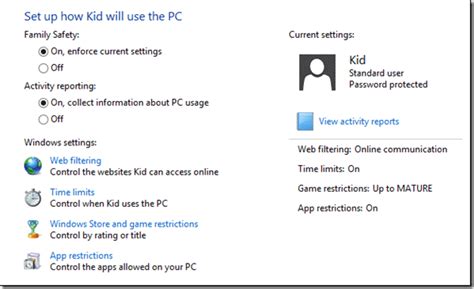
Many gaming consoles, computers, and mobile devices come with built-in parental controls that allow you to set time limits automatically. Explore these features. There are also third-party apps designed to manage screen time across multiple devices. Using timers – either physical ones or app-based – can also help kids visualize and understand when their gaming session is coming to an end.
Create a Balanced Schedule
Screen time shouldn’t exist in a vacuum. Integrate it into a broader daily or weekly schedule that prioritizes other activities. Ensure there’s ample time for homework, reading, creative play, outdoor activities, sports, family meals, and chores. When children have a diverse range of engaging activities, they are less likely to gravitate solely towards video games.

Offer Engaging Alternatives
It’s easier for kids to accept screen time limits if they have appealing alternatives. Encourage hobbies, provide art supplies, suggest board games, plan family outings, or sign them up for sports and clubs. Sometimes, boredom is the biggest driver of excessive screen time, so having other options readily available can make a huge difference.

Lead by Example and Review Regularly
Children learn by observing. Be mindful of your own screen habits and demonstrate a healthy relationship with technology. Also, remember that children’s needs evolve. What works for a 6-year-old might not work for a 12-year-old. Review your screen time rules periodically with your children and be prepared to make adjustments as they grow and mature. Flexibility, within a structured framework, can be very beneficial.

Setting screen time limits for video games is an ongoing process that requires patience, communication, and consistency. By involving your children, setting clear expectations, utilizing available tools, and providing enriching alternatives, you can guide them toward developing healthy digital habits that support their overall well-being.

