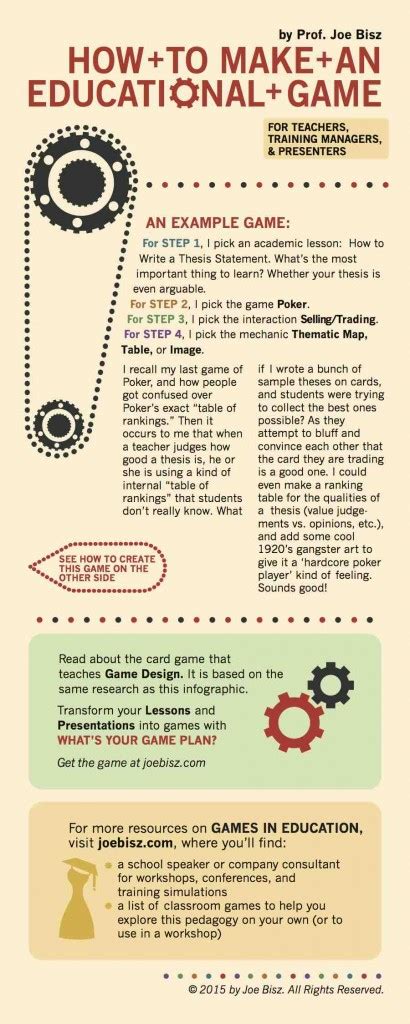
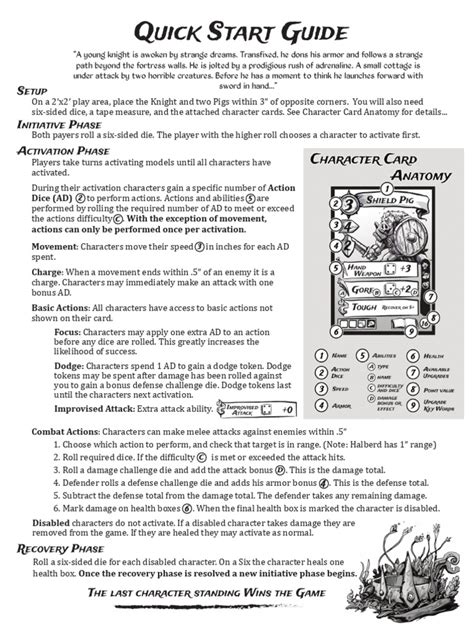
How can a game’s beginner guide effectively teach core mechanics without overwhelming new players?

The Delicate Balance: Guiding Without Overwhelming
Onboarding new players is one of the most critical stages in a game’s lifecycle. A well-designed beginner guide doesn’t just explain how to play; it inspires confidence, sets expectations, and gently introduces the player to the unique rhythm and challenges of the game world. The ultimate goal is to teach core mechanics effectively without flooding the player with too much information, creating a smooth and enjoyable entry point.
Striking this balance requires a thoughtful approach, focusing on progressive learning, contextual application, and clear communication.

Progressive Disclosure: The Art of Layering Information
One of the most common pitfalls of beginner guides is dumping all information at once. Effective guides employ progressive disclosure, introducing mechanics one by one as they become relevant. This involves:
- Chunking Information: Break down complex systems into smaller, manageable pieces. Don’t explain inventory management, crafting, and combat simultaneously.
- “Need-to-Know” First: Prioritize the absolute essentials for initial gameplay. What does the player need to do in the first five minutes? Focus on those actions.
- Gradual Complexity: As players master basic controls (movement, basic attack), introduce slightly more advanced concepts (special abilities, environmental interaction).
Contextual Learning and Immediate Application
Players learn best by doing, not just by reading or watching. Integrating the tutorial directly into the gameplay experience provides context and immediate application of new skills.
- “Teach by Doing”: Instead of telling players how to jump, have them encounter a small gap they must jump over to proceed.
- Meaningful Scenarios: Present mechanics within a relevant gameplay scenario. For instance, teach how to use a healing item when the player first takes damage, not in a sterile menu.
- Mini-Challenges: Create low-stakes environments or specific tutorial segments that act as mini-challenges, guiding players to use a newly introduced mechanic to overcome a simple obstacle.
Visual Clarity and Intuitive User Interface (UI)
A picture is worth a thousand words, especially in game tutorials. Visual cues can significantly reduce cognitive load.
- Highlighting and Pointers: Use clear visual indicators (glowing objects, pulsing UI elements, arrows) to draw attention to relevant interactable elements or UI sections.
- Minimal Text: Keep tutorial text concise and to the point. Use keywords, short phrases, and clear calls to action.
- Iconography: Leverage intuitive icons to represent actions or items, which can be universally understood regardless of language.
- Consistent UI: Ensure the UI during the tutorial phase mirrors the main game UI, reducing the need for players to re-learn visual language.

Low-Stakes Practice and Iterative Feedback
Players need a safe space to experiment and make mistakes without severe penalties. This fosters confidence and encourages exploration.
- Forgiving Environments: Create tutorial zones where death has no consequences, or resources are infinite.
- Clear Feedback Loops: Provide immediate and unambiguous feedback when a player performs an action correctly or incorrectly. Visual and auditory cues can reinforce learning.
- Repeatable Sections: Allow players to revisit tutorial sections or practice arenas if they feel they haven’t grasped a mechanic fully.
Player Agency and Optional Deep Dives
While guided learning is crucial, giving players some control over their learning pace can prevent frustration.
- Skip Options: Offer the option to skip or speed through parts of the tutorial, especially for experienced players or those starting a new playthrough.
- In-Game Knowledge Bases: Provide an accessible in-game encyclopedia, glossary, or help menu where players can look up mechanics, lore, or advanced tips at their leisure.
- “Advanced Tips” for Later: Hold back complex strategies or nuanced mechanics until players have mastered the basics. These can be introduced through loading screen tips, optional side quests, or unlockable content.

Conclusion
An effective beginner guide acts as a patient mentor, not an overwhelming lecturer. By embracing progressive disclosure, embedding learning in context, prioritizing visual clarity, offering safe practice opportunities, and respecting player agency, game developers can craft onboarding experiences that seamlessly teach core mechanics. This not only prevents new players from feeling overwhelmed but also lays a strong foundation for their continued engagement and enjoyment of the game.