DIY fix for Nintendo Switch Joy-Con drift?
Understanding Joy-Con Drift
Joy-Con drift is a frustrating phenomenon where your Nintendo Switch controller registers movement even when the analog stick is not being touched. This phantom input can severely impact gameplay, making precision tasks impossible and generally diminishing the gaming experience. It’s a widespread problem that Nintendo has acknowledged, and while many resort to sending their controllers in for professional repair, numerous DIY solutions can often save you time and money.

First Steps: Recalibration and Software Fixes
Before you dive into opening up your Joy-Cons, always start with the simplest solutions. Sometimes, drift can be a software issue or a minor calibration error.
- Recalibrate Your Sticks: Go to System Settings > Controllers and Sensors > Calibrate Control Sticks. Follow the on-screen instructions to check and recalibrate both analog sticks. If the dot doesn’t center, tilt the stick in all directions a few times and try again.
- Update Firmware: Ensure both your Nintendo Switch console and Joy-Cons have the latest system updates. Minor bugs causing drift can sometimes be patched out.
Cleaning Your Joy-Cons: A Common DIY Solution
Often, drift is caused by dust, debris, or general wear beneath the analog stick’s skirt, interfering with the internal sensors. Cleaning can be surprisingly effective.
Method 1: Compressed Air
With the Joy-Con attached to the console or held firmly, gently lift the rubber skirt around the base of the analog stick. Use short bursts of compressed air (designed for electronics, not general purpose) to blow out any accumulated grime. Rotate the stick and repeat the process around the entire circumference.
Method 2: Contact Cleaner (Isopropyl Alcohol)
For more stubborn dirt, a small amount of electronics contact cleaner or 90%+ isopropyl alcohol can work wonders. Apply a tiny drop or two under the skirt of the analog stick. Work the stick in all directions to help the cleaner penetrate. Allow it to fully dry for at least 15-30 minutes before re-testing. Do not oversaturate, as too much liquid can cause damage.
Replacing the Analog Stick: For the Brave DIYer
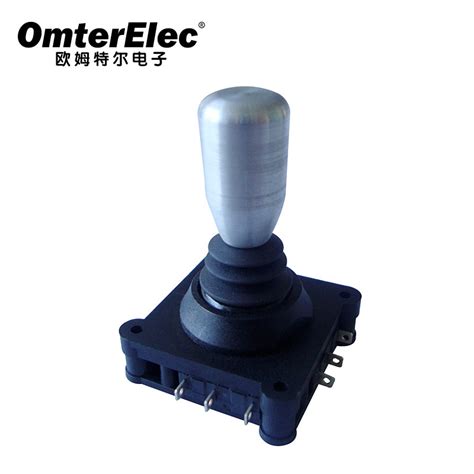
If cleaning and recalibration fail, the internal mechanism of the analog stick might be worn out. Replacing the stick module is a more advanced DIY fix but can be done with the right tools and patience. Replacement kits are readily available online.
Tools you’ll typically need:
- Tri-wing Y00 screwdriver
- Phillips #00 screwdriver
- Prying tools (plastic spudger, tweezers)
- Replacement analog stick module
The process involves carefully opening the Joy-Con casing, disconnecting ribbons, and swapping out the old stick for a new one. There are many detailed video guides available online that walk you through each step. Take photos as you go to remember where everything goes!

Important Warnings and Considerations
While DIY fixes can be rewarding, there are crucial points to remember:
- Voiding Warranty: Opening your Joy-Cons will likely void any remaining warranty from Nintendo. Proceed with caution if your device is still under warranty.
- Risk of Damage: There’s always a risk of damaging internal components during any DIY repair, especially when dealing with delicate ribbon cables.
- Quality of Parts: If replacing components, ensure you buy high-quality replacement parts from reputable sellers to avoid future issues.
- Seek Professional Help: If you’re uncomfortable with opening your controllers, or if DIY fixes don’t work, consider sending them to Nintendo for official repair or finding a local electronics repair shop.

Conclusion
Joy-Con drift is a prevalent issue, but it doesn’t always have to mean buying a new pair of controllers. From simple software adjustments and thorough cleaning to more involved component replacement, there are several DIY avenues you can explore. By following these steps carefully and understanding the risks involved, you might just bring your trusty Joy-Cons back to perfect working order, ensuring your gaming sessions remain drift-free.