Best Nintendo Switch SD card? Maximize game storage efficiently.

Why Your Nintendo Switch Needs an SD Card
The Nintendo Switch, an incredibly versatile console, comes with a rather modest amount of internal storage: 32GB for the original model and Switch Lite, and 64GB for the Switch OLED. While this might seem sufficient for a few games, the reality is that many modern Switch titles, especially digital downloads, can easily consume several gigabytes each. Add to that game updates, downloadable content (DLC), and screenshots/videos, and you’ll quickly find yourself running out of space.
An SD card is not just an optional accessory; it’s an essential upgrade for any serious Switch owner. It allows you to store a vast library of games, ensuring you don’t have to constantly delete and redownload titles just to make room for new ones. This not only saves you time but also makes your gaming experience smoother and more convenient.

Understanding SD Card Types for Nintendo Switch
When selecting an SD card for your Nintendo Switch, you’ll need a microSD card. Specifically, the Switch supports microSDHC (High Capacity) and microSDXC (Extended Capacity) cards. Here’s a quick breakdown:
- microSDHC: These cards typically range from 4GB to 32GB. While compatible, their lower capacity makes them less ideal for expanding the storage of a game-heavy console like the Switch.
- microSDXC: These cards start at 32GB and can go all the way up to 2TB. This is where you’ll find the ideal capacities for your Switch.
Beyond capacity, speed is another crucial factor. Look for cards with a ‘UHS-I’ speed class and a ‘Class 10’ or ‘U1’ rating. These indicate a minimum write speed of 10 MB/s, which is perfectly adequate for the Switch’s requirements. Faster ‘U3’ cards exist, but the Switch currently doesn’t fully utilize their higher speeds, so investing in a U3 card primarily for speed might not offer a significant advantage over a U1 for gameplay.
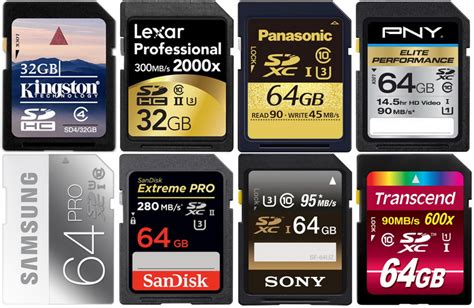
Key Factors: Speed, Capacity, and Brand
Choosing the right microSD card involves balancing these three critical elements:
-
Capacity: This is arguably the most important decision. Consider your gaming habits:
- 128GB: A good starting point for casual gamers or those who mostly play physical cartridges.
- 256GB: The sweet spot for most Switch owners. It offers ample space for a substantial digital library without breaking the bank.
- 512GB or more: Ideal for avid digital collectors, those who frequently download large games, or want to future-proof their console for years to come. The Switch officially supports up to 2TB, though cards beyond 1TB are still quite expensive.
- Speed: As mentioned, a UHS-I (U1) or Class 10 card is sufficient. While faster cards exist, the Switch’s architecture means you won’t see dramatic improvements in game loading times beyond this standard. Focus on a good balance of read/write speeds within the UHS-I category.
- Brand: Stick to reputable brands known for their reliability and performance. SanDisk, Samsung, and PNY are generally top-tier choices. These brands offer consistent quality and often come with good warranties.

Top Recommendations for Your Nintendo Switch
Based on performance, reliability, and value, here are some highly recommended microSD cards:
-
SanDisk microSDXC for Nintendo Switch: These officially licensed cards come in various capacities (64GB, 128GB, 256GB, 512GB) and feature iconic Nintendo branding. They are optimized for the Switch, offering excellent read/write speeds and guaranteed compatibility.
Why it’s great: Officially licensed, reliable, aesthetically pleasing. -
SanDisk Ultra microSDXC UHS-I Card: A popular and highly reliable choice, the Ultra series offers great value. Available in capacities up to 1TB, it provides excellent speeds (up to 120MB/s read) at a competitive price point.
Why it’s great: Excellent value, widely available, proven reliability. -
Samsung EVO Select/Plus microSDXC: Samsung’s EVO series cards are renowned for their robust performance and durability. They offer strong read/write speeds, making them a fantastic option for seamless gameplay and fast transfers. Available in up to 512GB and 1TB.
Why it’s great: High performance, durable, great for sustained use.

Installing and Managing Your New SD Card
Installing a microSD card in your Nintendo Switch is incredibly simple:
- Turn off your Nintendo Switch completely (hold the power button, then select Power Options > Turn Off).
- Open the kickstand on the back of the console to reveal the microSD card slot.
- Gently insert the microSD card into the slot with the label facing down until it clicks into place.
- Close the kickstand and power on your Switch.
Your Switch will automatically detect the new storage. If you’ve been using internal storage, new game downloads will automatically go to the SD card. Existing games can be archived from internal storage and redownloaded to the SD card via the eShop. Remember that game save data is always stored on the console’s internal memory, not the SD card.
Maximize Your Gaming Potential
Investing in the right microSD card is one of the best upgrades you can make for your Nintendo Switch. It eliminates the frustration of constantly managing storage, allowing you to focus on what truly matters: enjoying your vast library of games without interruption. By choosing a reputable brand with ample capacity and appropriate speed, you’ll unlock the full potential of your console and ensure endless hours of uninterrupted gaming fun.