





What’s the smartest way to use game wishlists to catch peak price drops?

In the vast and ever-expanding world of digital gaming, scoring a fantastic deal can feel like finding a rare treasure. While many gamers passively add titles to their wishlists, only a select few truly master the art of using these digital queues to pinpoint and pounce on peak price drops. This guide will walk you through the smartest strategies to transform your wishlist from a simple reminder into a powerful money-saving tool.
The Power of the Digital Wishlist
At its core, a wishlist serves as a personalized repository for games you’re interested in. However, its true value extends far beyond mere memory aid. Modern gaming platforms integrate wishlists with notification systems, alerting you when a desired title goes on sale. This passive monitoring is crucial, as it allows you to track hundreds of games without constantly checking individual store pages. Understanding how to leverage these built-in features is the first step towards smart saving.
The key is to populate your wishlist liberally. Don’t just add games you plan to buy immediately; include every title that piques your interest, even if it’s a distant thought. The more games on your list, the higher your chances of receiving a notification for a significant discount. This broad approach ensures you don’t miss out on unexpected flash sales or deep cuts on older titles you might have forgotten about.

Mastering Platform-Specific Tools
Each major gaming platform offers its own wishlist functionality, and knowing their nuances is vital:
- Steam (PC): Steam’s wishlist is highly effective, sending email notifications for sales and updates. It also highlights sale items directly on your wishlist page. Ensure your Steam notification settings are configured to receive these emails.
- PlayStation Store, Xbox Store, Nintendo eShop: Console wishlists typically offer similar email alert systems. Make sure your account’s communication preferences allow for promotional emails to receive price drop notifications. Some platforms might even show a percentage off directly on your wishlist.
- Epic Games Store: While newer, Epic’s wishlist also provides notifications for price changes and sales, especially around their seasonal mega-sales which often include hefty coupons.
Regularly reviewing your platform-specific wishlists can also reveal trends. You might notice certain publishers or genres going on sale more frequently, helping you anticipate future discounts.
Integrating Third-Party Price Trackers
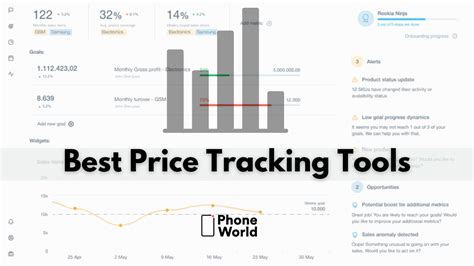
While platform-native wishlists are great, third-party price tracking websites offer an unparalleled level of depth and cross-platform comparison. These tools aggregate prices from multiple storefronts (both official and authorized key resellers), provide historical price data, and often allow for more granular notification settings.
- IsThereAnyDeal.com: A gold standard for PC gamers, IsThereAnyDeal tracks prices across dozens of digital storefronts. You can import your Steam wishlist, create custom alerts for specific price points, and see historical low prices, allowing you to determine if a current sale is truly a ‘peak’ price drop.
- GG.deals: Similar to IsThereAnyDeal, GG.deals covers PC game prices from various sources and offers robust wishlist features, historical data, and deal alerts.
- PSNPrice.com, Xbox-Now.com, eShop-Prices.com: These sites specialize in console games, tracking regional prices and historical data, often providing a clearer picture of console-specific sales than the native stores alone.
By leveraging these external tools, you can avoid impulse buys during mediocre sales and hold out for genuine record lows.
Understanding Sale Cycles and Historical Data
Peak price drops aren’t random; they often follow predictable patterns. Major seasonal sales (Summer Sale, Holiday Sale, Black Friday, etc.) are prime opportunities for significant discounts. Publisher-specific sales and anniversaries also frequently bring deep cuts. By observing historical price data, you can develop an intuition for when a game is likely to hit its lowest point.
Historical price charts (available on many third-party trackers) are your best friend here. They show you exactly when and how often a game has gone on sale, and for what price. If a game routinely drops to $15 during major sales and it’s currently at $20, you might decide to wait. Conversely, if $25 is its historical low, then a $25 sale might be your ‘peak’ price drop.

Advanced Strategies for Peak Savings
- Set Price Thresholds: Don’t just track for ‘a sale’; track for ‘X% off’ or ‘below $Y’. Many third-party tools allow you to specify exactly what constitutes a desirable price drop for you.
- Consider Bundles and Coupons: Sometimes, the best ‘price drop’ isn’t a direct discount but rather a game included in a bundle (e.g., Humble Bundle, Fanatical) or made significantly cheaper with a store-wide coupon (e.g., Epic Games Store mega sales). Keep an eye on deal sites for these opportunities.
- Prioritize and Prune: Periodically review your wishlists. Remove games you’re no longer interested in to keep your notifications relevant. For games you desperately want, consider setting even stricter price alerts.
- Check Region-Specific Deals: If you’re comfortable with VPNs or have accounts in different regions, some games might have better deals in other territories. Third-party trackers often highlight regional pricing.
Conclusion
Harnessing the full potential of game wishlists requires a blend of platform knowledge, smart tool integration, and an understanding of market patterns. By actively populating your lists, configuring robust notifications, consulting historical data, and employing advanced strategies, you can consistently catch games at their absolute lowest prices. Stop paying full price and start mastering the art of the deal – your wallet will thank you.


