What’s the best way to structure game how-tos for new players to avoid overwhelm?

Onboarding new players to a complex game can be a daunting task. A poorly structured how-to guide can lead to frustration, confusion, and ultimately, player attrition. The key to success lies in progressive learning, clear communication, and empathetic design. Here’s how to craft how-to guides that empower, rather than overwhelm, new players.
The Core Principle: Progressive Learning
The most effective way to prevent overwhelm is to introduce information gradually, building upon previously learned concepts. Think of it as a staircase, not a wall. New players should only be presented with the information they absolutely need to take the next immediate step.

Start with the Absolute Basics
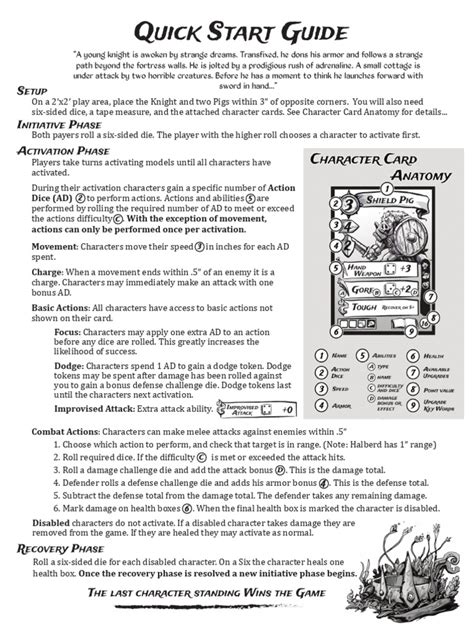
Begin with the fundamental controls and objectives. How do they move? How do they interact with the most basic elements? What is the singular goal they need to achieve right now? Avoid front-loading advanced mechanics, lore, or strategic depth. These can come later, once the player is comfortable with the foundational interactions.
Introduce Concepts Incrementally
Once basic movement and interaction are understood, slowly layer on new mechanics. Each new concept should be presented in isolation, practiced, and then integrated with what the player already knows. For example, introduce combat after movement, then introduce special abilities after basic combat, and so on.
Clarity and Conciseness are King
New players have a limited attention span and cognitive load when learning something new. Every word and every instruction counts.
Use Simple Language
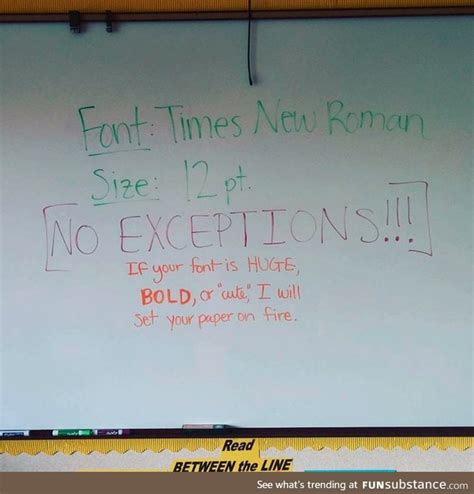
Avoid jargon, acronyms, or overly technical terms unique to your game unless they are immediately and clearly defined. Opt for plain, straightforward language that is easy to understand, even for someone unfamiliar with the genre. If a term must be used, provide a brief, contextual explanation.
Break Down Complex Actions
A single complex action can be a sequence of smaller, simpler steps. Instead of saying, “Craft an advanced potion,” break it down: “1. Gather three Moonpetal flowers. 2. Collect one shimmering dewdrop. 3. Open your crafting menu. 4. Select the Potion of Mending recipe.” Each step should be actionable and unambiguous.
Leveraging Visuals and Examples
Humans are highly visual learners, and this is especially true in games where spatial awareness and visual cues are paramount. Text alone is rarely sufficient.
Screenshots and Videos are Crucial
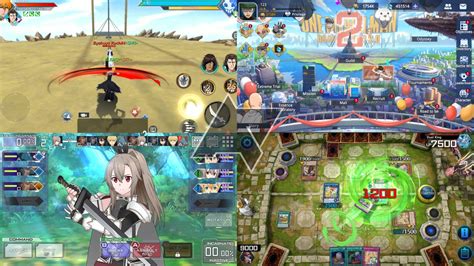
Whenever you describe an action or an interface element, provide a corresponding screenshot or a short video clip. Highlight the specific button, icon, or area the player needs to focus on. Seeing is believing, and it dramatically reduces cognitive load. For instance, show an image of the inventory screen with the ‘craft’ button circled.
Practical Scenarios and Use Cases
Instead of abstract explanations, provide practical examples. Don’t just explain what a ‘cover system’ is; show them a situation where using cover is advantageous and how to execute it, perhaps in a brief, controlled environment.

Interactive and Practice Opportunities
Learning by doing is the most effective method, especially for motor skills and timing-based actions inherent in many games.
In-Game Tutorials and Sandbox Modes
Whenever possible, integrate how-to elements directly into the game. Guided tutorials that require the player to perform the action immediately after instruction are far more effective than passive reading. A ‘sandbox’ or practice mode where they can experiment without consequence is also invaluable.
“Try It Yourself” Prompts
After explaining a concept, prompt the player to immediately try it. “Now that you know how to use your grappling hook, try crossing this chasm.” This reinforces learning and builds confidence.
Beyond the First Steps: Ongoing Support
Even with a perfect initial how-to, players will have questions as they delve deeper into the game.

Easily Navigable Resources
Ensure that a comprehensive, searchable knowledge base or in-game codex is readily available. This resource should be well-organized with clear categories, a robust search function, and cross-referenced links, allowing players to find specific answers without sifting through everything again.
Community Integration
For more advanced or nuanced questions, direct players to community forums, Discord channels, or official wikis where experienced players can offer guidance. Fostering a helpful community can significantly augment your official how-to efforts.
By implementing these strategies, you can transform what might otherwise be a bewildering entry into an engaging and empowering journey for new players, helping them to not only understand your game but truly enjoy mastering it.