My Switch storage is full! What are the best microSD cards for more digital games?
Running Low on Space? You’re Not Alone!
It’s a familiar scenario for many Nintendo Switch owners: you download a new game, only to be greeted by the dreaded ‘not enough space’ message. With an internal storage of just 32GB (or 64GB for the OLED model), which is quickly eaten up by system files and a few large games, expanding your storage is less of a luxury and more of a necessity for any avid digital gamer.
Fortunately, the Nintendo Switch supports microSD cards, providing a simple and effective way to dramatically increase your storage capacity. But with so many options out there, which one should you choose?

Why a Good MicroSD Card is Crucial for Your Switch
While any microSD card will technically work, choosing the right one can significantly impact your gaming experience. Speed matters! Your Switch will be constantly reading data from the card, so a slow card can lead to longer loading times and even occasional performance hiccups. Capacity, of course, dictates how many games you can store.
Key Factors to Consider:
- Speed: Look for cards with a high ‘UHS Speed Class 3’ (U3) or ‘Video Speed Class 30’ (V30) rating. These indicate a minimum sequential write speed of 30MB/s, which is ideal for the Switch’s requirements. Faster read speeds (up to 100MB/s or more) are also beneficial for quicker game loading.
- Capacity: This is where you need to assess your gaming habits.
- 128GB-256GB: Good for casual gamers with a mix of physical and digital games.
- 512GB: A sweet spot for many, offering ample space for a large digital library without breaking the bank.
- 1TB or more: For the hardcore digital-only collector who wants to download everything.
- Brand Reliability: Stick to reputable brands known for quality and durability.
- Price: While price is a factor, don’t compromise too much on quality for a cheaper card; it could cost you in performance or longevity.
Top Recommended MicroSD Cards for Nintendo Switch
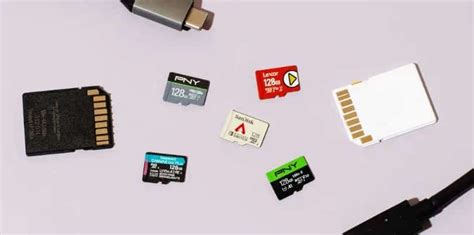
Based on performance, reliability, and value, these brands consistently come out on top for Nintendo Switch users:
1. SanDisk microSDXC for Nintendo Switch
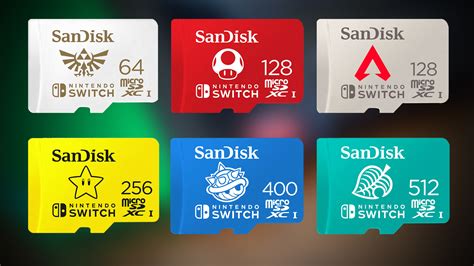
This is often considered the gold standard. SanDisk offers officially licensed Nintendo Switch microSD cards, easily identifiable by their iconic red and white design featuring Mario or other Nintendo characters. They are U3 rated, ensuring optimal performance, and come in various capacities, including 64GB, 128GB, 256GB, 512GB, and 1TB. While they might carry a slight premium for the branding, their reliability and speeds are excellent.
2. SanDisk Extreme / Extreme Pro
If you want top-tier performance and don’t mind not having the Nintendo branding, the SanDisk Extreme and Extreme Pro lines are fantastic. They offer even faster read/write speeds than the officially licensed cards, making them superb for the Switch. Look for U3/V30 ratings here as well.

3. Samsung EVO Select / EVO Plus
Samsung’s EVO series cards are a strong contender, offering great performance and reliability at a competitive price point. The EVO Select (often Amazon exclusive) and EVO Plus lines are both U3 rated and come in all popular capacities up to 512GB and 1TB. They offer excellent value for money without sacrificing speed.
4. PNY Elite-X / PRO Elite
PNY also offers excellent high-speed microSD cards that are very suitable for the Switch. Their Elite-X and PRO Elite cards are U3 rated and known for good read and write speeds, often available at attractive prices. They are a solid choice if you’re looking for an alternative to SanDisk or Samsung.
How to Install Your New MicroSD Card
Installing your new microSD card is incredibly simple:
- Turn off your Nintendo Switch completely (hold down the power button and select ‘Power Options’ > ‘Turn Off’).
- Open the kickstand on the back of the console to reveal the microSD card slot.
- Insert the microSD card into the slot until it clicks into place.
- Close the kickstand and power on your Switch.
Your Switch will automatically detect and format the card if necessary, and you’ll then see the expanded storage available in the System Settings under ‘Data Management’.

Conclusion: Expand Your Horizons!
Don’t let limited storage restrict your gaming adventures. Investing in a quality microSD card is one of the best upgrades you can make for your Nintendo Switch. Whether you opt for an officially licensed SanDisk card or a high-performance alternative from Samsung or PNY, you’ll be able to download more digital titles, keep your favorite games installed, and spend less time managing data – and more time playing!
Choose the capacity that fits your budget and gaming style, and get ready to expand your digital library to its fullest potential.