





How to verify third-party game key sellers for safe, discounted digital codes?
In the vast digital landscape of gaming, the allure of a discounted game key from a third-party seller can be incredibly tempting. While many legitimate vendors offer great deals on digital codes, the market is also rife with scams and unreliable sources. Knowing how to differentiate between the two is crucial for safeguarding your money and ensuring you get a working game key.
Understanding the Third-Party Market
Third-party game key sellers often source their codes from various regions with lower pricing, during sales, or from bundle promotions. They then resell these keys, usually for a profit margin that still results in a discount for the buyer compared to official storefronts. While this practice isn’t inherently malicious, it operates in a ‘grey market’ zone, meaning keys aren’t always acquired directly from the publisher for direct resale. This can lead to potential issues if not handled carefully.

Essential Verification Steps
1. Research Seller Reputation & Reviews
This is arguably the most critical step. Before committing to a purchase, dive deep into the seller’s reputation. Look for reviews on independent platforms like Trustpilot, Reddit, and various gaming forums. Pay attention to both the quantity and quality of reviews. A seller with thousands of positive reviews over several years is generally more trustworthy than a new site with only a handful of five-star ratings.
2. Check Payment Methods
Legitimate sellers typically offer secure payment gateways such as PayPal, major credit cards, or established payment processors. Be wary of sites that only accept obscure payment methods, direct bank transfers, or cryptocurrency without other options, as these often offer less buyer protection in case of a problem.
3. Understand Key Origin and Activation Regions
Some sellers are transparent about where their keys come from (e.g., EU, US, Global). Be sure to check if the key is region-locked to avoid buying a code that won’t activate in your country. If a seller is vague about key origins or activation requirements, consider it a red flag.
4. Scrutinize Refund & Support Policies
A reputable seller will have clear, accessible refund and customer support policies. Read them carefully. What happens if the key doesn’t work? What’s the process for getting a refund or replacement? A lack of clear policies or overly restrictive terms can indicate a problematic seller.
Red Flags to Watch For
- Prices That Are Too Good to Be True: While discounts are the goal, a brand-new AAA title selling for 90% off within weeks of release is a major red flag. If it seems impossible, it probably is.
- Poor Website Design and Grammar: Unprofessional websites, littered with typos and grammatical errors, often signal a lack of credibility and care.
- Lack of Contact Information: Trustworthy sites will provide clear ways to contact them, including email, a support ticket system, or even a phone number. A site that hides its contact details is suspicious.
- Requests for Personal Information Beyond the Essential: Only provide necessary details for the transaction. Be suspicious if they ask for excessive personal data.
Best Practices for Safe Purchases
- Use Buyer Protection: Whenever possible, use payment methods that offer buyer protection, like PayPal’s Goods and Services.
- Keep Records: Save all communication, order confirmations, and transaction details. Screenshots can be helpful evidence if an issue arises.
- Activate Immediately: Once you receive a key, activate it on the respective platform (Steam, Epic Games, GOG, etc.) as soon as possible. This way, if it’s faulty, you can address the issue quickly within the seller’s return window.
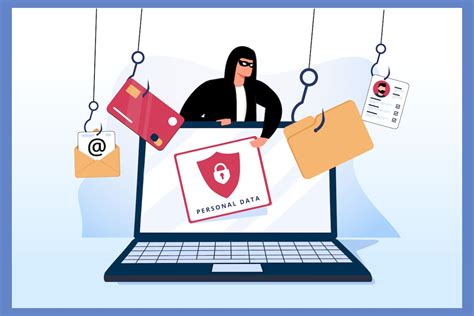
- Beware of Phishing: Always ensure you are on the legitimate seller’s website and not a look-alike phishing site. Check the URL carefully.
Popular and Generally Reputable Third-Party Sellers (Exercise Caution)
While this article focuses on how to verify sellers yourself, some established names in the third-party key market include sites like Fanatical, Green Man Gaming, and Humble Bundle. These platforms often work directly with publishers and developers, offering officially sanctioned keys. However, even with these, always double-check the specifics of the deal. For other grey market resellers, sites like G2A, Kinguin, and Eneba are popular, but require the most diligent verification from buyers, due to their marketplace nature where individual sellers operate.

Conclusion
Buying game keys from third-party sellers can be a fantastic way to save money, but it requires vigilance and a proactive approach to verification. By diligently researching seller reputations, understanding their policies, and being aware of common red flags, you can significantly reduce your risk and enjoy your discounted digital codes safely. Always prioritize security over a slightly better deal, and remember that an informed buyer is a safe buyer.


