





How to verify if a game key deal from a third-party site is legitimate and safe?
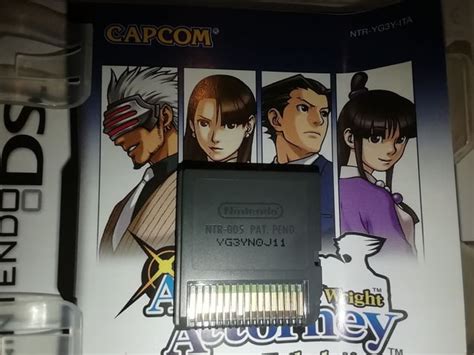
The allure of snagging a coveted game at a fraction of its retail price from a third-party seller is undeniable. Sites offering digital game keys have become a popular hub for budget-conscious gamers. However, this convenience comes with a significant caveat: the risk of encountering illegitimate keys, scams, or unsupported purchases. Knowing how to discern a genuine deal from a potential rip-off is crucial for a safe and satisfying gaming experience.

Research the Seller’s Reputation Thoroughly
Before even considering a purchase, dedicate time to scrutinizing the third-party site’s reputation. A quick Google search can reveal a wealth of information. Look for reviews on independent platforms like Trustpilot, Reddit, and dedicated gaming forums. Pay attention to both positive and negative feedback.
- Consistency: Are there consistent complaints about invalid keys, poor customer service, or unfulfilled orders?
- Longevity: How long has the site been operational? Newer sites with few reviews might be riskier.
- Review Authenticity: Be wary of sites with only five-star reviews or reviews that sound generic and templated.
Understand Key Sourcing and the “Grey Market”
Many third-party key sellers operate in what’s known as the “grey market.” This means they often acquire keys through various non-traditional channels, which can include:
- Purchasing keys in regions where games are cheaper due to regional pricing.
- Bundles or promotions from which keys are extracted and sold individually.
- Less legitimate sources, such as keys bought with stolen credit cards, which can later be revoked by the publisher.
While some grey market practices are benign (like regional arbitrage), others carry significant risks. Keys bought with stolen credit cards will almost certainly be revoked, leaving you out of pocket and without a game.
Spotting Red Flags: When a Deal is Too Good to Be True
Common sense is your best defense. If a deal seems extraordinarily good, it probably is. Here are some key red flags:
- Unbelievably Low Prices: A brand-new AAA title selling for 80-90% off its retail price shortly after launch is a huge warning sign.
- Unusual Payment Methods: Sites that only accept cryptocurrency, untraceable bank transfers, or gift cards should be approached with extreme caution. Legitimate sites usually offer well-known, secure payment options like PayPal or credit cards.
- Lack of Contact Information: A legitimate business should have clear contact information, including an email, phone number, or live chat support.
- Vague Terms and Conditions: If refund policies or terms of service are unclear, non-existent, or difficult to find, steer clear.
Prioritize Secure Payment Methods
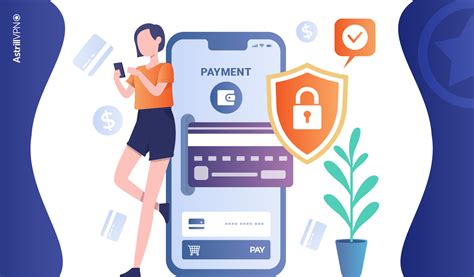
Always use payment methods that offer strong buyer protection. PayPal and major credit cards (Visa, MasterCard, American Express) provide mechanisms for disputing charges if a product isn’t delivered or is faulty. Avoid direct bank transfers or debit card payments on less-known sites, as these offer fewer avenues for recourse.
Verify the Activation Platform and Region Locks
Before buying, confirm that the game key is for the correct platform (e.g., Steam, Epic Games Store, Origin, Xbox, PlayStation) and that it’s compatible with your region. Some keys are region-locked and will not activate if you’re outside the specified geographical area. Check the product description carefully for any mentions of region restrictions.
Activating Your Key and What to Do If Things Go Wrong
Once you purchase a key from a third-party site, activate it immediately. This allows you to quickly ascertain its validity. If the key is invalid or has issues:
- Contact the Seller’s Support: Give the seller an opportunity to resolve the issue. Provide all necessary details, including order numbers and screenshots of the error message.
- Initiate a Payment Dispute: If the seller is unresponsive or unwilling to help, and you used a protected payment method, initiate a dispute with your payment provider (e.g., PayPal, credit card company).
- Report Fraud: If you suspect you’ve been scammed, consider reporting the incident to relevant consumer protection agencies or your local law enforcement.
Conclusion
While third-party game key sites can offer fantastic deals, vigilance is paramount. By thoroughly researching sellers, understanding key sourcing, recognizing red flags, and using secure payment methods, you can significantly reduce your risk of encountering problems. Always prioritize your online safety and peace of mind over an irresistible, but potentially fraudulent, bargain. A little due diligence goes a long way in ensuring your gaming purchases are both legitimate and safe.



