How to simplify complex how-to steps?

The Art of Simplifying Complex Instructions
In a world brimming with intricate technologies and processes, the ability to clearly communicate how to accomplish a task is an invaluable skill. Whether you’re writing a software tutorial, a recipe, or a DIY guide, presenting complex information in a simple, digestible format is crucial for user success and satisfaction. Frustrating, convoluted instructions often lead to abandonment, errors, and a poor user experience. The key lies in empathetic design and clear communication.
1. Know Your Audience Inside Out
The first step in simplification isn’t about the content itself, but about the people who will be reading it. Understanding your audience’s existing knowledge, technical proficiency, and pain points is paramount. Are they beginners, intermediate users, or experts? Tailor your language, level of detail, and assumptions accordingly. Avoid jargon for novices, but don’t oversimplify for experts who might find it condescending. A well-targeted guide speaks directly to its user’s needs.

2. Deconstruct and Chunk Information
Complex tasks often appear daunting as a whole. The most effective simplification technique is to break down the overall process into smaller, manageable, sequential steps. Each step should represent a single, actionable instruction or a very closely related set of actions. Think of it like a journey: you provide directions to the next landmark, not the entire route at once. This method reduces cognitive load and allows users to focus on one task at a time, building confidence with each completed step.
Break Down into Micro-Steps:
- Identify the main objective of the how-to guide.
- List all major stages required to achieve that objective.
- Within each major stage, enumerate every single action a user must take.
- Ensure each bullet point represents a distinct, achievable action.
3. Employ Clear and Concise Language
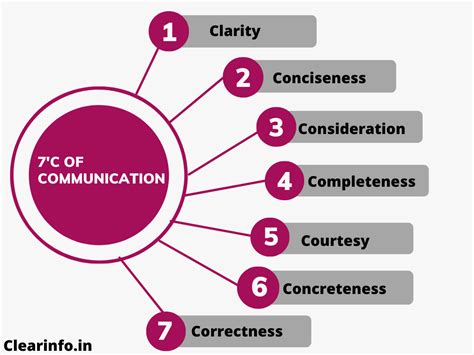
Once you’ve segmented your task, focus on the language within each step. Clarity is king. Use active voice, direct verbs, and short sentences. Avoid ambiguity, unnecessary adverbs, and complex sentence structures. Imagine you’re giving instructions verbally; you’d naturally be more direct. Eliminate any words or phrases that don’t add essential information.
Tips for Language Clarity:
- Use Active Voice: Instead of “The button should be clicked by you,” write “Click the button.”
- Be Specific: “Go to settings” is less clear than “Navigate to the ‘Settings’ menu by clicking the gear icon.”
- Avoid Jargon: If technical terms are unavoidable, explain them briefly or link to a glossary.
- Consistency: Use the same terminology for the same elements throughout the guide.
4. Leverage Visual Aids Effectively
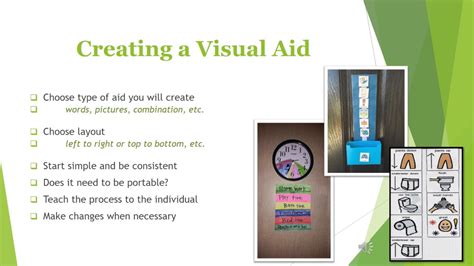
A picture is truly worth a thousand words, especially in how-to guides. Visual aids can dramatically simplify complex steps by showing rather than telling. Screenshots, diagrams, flowcharts, or short videos can clarify intricate processes, highlight specific elements, and reduce the need for extensive textual descriptions. Ensure visuals are high-quality, relevant, and properly annotated.
Types of Effective Visuals:
- Screenshots: For software or web-based instructions, clearly showing what the user should see.
- Diagrams: For hardware assembly or abstract concepts, illustrating relationships.
- Flowcharts: To map out decision points and sequences of actions.
- Icons: To visually represent actions or warnings.
5. Structure for Logical Flow and Readability
Even with clear language and visuals, a poorly structured guide can be confusing. Use numbered lists for sequential steps, bullet points for non-sequential options or features, and bold text to highlight important actions or terms. Consistent formatting, clear headings, and ample white space improve readability and make the guide less intimidating. A logical flow ensures users always know where they are in the process and what comes next.
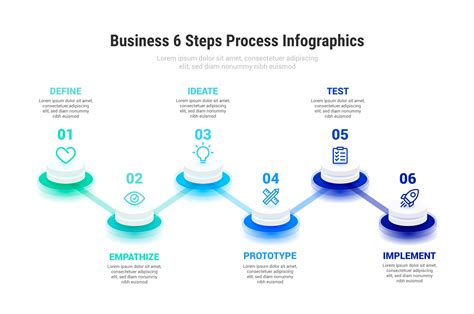
6. Test and Iterate for User Experience
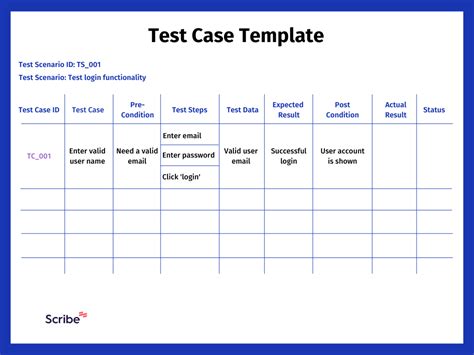
The final, crucial step is to test your simplified how-to guide with actual users, ideally those who match your target audience. Observe them as they follow the steps without offering help. Note where they stumble, where they pause, or where they express confusion. This feedback is invaluable for identifying lingering complexities and areas for further simplification. Don’t be afraid to revise and iterate until the guide is as clear and intuitive as possible.
Conclusion
Simplifying complex how-to steps is an ongoing process of refinement, empathy, and clear communication. By focusing on your audience, breaking down tasks, using concise language, leveraging visuals, structuring logically, and continuously testing, you can transform daunting procedures into easily achievable goals. The reward is not just a successful task completion, but a more confident and satisfied user experience.