How to get notified about Steam wishlist game price drops?
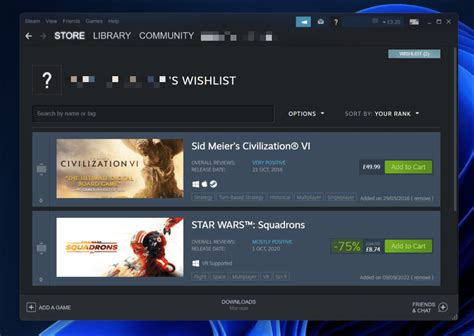
For PC gamers, the Steam wishlist is a powerful tool for keeping track of upcoming releases and titles you’re interested in. However, simply adding a game to your list doesn’t automatically mean you’ll catch every price drop or flash sale. To truly maximize your savings and grab games at their lowest prices, you need a proactive notification strategy. This guide will walk you through the most effective methods to get alerted the moment a desired game on your Steam wishlist drops in price.
Leveraging Steam’s Own Notification System
Steam itself offers a basic but effective notification system for games on your wishlist. When a game you’ve wishlisted goes on sale, Steam can send you an email alert. This is the most direct method, as it doesn’t require any third-party services.
- Email Notifications: Ensure your Steam account settings are configured to receive emails about wishlist items. Go to your Steam profile, then to Account Details > Manage Steam Guard > Email Preferences, and make sure ‘Product notifications’ is checked.
- Steam Mobile App: The Steam mobile app can also push notifications to your phone when wishlisted games go on sale. Make sure notifications are enabled for the app in your device’s settings.
- In-Client Alerts: You’ll also see a notification directly within the Steam client, typically appearing as a small number next to your profile name or in the ‘Activity’ feed.
While convenient, Steam’s built-in system can sometimes be less comprehensive, only notifying you of sales directly on the Steam store itself and not necessarily tracking historical lows or deals from other authorized retailers.

The Power of Third-Party Price Trackers
For a more robust and comprehensive approach, third-party websites and tools are indispensable. These services track prices across numerous digital storefronts, not just Steam, and often provide historical price data, allowing you to gauge whether a current sale is truly a good deal.
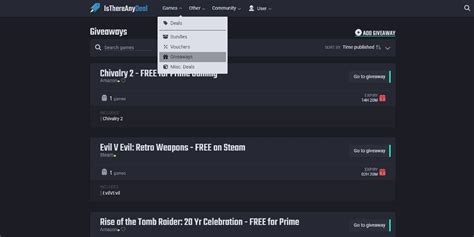
IsThereAnyDeal.com
IsThereAnyDeal is arguably the most popular and comprehensive price tracking website for PC games. It aggregates deals from over 50 reputable stores, including Steam, Epic Games Store, GOG, Humble Store, Fanatical, Green Man Gaming, and many more.
- Wishlist Sync: You can directly import your Steam wishlist, making it incredibly easy to transfer your desired games.
- Custom Price Alerts: Set specific price thresholds for each game. You can choose to be notified when a game drops below a certain price, hits its historical low, or simply goes on sale at any price.
- Email and Browser Notifications: Receive alerts via email or through their browser extension, which can push desktop notifications.
- Historical Data: View detailed price history charts for every game, helping you make informed purchasing decisions.
GG.deals
GG.deals is another excellent alternative offering similar features to IsThereAnyDeal. It boasts a sleek interface and also tracks prices across a wide array of official retailers and even some gray market key sellers (though caution is advised with the latter).
- Steam Wishlist Import: Like IsThereAnyDeal, you can easily import your Steam wishlist.
- Advanced Filtering: Filter deals by store, price, platform, and more.
- Price Alerts: Set up notifications for specific price points or percentage drops.
- Deal Aggregator: It serves as a central hub for finding the best prices across various stores.
Browser Extensions and Other Tools
Some dedicated browser extensions (often associated with the aforementioned sites or standalone) can also provide instant notifications while you browse. Services like CheapShark also aggregate deals, though their notification systems might be less robust than the dedicated wishlist trackers.
Setting Up Your Price Alerts
Regardless of the third-party service you choose, the general steps for setting up price alerts are similar:
- Create an Account: Register on the chosen platform (e.g., IsThereAnyDeal, GG.deals).
- Import Your Steam Wishlist: Look for an option to connect your Steam account or import your public wishlist. This saves you the hassle of manually adding hundreds of games.
- Configure Alerts: For each game or for your entire wishlist, set your desired notification preferences. This often includes:
- Minimum price threshold (e.g., notify me if it drops below $15).
- Percentage drop (e.g., notify me if it’s 50% off or more).
- Historical low (notify me only if it hits its lowest price ever).
- Specific stores (e.g., only notify me if it’s on sale at Steam).
- Choose Notification Method: Select how you want to receive alerts – typically email, browser push notifications, or sometimes through their dedicated app.

Maximizing Your Savings Strategy
While notifications are key, consider these additional tips to get the best deals:
- Be Patient: Many games frequently go on sale. Unless it’s an urgent purchase, waiting for a better deal is often rewarding.
- Check Historical Lows: Always compare the current sale price against the game’s historical low using the data provided by price trackers.
- Consider Bundles: Sometimes games are part of bundles on sites like Humble Bundle or Fanatical, offering an even better value than a standalone sale. Price trackers often highlight these too.
- Don’t Limit to Steam: Remember that third-party sites track deals across many legitimate stores. A Steam key purchased from another authorized retailer is just as valid as buying directly from Steam.

Conclusion
By combining Steam’s built-in alerts with the advanced features of third-party price tracking websites like IsThereAnyDeal and GG.deals, you can transform your casual Steam wishlist into a powerful deal-finding engine. Never again miss out on that dream game because you weren’t aware of a flash sale. Set up your notifications today and enjoy your favorite titles without breaking the bank!