How to fix Switch Joy-Con drift?
Understanding Joy-Con Drift: The Common Frustration
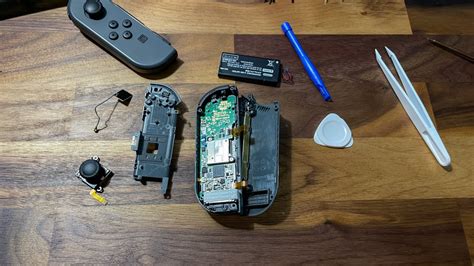
Joy-Con drift is a prevalent issue among Nintendo Switch owners, manifesting as unintended movement or inputs without touching the joystick. This frustrating problem can severely impact gameplay, causing characters to move on their own, cameras to pan unexpectedly, or menus to scroll erratically. While Nintendo has acknowledged the issue, it largely stems from wear and tear on the internal components of the joystick, often exacerbated by dust, debris, or manufacturing imperfections. Identifying the source of the drift is the first step towards a successful fix.
Initial Software-Based Troubleshooting
Before diving into more complex solutions, it’s always best to start with the simplest fixes, which often involve the system’s software settings.
Calibrating Your Joy-Cons
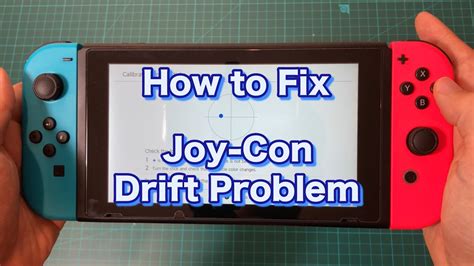
The most straightforward step is to recalibrate your Joy-Cons. Go to System Settings > Controllers and Sensors > Calibrate Control Sticks. Follow the on-screen prompts to test and recalibrate each joystick. If the drift persists after calibration, it suggests a more physical issue.
Updating System Firmware
Ensure your Nintendo Switch console and Joy-Cons have the latest firmware updates. Outdated software can sometimes lead to unexpected behavior. You can check for system updates under System Settings > System > System Update.
Checking for Interference
Less common but possible, wireless interference can sometimes mimic drift. Ensure you’re playing in an area free from strong Wi-Fi signals, other wireless devices, or large metal objects that could obstruct the signal between your Switch and Joy-Cons.
DIY Cleaning Solutions for Minor Drift
Often, dust, dirt, or other debris accumulating under the joystick’s skirt is the culprit. A thorough cleaning can resolve many drift issues.
Using Compressed Air
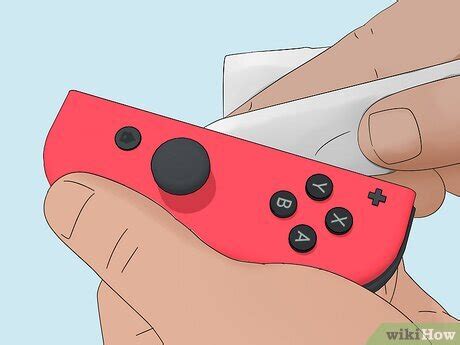
Carefully lift the rubber skirt at the base of the joystick and blast short bursts of compressed air into the opening. Angle the nozzle to get under the skirt from different directions. This can dislodge loose particles causing the drift. Ensure the console is off before attempting this.

Applying Contact Cleaner
For more stubborn dirt or residue, a specialized electrical contact cleaner (like WD-40 Specialist Contact Cleaner) can be very effective. Again, gently lift the joystick skirt and spray a tiny amount into the opening. Work the stick around in circles for a minute or two to help the cleaner penetrate. Wipe away any excess and allow it to dry completely before re-testing. Always use a contact cleaner specifically designed for electronics and never a general-purpose lubricant.
Advanced Hardware Fixes: Replacing the Joystick Module
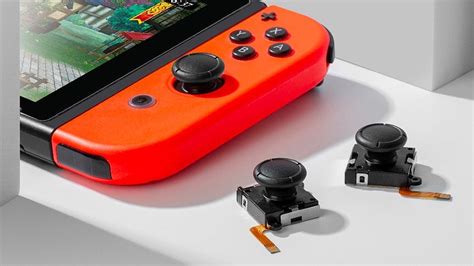
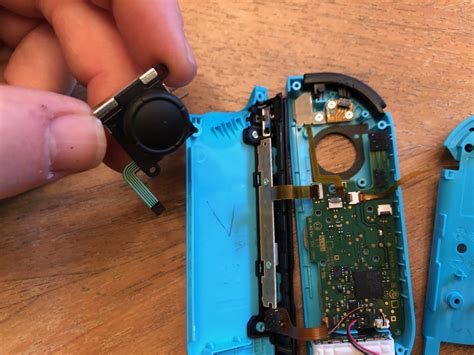
If software tweaks and cleaning fail, the internal components of the joystick module may be worn out or permanently damaged. In such cases, replacing the entire joystick module is a viable, albeit more involved, DIY solution. This requires small electronics repair tools, a replacement part (readily available online), and a steady hand. Numerous step-by-step video guides are available, but proceed with caution, as opening your Joy-Con can void its warranty.
Official Repair Options and Warranty
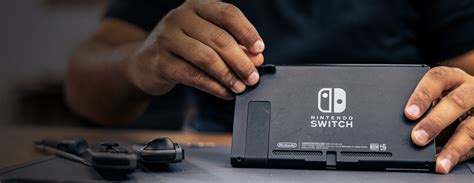
If you’re uncomfortable with DIY repairs, or if your Joy-Cons are still under warranty, contacting Nintendo’s official support is highly recommended. Nintendo has a well-documented policy regarding Joy-Con drift and, in many regions, offers free out-of-warranty repairs for the issue. Check Nintendo’s official support website for your region’s specific repair process and warranty information.
Preventative Measures to Extend Joy-Con Life
Once you’ve fixed the drift, or even if you haven’t experienced it yet, taking preventative steps can prolong the life of your Joy-Cons:
- Handle with Care: Avoid excessive force or aggressive movements with the joysticks.
- Keep Them Clean: Periodically wipe down your Joy-Cons and keep them in a clean environment to prevent dust buildup.
- Protective Cases: While not directly preventing drift, cases can protect against impact damage that might contribute to issues.
- Store Properly: When not in use, store Joy-Cons in a way that protects the joysticks from pressure or accumulating dust.
Conclusion
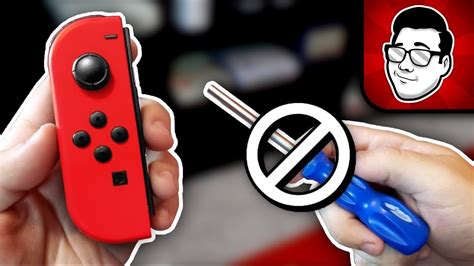
Joy-Con drift is a frustrating but often fixable problem. Start with software calibrations and updates, then move on to cleaning with compressed air or contact cleaner. If these don’t work, consider a joystick module replacement if you’re comfortable with electronics repair, or, ideally, contact Nintendo support for official repair options, especially if your Joy-Cons are still under warranty. By taking these steps, you can get back to enjoying your Nintendo Switch games without unwanted phantom movements.