





How to fix Nintendo Switch Joy-Con drift & keep controllers responsive?
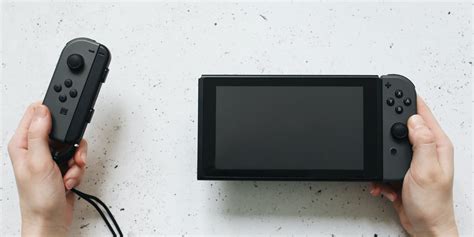
Nintendo Switch Joy-Cons are renowned for their versatility, but a common and frustrating issue many users encounter is “Joy-Con drift.” This phenomenon causes characters or cursors to move on their own, even when the joystick isn’t being touched, severely impacting gameplay and overall experience. Fortunately, there are several methods, ranging from simple software adjustments to more involved hardware repairs, that can help you fix drift and keep your controllers responsive.
Understanding Joy-Con Drift: The Root Cause
Joy-Con drift is primarily caused by wear and tear on the joystick’s internal components. Over time, friction from repeated use can degrade the carbon pads or metal contacts beneath the stick, leading to inconsistent electrical signals. Dust, debris, or moisture ingress can also contribute by interfering with these sensitive mechanisms. Recognizing the cause is the first step toward finding an effective solution.
Initial Troubleshooting & Software Solutions
Before considering a physical repair, it’s crucial to exhaust all software-based troubleshooting steps. These are often the easiest and can surprisingly resolve minor drift issues.
Recalibrate Your Joy-Cons
The most straightforward fix is recalibrating the joysticks. Go to your Switch’s HOME Menu, select ‘System Settings’ > ‘Controllers and Sensors’ > ‘Calibrate Control Sticks’. Follow the on-screen instructions, tilting the problematic stick in all directions. If the initial calibration doesn’t work, try selecting the ‘X’ option to re-calibrate even if it appears responsive. Do this for both the left and right Joy-Cons.
Update Nintendo Switch Firmware
Ensure your Nintendo Switch console and Joy-Cons are running the latest firmware. Software updates often include bug fixes and performance improvements that can sometimes address controller issues. To update, go to ‘System Settings’ > ”System’ > ‘System Update’.
Check for Wireless Interference
Wireless interference can sometimes mimic drift-like symptoms. Ensure you’re playing within a reasonable range of your Switch console and that there aren’t many obstacles or other wireless devices (like Wi-Fi routers or cordless phones) directly between the console and your Joy-Cons.
DIY Hardware Cleaning & Repair
If software solutions don’t work, the issue is likely hardware-related. There are several DIY methods you can attempt, but proceed with caution, as some involve opening the controller and could void warranties.
The Compressed Air & Isopropyl Alcohol Method (Non-Invasive)
This method attempts to clean under the joystick without opening the Joy-Con:
- Power off your Switch and detach the Joy-Cons.
- Gently lift the rubber skirt around the base of the problematic joystick.
- Using a can of compressed air with a thin nozzle, carefully blow air into the gap to dislodge dust and debris.
- Alternatively, dip a cotton swab in 90%+ isopropyl alcohol (rubbing alcohol) and gently apply it to the base of the stick, allowing a small amount to seep under the rubber skirt. Work the stick around for 30 seconds to distribute the alcohol, then let it dry completely for 15-30 minutes before retesting.
This method can sometimes clear minor obstructions causing drift.
Replacing the Joystick Module (Advanced DIY)
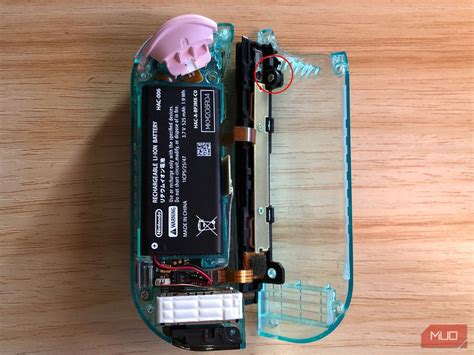
For persistent drift, replacing the entire joystick module is often the most reliable DIY fix. This requires a specialized toolkit (tri-wing screwdriver, spudger, tweezers), a replacement joystick module, and some technical dexterity. Numerous guides and video tutorials are available online. Be aware that opening your Joy-Con may void your warranty.
Official Repair & Warranty Options
If DIY methods seem too daunting or don’t resolve the issue, contacting Nintendo is your next best step. Nintendo has acknowledged the drift issue and often provides free repairs, even for controllers outside their standard warranty period in some regions.
- Visit Nintendo’s official support website for your region.
- Navigate to the Joy-Con repair section and follow the instructions to submit a repair request.
- You’ll likely be asked for your console’s serial number and details about the problem.
- Nintendo will provide shipping instructions. Be sure to back up any save data if sending the console along with the Joy-Cons, though typically only the controllers are required.
This is often the safest and most guaranteed way to resolve the issue without risking further damage.

Preventing Drift & Maintaining Controller Responsiveness
While drift can be an inevitable outcome of extensive use, several practices can help prolong the life of your Joy-Cons and maintain their responsiveness:
- Regular Cleaning: Periodically use compressed air around the base of the joysticks to prevent dust and debris buildup.
- Gentle Usage: Avoid excessive force or “mashing” the joysticks, which can accelerate wear and tear.
- Protective Covers: Silicone covers or thumb grips can offer some protection, though their primary benefit is often comfort.
- Proper Storage: When not in use, store your Switch and Joy-Cons in a clean, dry place, ideally in a case, to prevent dust accumulation.
- Avoid Liquids: Keep drinks and other liquids away from your controllers to prevent internal damage.

Conclusion
Joy-Con drift is a frustrating but often fixable problem. By starting with simple software recalibration, moving to careful DIY cleaning, and finally considering an official Nintendo repair, you have a comprehensive set of options. Implementing preventive maintenance practices can further extend the life and responsiveness of your controllers, ensuring your Nintendo Switch gaming experience remains smooth and enjoyable.


