How to filter out shovelware to find quality indie PC games quickly?
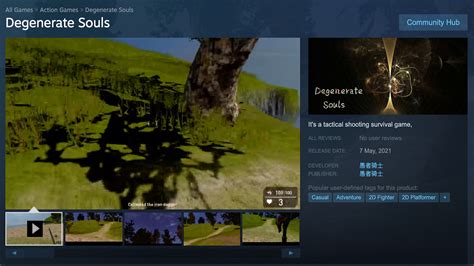
The vibrant world of independent PC gaming offers an endless well of creativity, innovation, and unique experiences. However, navigating the sheer volume of new releases, especially on platforms like Steam, can feel like sifting through a mountain of sand to find a few precious diamonds. This challenge is compounded by what’s often termed ‘shovelware’ – low-effort, unpolished, or even asset-flipped titles designed to quickly capitalize on trends or game mechanics without offering genuine value. Learning to effectively filter out this noise is crucial for any discerning gamer looking to discover their next indie obsession quickly.
Understanding the Shovelware Problem
Shovelware isn’t just about bad games; it’s about a proliferation of titles that often lack originality, proper development, or even basic quality control. These games clutter storefronts, making it harder for genuinely innovative and well-crafted indie titles to gain visibility. Recognizing the hallmarks of shovelware – generic art assets, repetitive gameplay descriptions, suspiciously low prices for seemingly complex games, or a flood of new releases from unknown developers – is the first step in avoiding them.

Leveraging Steam’s Powerful Filtering Tools
Steam, being the largest PC game distribution platform, also offers the most comprehensive tools to help you filter. Don’t just browse the ‘New Releases’ tab blindly. Instead, dive into the ‘Store’ page and utilize these features:
Tags and Categories
Start by selecting your preferred genres (e.g., “Indie,” “RPG,” “Platformer”) and then refine further with more specific tags like “Metroidvania,” “Pixel Graphics,” “Story Rich,” or “Roguelike.” The more specific you are, the smaller and more curated your results will be.
User Reviews: Your First Line of Defense
This is arguably the most critical filter. Set your review filter to “Very Positive” or “Overwhelmingly Positive.” While not infallible, this immediately removes the vast majority of poorly received titles. Pay attention to the number of reviews – a game with “Overwhelmingly Positive” reviews from only 20 players is different from one with thousands. Also, look at recent reviews to gauge ongoing quality.
Popularity and Wishlists
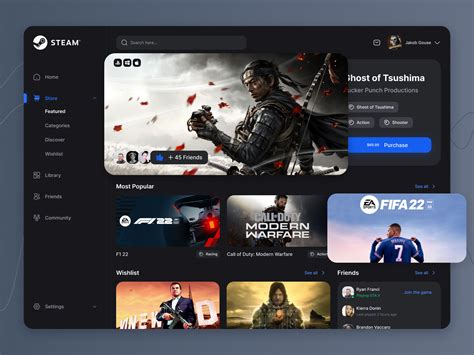
Games with higher concurrent player counts or numerous wishlists tend to indicate a certain level of interest and potential quality. While not a direct filter for ‘good,’ it helps surface games that have already captured a community’s attention.
Steam Curators
Follow curators whose tastes align with yours. Many dedicated indie game curators spend countless hours sifting through releases and providing recommendations. This can be a goldmine for discovering hidden gems you might otherwise miss.
Beyond Steam: Expanding Your Search
While Steam is a primary hub, quality indie games exist elsewhere, and external resources can provide invaluable insights:
Dedicated Indie Game Stores and Bundles
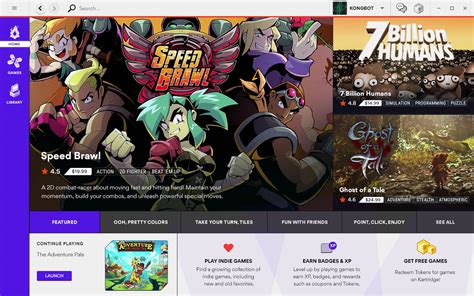
Platforms like itch.io, GOG, and Humble Bundle often feature curated selections and unique indie titles not always available on Steam. Humble’s bundles, in particular, are a great way to discover new games at a low cost.
Reputable Gaming Publications and Websites
Follow gaming news sites and dedicated indie game blogs that provide in-depth reviews and previews. Websites like Rock Paper Shotgun, Indie Game Website, and even broader sites with strong indie sections can highlight upcoming or recently released quality titles.
Community and Social Media
Join Discord servers, subreddits (e.g., r/IndieGaming, r/gamingsuggestions), and follow relevant hashtags on platforms like Twitter/X. Communities are often the first to celebrate new indie darlings or warn about games to avoid.

Additional Strategies for Speedy Discovery
To further refine your search and speed up the discovery process:
Watch Gameplay Videos and Streams
Before buying, watch a few minutes of actual gameplay. This immediately gives you a feel for the mechanics, art style, and overall polish, often revealing shovelware characteristics very quickly.
Pay Attention to Developers
If you enjoy a game, check out other titles by the same developer or publisher. Established indie studios often maintain a consistent level of quality.
Demos and Free Play Weekends
Always prioritize games that offer a demo. It’s the ultimate filter, allowing you to experience the game firsthand without commitment. Keep an eye out for free play weekends too.
![[Guide] Major Forms Of Game Testing | KiwiQA Blog](/images/aHR0cHM6Ly90czQubW0uYmluZy5uZXQvdGg/aWQ9T0lQLnRuZ2g5enJWbmp3VnJuSUdvTG4wOVFIYUR0JnBpZD0xNS4x.webp)
Conclusion
Finding quality indie PC games quickly in a sea of shovelware requires a combination of smart platform filtering, leveraging community wisdom, and a discerning eye. By actively utilizing Steam’s robust tools, exploring alternative platforms, engaging with reputable sources, and taking advantage of demos, you can significantly reduce the time spent sifting and greatly increase your chances of unearthing truly memorable hidden gems. Happy hunting!