How to balance detail vs. brevity in how-to steps?
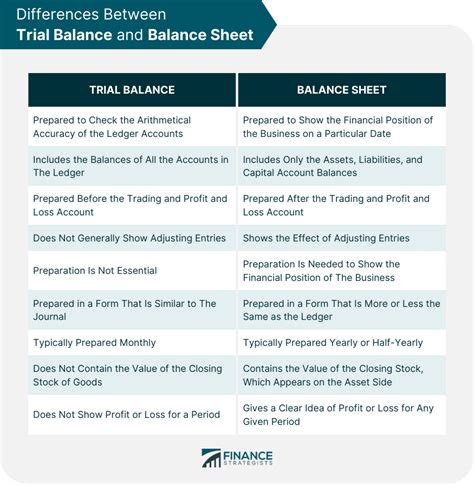
When embarking on the creation of a how-to guide, every writer faces a universal challenge: how much information is too much, and how little is insufficient? Striking the right balance between comprehensive detail and concise brevity is paramount for effective communication, ensuring your audience can follow your instructions without getting lost or frustrated.
The Core Dilemma: Overwhelm vs. Ambiguity
Too much detail can lead to information overload, making users skim, tune out, or abandon the guide altogether. Conversely, insufficient detail leaves crucial gaps, forcing users to guess or make assumptions, which often leads to errors, frustration, and a failure to complete the task successfully.
The ultimate goal isn’t just to convey information, but to facilitate successful action. This requires a nuanced approach, understanding that the “right” amount of detail isn’t fixed, but rather depends heavily on several dynamic factors.
Know Your Audience and Their Needs
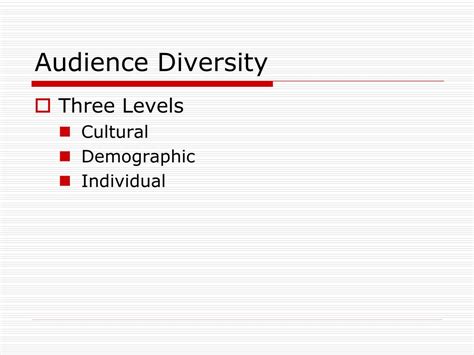
The first and most critical step in achieving this balance is to deeply understand who your how-to guide is for. Are they complete beginners with no prior knowledge of the subject, intermediate users looking for specific solutions, or experts seeking quick refreshers on complex procedures?
For novices, every step, no matter how seemingly small or obvious, might need explicit explanation and context. For experienced users, conciseness and the ability to skip familiar steps are highly valued. Tailoring your language, depth, and assumptions to your audience’s existing knowledge base is non-negotiable for an effective how-to.
Strategies for Effective Brevity
When aiming for brevity without sacrificing clarity, focus on stripping away anything non-essential. Here are key strategies:
- Active Voice & Direct Language: Use strong verbs and avoid passive constructions. For example, “Click ‘Save'” is far more effective than “The ‘Save’ button should be clicked.”
- Concise Sentences and Paragraphs: Break down complex ideas into shorter, more digestible sentences. Each paragraph should ideally convey one main point.
- Numbered Lists for Sequential Steps: Clearly delineate each distinct action using a numbered list. This provides a clear path and makes the guide easy to scan.
- Avoid Redundancy: Don’t repeat information already covered or implicitly understood by your target audience.
- Eliminate Jargon (or Explain It): If technical terms are absolutely necessary, define them briefly in context or link to a glossary. Otherwise, use plain language.
When and How to Provide Detail
While brevity is often king, certain situations undeniably demand more explanation. Knowing when to elaborate is just as important as knowing when to condense:
- Critical Steps: For actions that could lead to data loss, system damage, or safety hazards, provide extra warnings, verification steps, and clear caveats.
- Unfamiliar Concepts or Tools: If a step involves a new tool, concept, or interface element your audience might not recognize, offer a brief explanation or context.
- Troubleshooting & Error Handling: Anticipate common issues or error messages and provide clear solutions or alternative paths within the relevant step.
- Visual Cues: Describe what users should expect to see on their screen after a step (e.g., “A green checkmark will appear next to the file name”).
- The “Why”: Sometimes, explaining the rationale or consequence behind a step can significantly enhance understanding and compliance, especially for complex or counter-intuitive tasks.
![Free Printable Work Instruction Templates [PDF, Word, Excel]](/images/aHR0cHM6Ly90czMubW0uYmluZy5uZXQvdGg/aWQ9T0lQLjhfOGdVTmxsdVlRM2R1TktVU0F4c2dIYUpsJnBpZD0xNS4x.webp)
The Layered Information Approach
One powerful technique for balancing detail and brevity is to structure your how-to guide with layered information. Start with the most critical, high-level steps, ensuring a user can complete the core task without being bogged down by peripheral information.
Then, progressively add layers of detail for those who need it: optional explanations, advanced tips, or comprehensive troubleshooting sections. This approach allows users to consume information at their own pace and depth, easily skipping what they already know while readily accessing deeper insights when required.
Testing and Feedback: The Ultimate Litmus Test
Regardless of your initial approach, the true measure of success for balancing detail and brevity lies in user testing. Have someone unfamiliar with the task follow your steps precisely. This could be a colleague, a friend, or an actual target user.
Observe where they hesitate, where they ask questions, or where they make mistakes. This invaluable feedback will clearly identify areas where you need to add clarity (more detail) or simplify (more brevity). Iteration and refinement based on real-world use are key to perfecting any how-to guide.

Conclusion
Balancing detail and brevity in how-to steps is an art form that significantly impacts user experience and task success. It requires a keen awareness of your audience, a strategic approach to information structuring, and a commitment to continuous testing and refinement.
By carefully considering what information is essential, what is helpful, and what is superfluous, you can create guides that are both efficient and effective, empowering users to accomplish their goals with confidence and minimal frustration.