How to anticipate & prevent user errors in how-to guides?
The Importance of Error Prevention in How-To Guides
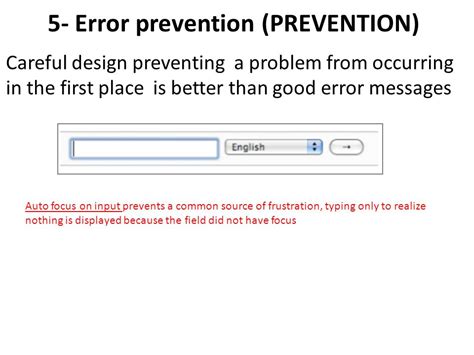
How-to guides are designed to empower users, helping them navigate complex tasks or master new skills. However, even the most well-intentioned guides can inadvertently lead users astray if potential pitfalls aren’t anticipated. User errors not only cause frustration and time loss but can also lead to increased support queries and a negative perception of your product or service. Proactively designing guides that prevent errors is a cornerstone of effective technical communication and a positive user experience.
This article will explore key strategies for anticipating where users might stumble and how to construct guides that smoothly steer them towards success, making your documentation truly user-centric and robust.
Understand Your Audience and Their Context
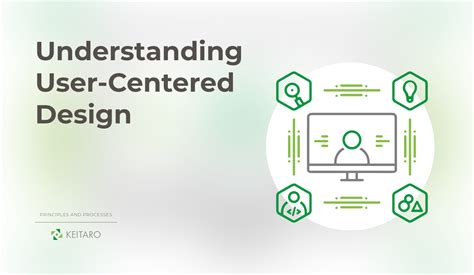
The first step in preventing errors is to deeply understand who your users are and the environment in which they’ll be using your guide. What is their prior knowledge? Are they beginners or experts? What devices will they be using? Are there any common misconceptions or prior habits they might bring to the task?
- Persona Development: Create detailed user personas to represent your typical audience segments. This helps you empathize with their perspective and predict potential areas of confusion.
- Contextual Awareness: Consider the physical and mental state of your users. Are they likely to be under pressure? Distracted? This can influence how simple and direct your instructions need to be.
- Assumption Identification: List any assumptions you’re making about user knowledge or access to tools. Challenge these assumptions; if they’re not universally true, address them in your guide.
Clarity, Simplicity, and Consistency in Language
Ambiguous language is a primary culprit for user errors. Your guide should speak in a voice that is clear, direct, and leaves no room for misinterpretation.
Use Plain Language and Avoid Jargon
Employ simple, everyday language. If technical terms are necessary, define them clearly upon first use. Avoid corporate speak or overly complex sentence structures. Aim for a reading level appropriate for your least experienced user.
Be Specific and Action-Oriented
Every instruction should tell the user exactly what to do. Use strong, active verbs. Instead of “Navigate to settings,” try “Click ‘Settings’ in the top-right corner.” If a step has multiple actions, break them down into separate, numbered sub-steps.
Maintain Consistency
Use the same terminology, formatting, and stylistic conventions throughout your guide and across all your documentation. If you refer to a “dashboard” in one section, don’t suddenly switch to “control panel” in another.

Leverage Visual Aids and Thoughtful Layout
A picture is often worth a thousand words, especially when guiding users through a visual interface or physical assembly.
- Screenshots and Diagrams: Include high-quality, annotated screenshots or diagrams for every significant step. Highlight key areas or buttons. Ensure visuals are up-to-date and accurately reflect the current interface.
- Videos and GIFs: For complex processes, short video tutorials or animated GIFs can be incredibly effective, demonstrating motion and interaction in a way static images cannot.
- Whitespace and Formatting: Use ample whitespace to prevent information overload. Break text into short paragraphs. Utilize headings, bullet points, and numbered lists to create an easily scannable and digestible layout.
- Logical Flow: Structure your guide with a clear, linear progression. Numbered steps are usually best for sequential tasks. Include “What you’ll need” or “Prerequisites” sections at the beginning to set expectations and prevent users from starting ill-equipped.
Anticipate Common Pitfalls and Edge Cases
Thinking like a user who might deliberately or accidentally try to break the process is crucial for robust error prevention.
- “If-Then” Scenarios: Consider alternative paths or common deviations. “If you don’t see X, then check Y.”
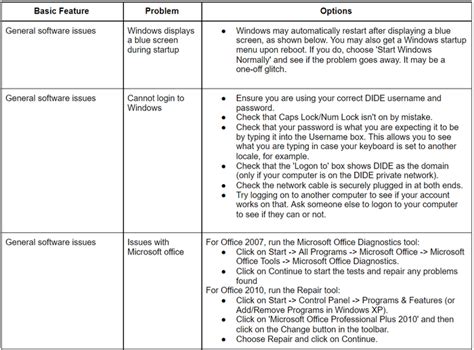
- Error Messages and Troubleshooting: If a specific error message is common, mention it in the guide and provide instructions on how to resolve it. Integrate brief troubleshooting tips directly into relevant steps.
- Validation Checks: If a step requires specific input, remind the user of the format or acceptable values (e.g., “Enter your 10-digit phone number”).
- Safety Warnings: For any procedure involving physical danger or data loss, prominent warnings are non-negotiable.
Test, Gather Feedback, and Iterate
No matter how carefully you plan, real-world user interaction often reveals unexpected issues. Testing is non-negotiable.
- Usability Testing: Observe actual users (especially those unfamiliar with the task) as they attempt to follow your guide. Do not offer help; simply observe where they hesitate, get confused, or make mistakes.
- Peer Review: Have colleagues, particularly those outside the immediate documentation team, review your guide. A fresh pair of eyes can spot assumptions or ambiguities.
- User Feedback Channels: Provide easy ways for users to report issues or suggest improvements within the guide itself. This could be a “Was this helpful?” button, a comment section, or a direct feedback form.
- Analytics: If your guides are online, use analytics to see which sections users spend the most time on, where they drop off, or if they immediately navigate to support pages after viewing a guide.
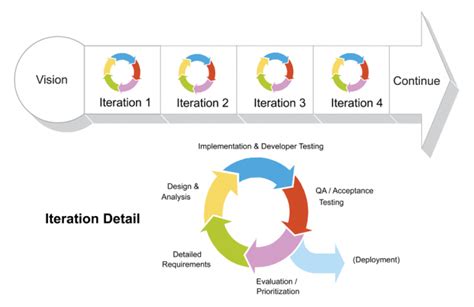
- Iterate: Documentation is not a “set it and forget it” task. Regularly update and refine your guides based on feedback, product changes, and new insights from user behavior.
Conclusion
Anticipating and preventing user errors in how-to guides is an ongoing process that blends empathy, clear communication, strategic design, and continuous improvement. By understanding your audience, crafting precise and consistent language, utilizing effective visuals, foreseeing common pitfalls, and embracing a cycle of testing and feedback, you can transform your guides into powerful tools that not only instruct but also empower users, minimizing frustration and maximizing success. This proactive approach elevates the user experience, reduces support load, and ultimately builds trust and confidence in your product or service.