





How do I choose truly age-appropriate games and avoid hidden content for my kids?

In today’s digital age, video games are an almost inevitable part of childhood. While they offer numerous benefits, from cognitive development to social interaction, the sheer volume and variety of games can make it challenging for parents to ensure their children are engaging with truly age-appropriate content. The concern isn’t just about overt violence or mature themes; it also extends to subtle, hidden content, in-game purchases, or online interactions that might be unsuitable. This guide will equip you with the knowledge and tools to confidently choose games that align with your child’s developmental stage and values, keeping undesirable elements at bay.

Understanding Game Rating Systems: Your First Line of Defense
The most fundamental tool for assessing a game’s suitability is its age rating. Various regional systems provide guidelines, and familiarizing yourself with them is crucial:
- ESRB (Entertainment Software Rating Board) – North America: Ratings like EC (Early Childhood), E (Everyone), E10+ (Everyone 10+), T (Teen), M (Mature), and AO (Adults Only) are accompanied by “Content Descriptors” (e.g., Violence, Blood, Sexual Themes, Strong Language, Use of Alcohol) and “Interactive Elements” (e.g., In-Game Purchases, Users Interact, Shares Location).
- PEGI (Pan European Game Information) – Europe: Uses age labels (3, 7, 12, 16, 18) and content descriptors (e.g., Violence, Bad Language, Fear, Gambling, Sex, Drugs, Discrimination, In-Game Purchases).
- Other Systems: Countries like Australia (ACB), Germany (USK), and Japan (CERO) have their own similar, yet distinct, rating systems.
Don’t just look at the age number; always read the content descriptors. A “T for Teen” game might be fine for your 12-year-old if the descriptors are mild, but another “T” game with “Strong Language” and “Simulated Gambling” might not be. These ratings are developed by experts and offer a solid initial assessment.

Beyond the Ratings: Digging Deeper for Hidden Content
While ratings are excellent starting points, they don’t always catch every nuance or potential concern, especially with the dynamic nature of online games. Here’s how to go further:
- Read Reviews and Watch Gameplay Videos: Consult reputable gaming review sites (e.g., Common Sense Media, IGN, Polygon) that often provide detailed breakdowns of content. YouTube also offers countless gameplay videos where you can see the game in action before your child plays it. Look for long-form gameplay, not just trailers, to get a true feel for the experience.
- Check for In-App Purchases and Loot Boxes: Many “free” games, and even some paid ones, include microtransactions, loot boxes, or battle passes. These can quickly add up financially and can also encourage addictive behavior. Understand how these are implemented and if they are optional or essential to progression.
- Investigate Online Interaction and User-Generated Content: If a game has online multiplayer or allows players to create and share content, there’s a higher risk of exposure to inappropriate language, bullying, or mature themes. Research the game’s moderation policies and community reputation.
- Talk to Other Parents: Word-of-mouth recommendations and warnings from parents who have already explored certain games can be invaluable.

The Power of Parental Controls and Device Settings
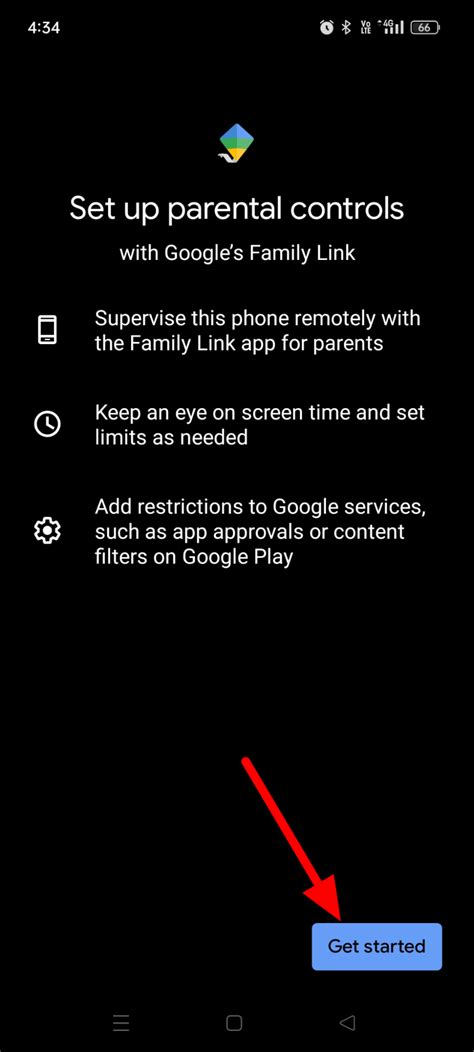
Most modern gaming consoles, operating systems (iOS, Android, Windows), and even individual game platforms (Steam, Epic Games) offer robust parental control features. Utilize these extensively:
- Set Age Restrictions: Configure controls to automatically block games exceeding a certain age rating.
- Manage Screen Time: Limit how long your child can play daily or weekly.
- Control Spending: Require a password for all purchases or disable in-app purchases entirely.
- Restrict Online Communication: Turn off voice chat, text chat, or friend requests, or limit them to pre-approved contacts.
- Filter Web Browsing: If the device has a browser, ensure safe search and content filtering are enabled.
These settings provide a technological safeguard that reinforces your decisions and creates a safer digital environment.
Playing Together and Open Communication
Ultimately, technology is only part of the solution. Your active involvement is key:
- Play With Them (or Watch Them Play): The best way to understand a game is to experience it yourself. Play alongside your child, or at least sit and observe their gameplay. This allows you to see the content firsthand, understand the mechanics, and assess potential issues.
- Have Regular Conversations: Talk to your children about what games they enjoy, why they like them, and what they encounter online. Encourage them to come to you if they see or hear anything that makes them uncomfortable. Foster an environment where they feel safe to share their experiences without fear of judgment.
- Set Clear Rules and Expectations: Establish family rules for gaming, including acceptable content, screen time limits, and appropriate online behavior.

Staying Vigilant in a Dynamic Digital World
The gaming landscape is constantly evolving. New games, updates, and online communities emerge daily. What was appropriate last year might not be this year, or a game’s content could change with an update.
- Stay Informed: Follow parenting blogs, gaming news sites, or community forums that discuss family-friendly gaming.
- Regularly Review Settings: Periodically check parental control settings on devices and platforms, especially after software updates, as sometimes settings can revert or new options become available.
- Trust Your Gut: If a game feels off, even if it has a suitable rating, investigate further. Your parental instincts are powerful.
By combining informed research, utilizing technological safeguards, and maintaining open lines of communication, you can confidently navigate the exciting world of video games and ensure your children have a safe, enriching, and truly age-appropriate experience.

