How do ESRB ratings guide age-appropriate game choices for kids?

Navigating the vast world of video games to find suitable options for your children can feel like a daunting task for many parents. Fortunately, the Entertainment Software Rating Board (ESRB) provides a robust, easy-to-understand system designed to help families make informed choices. But how exactly do these ratings guide age-appropriate game selections?
Understanding the ESRB Rating System
The ESRB assigns ratings to video games and apps to indicate content suitability for specific age groups. This system consists of two main components: Rating Categories and Content Descriptors. Think of it as a nutritional label for video games, offering a quick glance at the game’s general suitability.
Rating Categories: Who Is It For?
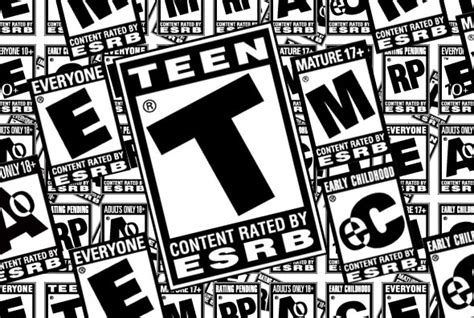
The most visible part of an ESRB rating is the letter assigned to the game, indicating the primary age group for which the content is appropriate. These categories are:
- E (Everyone): Content is generally suitable for all ages. May contain minimal cartoon, fantasy or mild violence and/or infrequent mild language.
- E10+ (Everyone 10+): Content is generally suitable for ages 10 and up. May contain more cartoon, fantasy or mild violence, mild language, and/or minimal suggestive themes.
- T (Teen): Content is generally suitable for ages 13 and up. May contain violence, suggestive themes, crude humor, minimal blood, simulated gambling, and/or infrequent use of strong language.
- M (Mature): Content is generally suitable for ages 17 and up. May contain intense violence, blood and gore, sexual content, and/or strong language.
- AO (Adults Only 18+): Content should only be played by adults 18 and up. May include prolonged scenes of intense violence, graphic sexual content, and/or gambling with real currency. This rating is rarely used for commercial video games.
Content Descriptors: What’s Inside?
While rating categories provide a broad stroke, Content Descriptors offer specific details about the type of content that triggered the rating. These short phrases appear on the back of game boxes (and digital store pages) below the rating category, explaining elements like:
- Violence: Animated Violence, Blood, Fantasy Violence, Intense Violence, Realistic Violence.
- Language: Comic Mischief, Crude Humor, Mild Language, Strong Language.
- Sexual Content: Suggestive Themes, Sexual Themes, Nudity, Partial Nudity.
- Other: Alcohol Reference, Drug Reference, Gambling, Use of Tobacco, Simulated Gambling, In-Game Purchases.
For example, a game rated “T for Teen” might have content descriptors like “Fantasy Violence” and “Mild Language,” giving parents a clearer picture than just the “T” alone.

Interactive Elements: Beyond Just Play
Beyond the traditional content descriptors, ESRB also includes “Interactive Elements” notices. These inform parents about features that can impact their child’s experience, such as:
- In-Game Purchases: Indicates that the game offers the ability to buy digital goods or services with real-world money.
- Users Interact: Means the game allows players to communicate with each other, often unmoderated.
- Shares Location: Alerts parents if the game can track a user’s location.
These elements are crucial in today’s interconnected gaming world, where monetization strategies and online social features are prevalent.

How Parents Can Effectively Use ESRB Ratings
While the ESRB system is comprehensive, its effectiveness hinges on how parents utilize it. Here are practical tips:
- Look at the Whole Package: Don’t just glance at the letter rating. Always check the content descriptors and interactive elements on the back of the game box or digital store page.
- Consider Your Child’s Maturity: Ratings are guidelines. A child’s individual maturity level and sensitivity to certain themes should always be the ultimate determining factor. A “T” rated game might be fine for one 13-year-old but too intense for another.
- Do Your Research: If you’re unsure, visit the ESRB website (esrb.org) for detailed rating summaries, which often include specific examples from the game. Watch gameplay videos or read reviews.
- Play Together: The best way to understand a game’s content is to experience it yourself, or play it with your child. This also creates shared experiences and opportunities for discussion.
- Utilize Parental Controls: Most gaming consoles, PCs, and mobile devices offer built-in parental controls that can restrict access to games based on ESRB ratings, manage in-game purchases, and limit online interactions.

Conclusion: Empowering Informed Decisions
The ESRB rating system is an invaluable tool for parents, transforming the complex landscape of video game content into an understandable guide. By taking a moment to understand the rating categories, content descriptors, and interactive elements, parents are empowered to make educated, age-appropriate decisions that align with their family’s values and their child’s individual needs. It’s not just about restricting access, but about making informed choices that foster positive and safe gaming experiences for kids.