How can I set up price alerts for specific digital games on PC and console?
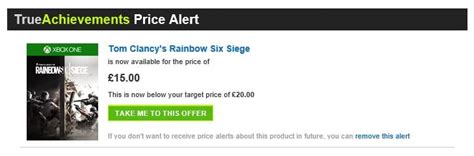
Finding your favorite digital games at a discount is one of the most satisfying aspects of PC and console gaming. With countless sales, flash deals, and seasonal promotions, it can be overwhelming to keep track of price drops for specific titles. Thankfully, a variety of tools and built-in features exist to help you set up price alerts, ensuring you’re notified the moment a game hits your target price.
Setting Up Alerts on PC Gaming Platforms
PC gamers have a robust ecosystem of launchers and storefronts, most of which offer some form of wishlisting and notification services.
Steam
Steam, the largest digital storefront for PC games, makes price tracking straightforward. Simply add games to your ‘Wishlist’. When a game on your wishlist goes on sale, Steam will send you an email notification (provided you have opted into marketing emails in your account settings). You can manage your notification preferences under your Steam account details.
Epic Games Store
Similar to Steam, the Epic Games Store features a ‘Wishlist’ functionality. Add games to your wishlist, and you’ll receive email notifications when those titles are discounted during sales events. This is particularly useful given Epic’s frequent free game giveaways and significant sales.
GOG (Good Old Games)
GOG also offers a wishlist feature. While direct email notifications for price drops are not as prominent as on Steam or Epic, adding games to your wishlist helps you track titles and GOG will often highlight games from your wishlist during their sales.
Setting Up Alerts on Console Gaming Platforms
Console digital storefronts, while slightly more closed ecosystems, also provide options for tracking game prices.
PlayStation Store (PS4/PS5)
The PlayStation Store allows you to add games to your ‘Wishlist’. When a game on your wishlist goes on sale, Sony will typically send you an email notification to the email associated with your PSN account. Ensure your marketing preferences are set to receive these updates.
Xbox Store (Xbox One/Series X|S)
On the Xbox Store, you can add games to your ‘Wishlist’. Microsoft will then send you email alerts when games on your list go on sale. This feature is integrated seamlessly into the Xbox console experience and the Xbox website.
Nintendo eShop (Nintendo Switch)
The Nintendo eShop has a ‘Watch List’ feature. You can add games to this list, and Nintendo will notify you via email when a game on your watch list becomes available for pre-order, is released, or goes on sale. It’s a convenient way for Switch owners to keep tabs on upcoming titles and deals.
Leveraging Third-Party Price Trackers and Aggregators
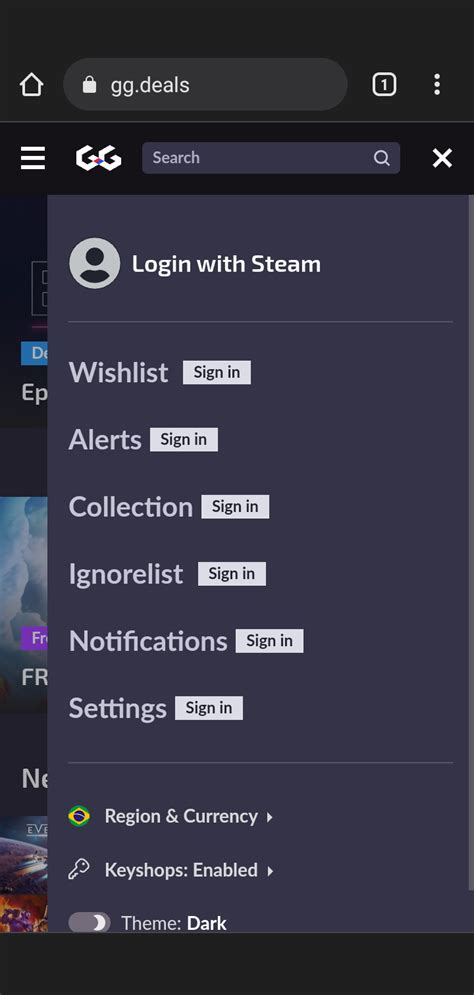
For a more comprehensive and platform-agnostic approach, third-party websites are invaluable. These sites often track prices across multiple digital storefronts and even physical retailers, offering advanced filtering and notification options.
IsThereAnyDeal.com
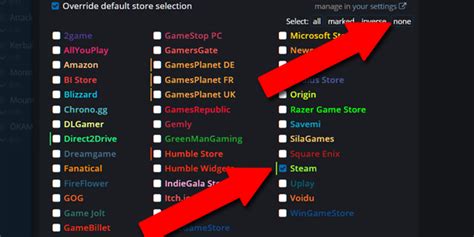
This is arguably the gold standard for PC game price tracking. IsThereAnyDeal (ITAD) tracks prices across dozens of PC storefronts (Steam, Epic, GOG, Humble Store, Fanatical, etc.). You can create a ‘Waitlist’ for specific games, set a desired price threshold, and receive email alerts when the game drops to or below that price. It’s highly customizable and includes historical price data.
DekuDeals.com
Primarily focused on Nintendo Switch games, DekuDeals is an excellent resource for tracking eShop sales. You can create an account, add games to your wishlist, and receive email alerts when they go on sale. It also tracks physical game prices, often highlighting the best overall deal.
PSprices.com and Xbox-Now.com
These sites specialize in PlayStation and Xbox store prices, respectively. They track regional prices, offer extensive historical data, and allow users to set up email alerts for price drops on their desired games. They can be more granular than the built-in console store wishlists.
Other General Deal Sites
Websites like HotUKDeals, Dealabs (Europe), Slickdeals (US), and OzBargain (Australia) often have dedicated gaming sections where users post deal alerts. While not automated in the same way, following these communities can lead you to excellent deals, especially for games that might not be tracked by dedicated aggregators.

Tips for Maximizing Your Savings
- Be Specific: Ensure you’re tracking the correct edition (Standard, Deluxe, Ultimate) of the game you want.
- Set a Target Price: Don’t just wait for a sale; decide on a reasonable price you’re willing to pay and set your alerts accordingly. Historical data from third-party sites can help you determine a good target.
- Check Multiple Sources: Relying on just one platform’s wishlist might mean missing a better deal on another storefront or from a different retailer.
- Patience is Key: Almost every digital game will go on sale eventually. With a robust alert system in place, you can afford to wait for the perfect price.
- Consider Bundles: Some games get bundled with others, offering incredible value. While harder to track with specific alerts, keep an eye on bundle sites like Humble Bundle or Fanatical.
Conclusion
Setting up price alerts for digital games on PC and console is a simple yet effective way to manage your gaming budget and ensure you never miss out on a great deal. By utilizing the built-in wishlist features of storefronts like Steam, Epic, PlayStation, Xbox, and Nintendo, or by leveraging powerful third-party aggregators such as IsThereAnyDeal and DekuDeals, you can automate your deal hunting. With a little setup, you’ll be notified the moment your desired games drop in price, allowing you to expand your game library without breaking the bank.