How can I set up effective price alerts for Steam, Epic, & console game deals?

Why Price Alerts Are Your Best Gaming Buddy
In the vast world of video games, waiting for the right price can save you a significant amount of money. With new titles constantly releasing and sales cycles for digital storefronts like Steam and Epic Games Store, alongside physical and digital console games, keeping track of price drops can be a full-time job. Thankfully, a variety of tools and strategies exist to help you set up effective price alerts, ensuring you’re notified the moment your desired game hits your target price.
Setting up price alerts is more than just saving money; it’s about smart gaming. It allows you to build your library without breaking the bank, catch limited-time offers, and enjoy your favorite games at their lowest historical prices.
PC Game Deals: Steam & Epic Games Store
For PC gamers, there are several robust platforms dedicated to tracking prices across various digital storefronts. These are essential for maximizing your savings on Steam and Epic Games Store titles.
IsThereAnyDeal.com
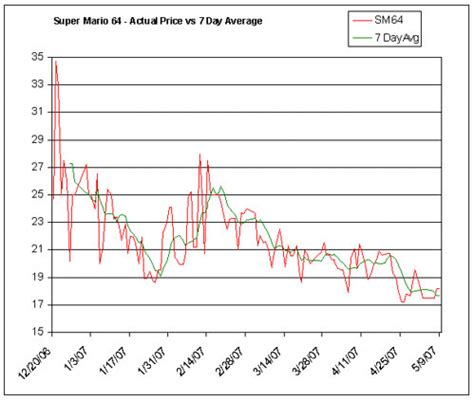
This is arguably the most comprehensive price aggregator for PC games. IsThereAnyDeal.com tracks prices across dozens of official storefronts (including Steam, Epic Games, GOG, Humble Store, etc.) and allows you to create a personalized wishlist. You can set up email alerts for price drops, historical lows, or when a game becomes available on specific platforms. It also shows historical price charts, helping you decide if a current deal is truly good.
Steam & Epic Games Store Wishlists
Both Steam and the Epic Games Store offer built-in wishlist functionalities. While simpler, they are effective for receiving direct notifications from the platforms themselves. When a game on your Steam or Epic wishlist goes on sale, you’ll typically receive an email notification. This is a great baseline, but for deeper insights and cross-store comparisons, external tools are superior.
For Steam users, tools like SteamDB also offer enhanced tracking and historical data, often used in conjunction with the official wishlist.
Console Game Deals: PlayStation, Xbox & Nintendo Switch
Tracking console game deals can be slightly different, often involving a mix of digital storefronts and physical retailers. Dedicated sites and strategies are key here.
DekuDeals (Nintendo Switch)
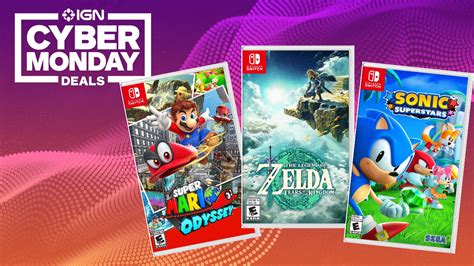
For Nintendo Switch owners, DekuDeals.com is an indispensable resource. It tracks both eShop digital deals and prices from major physical retailers (Amazon, Best Buy, GameStop, Walmart, etc.). You can create a wishlist, set price alerts for specific games, and even filter by physical or digital versions. It provides excellent historical price data to gauge the quality of a deal.
PS Deals & Xbox Deals (PlayStation & Xbox)
Similar to DekuDeals, websites like PS Deals and Xbox Deals (often region-specific, e.g., psprices.com, xbdeals.com) specialize in tracking digital sales on the PlayStation Store and Xbox Store, respectively. They allow you to create wishlists, set price drop notifications, and view historical pricing data for digital titles.
Retailer Wishlists & Price Trackers
Don’t forget the power of major retailers! Amazon, Best Buy, GameStop, and others often have their own wishlist or ‘save for later’ features. While they might not send direct price drop alerts as sophisticatedly as dedicated sites, keeping desired physical games on these lists can still be beneficial. For more active tracking of physical games across retailers, general price tracking browser extensions or apps can be useful, although they might not be gaming-specific.
Tips for Maximizing Your Price Alerts
Simply setting up alerts isn’t enough; using them effectively can make all the difference.
- Set Realistic Price Targets: Use historical price data to understand what a ‘good’ price for a game truly is. Don’t expect a brand-new AAA title to drop to 75% off within weeks of release.
- Check Multiple Sources: Especially for console games, compare digital prices with physical prices from various retailers. A physical copy might be cheaper even with shipping.
- Be Patient: Sales cycles vary, and patience is often rewarded. Most games will eventually see a significant discount if you wait long enough.
- Filter Notifications: Customize your alert settings to avoid being overwhelmed. Only get notified for significant drops or when games hit your absolute target price.
- Consider Bundles & Subscriptions: Sometimes the best ‘deal’ isn’t a direct price drop but finding a game included in a bundle (e.g., Humble Bundle) or a subscription service (e.g., Xbox Game Pass, PlayStation Plus Extra).
Conclusion
Setting up effective price alerts is a game-changer for any savvy gamer. By leveraging dedicated platforms like IsThereAnyDeal, DekuDeals, PS Deals, Xbox Deals, and the built-in wishlists of major storefronts, you can ensure you’re always in the loop about the best deals. This strategic approach not only saves you money but also enhances your gaming experience by making your hard-earned cash go further. Happy gaming, and happy saving!