How can I set up custom alerts for game deals on my wishlist?

Never Miss a Great Game Deal Again
For avid gamers, building a wishlist is an essential part of keeping track of upcoming releases and desired titles. But simply adding a game to a list doesn’t guarantee you’ll catch it when it goes on sale. Custom alerts are your secret weapon, notifying you instantly when a game you’re eyeing hits your desired price point. This guide will walk you through the various methods to set up these invaluable notifications, ensuring your gaming library grows without breaking the bank.

Leveraging Official Platform Wishlists
Most major digital storefronts offer their own native wishlist functionality, often including basic sale notifications. While convenient, these are usually limited to sales on their specific platform.
- Steam: Add games to your Steam wishlist, and you’ll receive email notifications when those games go on sale on the Steam store. You can manage your notification preferences in your Steam account settings.
- PlayStation Store / Xbox Store / Nintendo eShop: Similar to Steam, adding games to your console’s digital storefront wishlist will often trigger notifications (via email or console notification) when the price drops on that specific platform. Ensure your notification settings allow for deal alerts.
While platform-specific wishlists are a good starting point, they don’t give you a comprehensive view of deals across all retailers or offer granular control over price thresholds.
Third-Party Game Deal Trackers: Your Best Bet
To truly master game deal alerts, you’ll need to turn to dedicated third-party websites and apps. These services aggregate deals from dozens of digital storefronts (Steam, Epic Games Store, GOG, Humble Store, Fanatical, Green Man Gaming, and many more), offering advanced features like historical price data and custom price drop alerts.
Popular options include:
- IsThereAnyDeal.com: A widely used platform that tracks prices across numerous authorized digital stores. It allows you to import your Steam wishlist, create custom watchlists, and set up precise email alerts based on percentage off, lowest historical price, or a specific price threshold.
- GG.deals: Similar to IsThereAnyDeal, GG.deals offers a clean interface for tracking prices, historical data, and setting up alerts. It often includes options for both digital and sometimes even physical deals.
- CheapShark.com: While more basic in its interface, CheapShark is excellent for quickly finding the lowest price for a game across various retailers and can also send email alerts.
Setting Up Alerts with a Third-Party Tracker (General Steps):
- Create an Account: Sign up for an account on your chosen deal tracking website (e.g., IsThereAnyDeal, GG.deals). This allows you to save your preferences and watchlists.
- Import Your Wishlist: Most trackers allow you to import your wishlist directly from Steam, and sometimes other platforms like GOG or Epic Games Store. This saves you the time of manually adding each game. If importing isn’t an option, you can search for and add games individually to your custom watchlist.
- Configure Your Alerts: This is the crucial step. For each game on your watchlist, you can typically set specific alert conditions:
- Price Threshold: Get notified when the game drops below a specific dollar amount (e.g., $19.99).
- Percentage Discount: Receive an alert when the game is X% off (e.g., 50% off or more).
- Lowest Price Ever: Be notified if the game reaches its lowest historical price.
- Choose Notification Method: Select how you want to receive alerts. Email is the most common, but some services offer browser push notifications, RSS feeds, or even mobile app notifications.

Advanced Tips for Maximizing Savings
Once your custom alerts are set up, you can refine your strategy further to ensure you’re getting the absolute best deals.
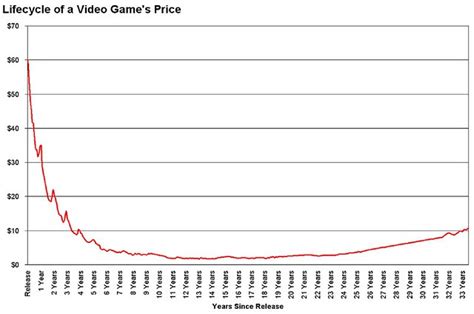
- Check Historical Prices: Before buying, always glance at the game’s historical price chart (available on most trackers). This helps you determine if the current ‘deal’ is genuinely good or if it frequently goes lower.
- Consider Regional Pricing: If you have access to VPNs and accounts in different regions (and it’s legally permissible by the store’s terms), you might find better deals. However, this often comes with region-lock restrictions.
- Bundle Deals: Keep an eye out for bundle offers from sites like Humble Bundle or Fanatical, which often include multiple wishlisted games for a fraction of their individual prices. Deal trackers often highlight when games appear in bundles.
- Follow Social Media and Deal Subreddits: While alerts are automated, communities like r/GameDeals on Reddit or specific gaming deal Twitter accounts can sometimes highlight flash sales or unlisted deals even faster.
Conclusion
Setting up custom alerts for game deals on your wishlist is a simple yet incredibly effective way to save money and expand your game collection. By combining the native features of your preferred platforms with the powerful aggregation and customization options of third-party trackers, you can ensure you’re always informed about the best discounts. Happy gaming, and even happier saving!