





How can I minimize mobile game data usage on a limited internet plan?
For many mobile gamers, a limited internet data plan can feel like a formidable opponent. The joy of diving into virtual worlds can quickly turn into anxiety as you watch your precious data dwindle. But fear not! With a few smart strategies and adjustments, you can significantly minimize your mobile game data usage and keep the fun going without breaking your data budget.
Prioritize Wi-Fi for Downloads and Updates
This is perhaps the most crucial rule for any data-conscious mobile gamer. Always connect to a Wi-Fi network before downloading new games, installing major updates, or even streaming game-related content like walkthroughs or videos. Game files can be massive, ranging from hundreds of megabytes to several gigabytes, and downloading these over mobile data will deplete your allowance almost instantly. Similarly, frequent game updates, even small ones, can add up quickly. Make it a habit to check for and install updates only when you’re on a stable Wi-Fi connection.

Tweak In-Game Settings for Data Efficiency
Many modern mobile games offer a range of customizable settings that can impact data consumption. Diving into these options can yield significant data savings:
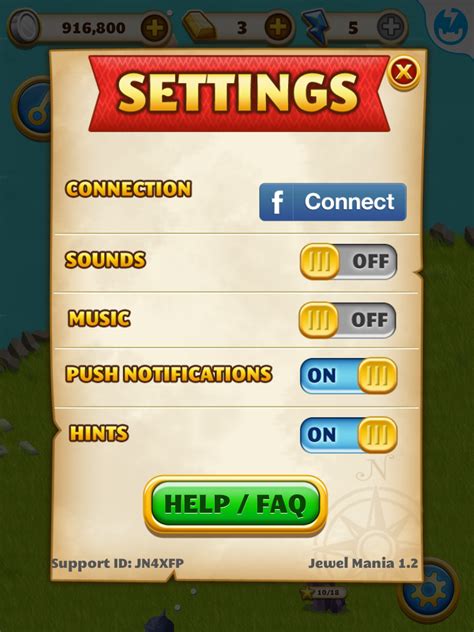
- Lower Graphics Quality: High-definition graphics often require more data to load and render. Reduce the resolution, texture quality, or special effects settings to decrease the amount of data your game needs to process.
- Disable Auto-Downloading Assets: Some games automatically download additional content, such as new character skins, maps, or event files, in the background. Look for options to turn off automatic downloads or set them to Wi-Fi only.
- Turn Off Voice Chat/Video: If a game includes built-in voice chat or video features, these can be significant data hogs. Opt for text chat or external communication apps when on mobile data.
- Limit Background Data: Ensure that the game is not refreshing or downloading data when it’s not actively being played. Most mobile operating systems allow you to restrict background data usage per app.
Embrace Offline Modes and Games
The simplest way to eliminate data usage is to play games that don’t require an internet connection at all. There’s a vast library of excellent mobile games that are fully playable offline. These can include puzzle games, single-player RPGs, strategy games, and more. Before downloading a new game, check its description to see if an internet connection is required for gameplay.
For games that do have an online component, explore if they offer an “offline mode” or allow you to download certain content (like campaign levels or specific maps) for offline play. This lets you enjoy significant portions of the game without touching your data plan.

Manage Background Data and App Permissions
Your smartphone’s operating system offers powerful tools to control how apps use data. Take advantage of these:
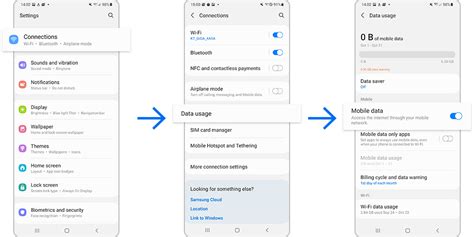
- Restrict Background Data: Go into your phone’s settings (usually under “Apps & Notifications” or “Data Usage”) and find your games. Restrict their ability to use data in the background. This prevents them from fetching updates, notifications, or other information when you’re not actively playing.
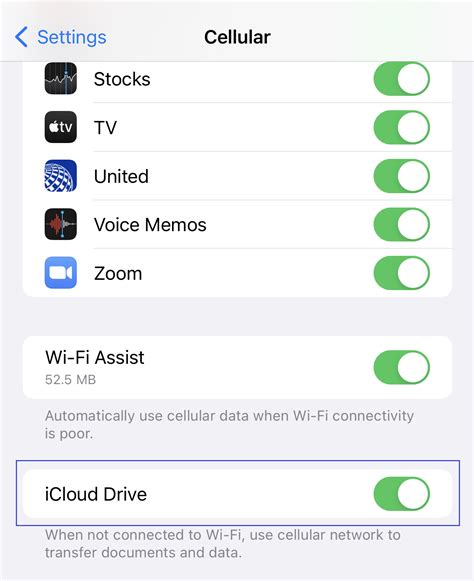
- Utilize Data Saver Modes: Both Android and iOS have system-wide data saver modes that can reduce data usage across all apps. While this might slightly impact performance or delay notifications, it can be a lifesaver for your data plan.
- Review App Permissions: Occasionally, games might request unnecessary permissions that could lead to data usage (e.g., location services when not needed). While less common, it’s good practice to review what permissions your games have.
Monitor Data Usage Regularly
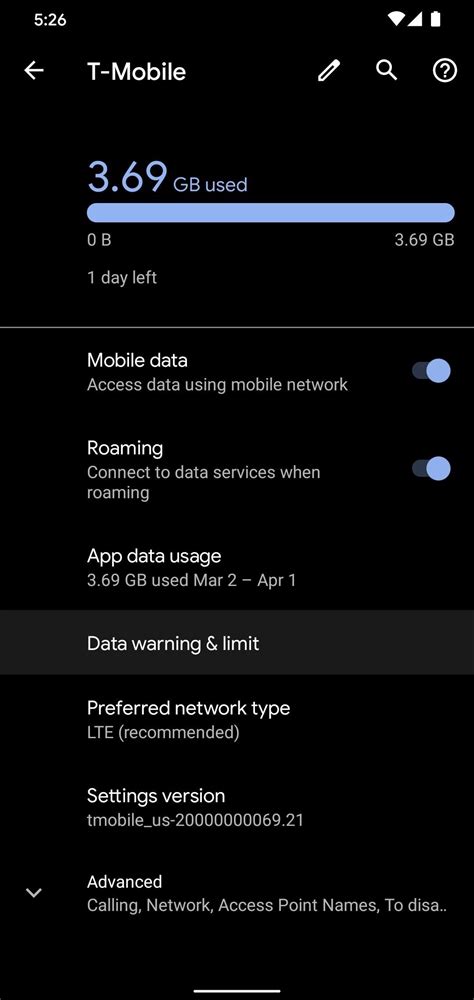
Knowledge is power, especially when it comes to your data plan. Regularly check your phone’s built-in data usage monitor (found in settings under “Data Usage” or “Mobile Data”). This will show you exactly which apps are consuming the most data. Pinpointing data-hungry games will help you apply specific strategies to them.
Most carriers also offer ways to track your data usage in real-time through their apps or websites. Set up data usage alerts or limits if your plan or device allows, so you receive notifications before you hit your cap, preventing unexpected overage charges or throttling.
Playing mobile games on a limited data plan doesn’t have to be a constant struggle. By prioritizing Wi-Fi, adjusting in-game settings, exploring offline options, managing background data, and diligent monitoring, you can significantly reduce your data footprint. Embrace these strategies to enjoy your favorite mobile titles without the fear of running out of data.



