





Best ways to ensure kids’ online gaming safety and privacy?

Navigating the Digital Playground: Keeping Kids Safe in Online Gaming
In today’s digital age, online gaming is a significant part of many children’s lives, offering entertainment, social connection, and skill development. However, this vibrant digital world also comes with potential risks, from exposure to inappropriate content and cyberbullying to privacy breaches and predatory interactions. For parents, understanding and implementing strategies to safeguard their children’s online gaming experience is paramount.

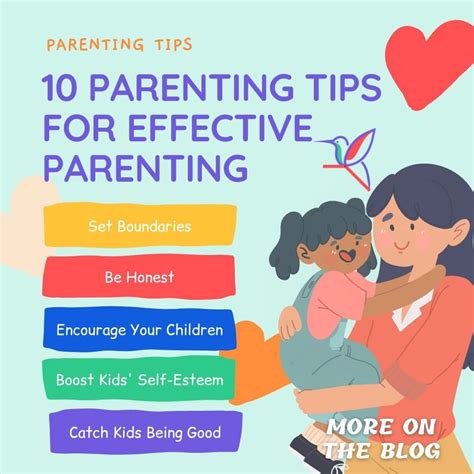
1. Foster Open Communication and Set Clear Boundaries
The first line of defense is always communication. Engage with your children about their online gaming habits and experiences.
- Talk About Their Games: Show interest in the games they play. Understand the mechanics, the social aspects, and who they are playing with. This opens a dialogue and makes them more likely to confide in you if something goes wrong.
- Educate on Online Strangers: Teach them never to share personal information (name, address, school, photos) with anyone they don’t know in real life. Emphasize that not everyone online is who they claim to be.
- Establish Screen Time Rules: Work together to set reasonable limits on gaming duration and times. Consistency helps manage expectations and promotes a healthy balance with other activities.
- Discuss In-Game Purchases: Explain the concept of microtransactions and virtual currency. Set clear rules about spending, preferably by linking all purchases to your approval.
2. Master and Utilize Parental Controls
Most gaming platforms, consoles, and even network routers offer robust parental control features designed to help parents manage their children’s online experience.
- Platform-Specific Controls: Familiarize yourself with the settings on your child’s gaming console (PlayStation, Xbox, Nintendo Switch), PC gaming platforms (Steam, Epic Games), and mobile devices. These often allow you to restrict access to certain games by age rating, manage communication settings (text chat, voice chat), limit online spending, and set play time.
- Age Ratings (ESRB, PEGI): Pay attention to game ratings. The Entertainment Software Rating Board (ESRB) in North America and Pan European Game Information (PEGI) in Europe provide clear guidance on game content and age suitability.
- Network-Level Filtering: Consider using parental control features on your home router to filter inappropriate websites and manage internet access across all devices in your home.

3. Prioritize Privacy Settings and Account Security
Protecting your child’s personal information online is crucial.
- Review In-Game Privacy Options: Many games and platforms allow users to customize their privacy settings, such as who can send them messages, view their profile, or join their game. Set these to the most restrictive levels initially and adjust as needed.
- Strong, Unique Passwords: Teach your child the importance of strong, unique passwords for all their online accounts. Consider using a family password manager.
- Enable Two-Factor Authentication (2FA): Where available, activate 2FA for gaming accounts. This adds an extra layer of security, making it much harder for unauthorized users to access accounts.
- Limit Personal Information in Usernames: Encourage your child to choose usernames that do not contain any personally identifiable information.
4. Monitor Activity and Engage Actively
Active involvement goes beyond setting rules; it means being present and aware.
- Play Together: Join your child in their games from time to time. This provides valuable insight into their online interactions and the game environment, while also being a fun bonding experience.
- Monitor for Red Flags: Be vigilant for changes in behavior, secretive online activity, or signs of cyberbullying or harassment. Encourage your child to come to you if they encounter anything uncomfortable or upsetting online.
- Understand the Community: Learn about the specific gaming communities your child is part of. Some are more tightly moderated than others.
- Report and Block: Teach your child how to use in-game reporting and blocking features for inappropriate behavior or users.

A Balanced Approach to Online Gaming Safety
Ensuring your child’s online gaming safety and privacy is an ongoing process that requires a combination of open dialogue, technical safeguards, and active parental involvement. By staying informed, setting clear expectations, and fostering a trusting relationship, you can help your children enjoy the vast benefits of online gaming while minimizing its risks. Remember, the goal isn’t to shield them entirely from the digital world, but to equip them with the knowledge and tools to navigate it safely and responsibly.

