





Best Switch SD card for a mix of big AAA and indie digital games?

Why Expand Your Switch Storage?
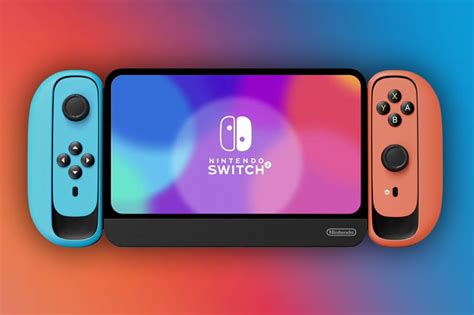
The Nintendo Switch, in all its iterations (original, Lite, OLED), comes with a relatively modest amount of internal storage: 32GB for the original and Lite models, and 64GB for the OLED. While this might suffice for a few smaller indie games or physical cartridge users, it quickly becomes insufficient for anyone embracing the vast digital library available on the eShop. Modern AAA titles can easily consume tens of gigabytes, and even many indie games can take up a surprising amount of space over time. An SD card is not just an upgrade; it’s practically a necessity for a well-rounded digital gaming experience.
Key Factors When Choosing an SD Card
Selecting the best SD card isn’t just about picking the biggest one you can find. Several factors come into play that can influence performance, reliability, and value for money.
Capacity: How Much Do You Really Need?
For a mixed library of AAA and indie games, capacity is paramount. Consider the following:
- 256GB: A good starting point. It offers significantly more space than the internal storage and can hold a decent number of games. However, if you plan on acquiring many large AAA titles, you might fill this up faster than you think.
- 512GB: Often considered the sweet spot for most Switch owners. It provides ample space for a substantial library of both large and small games, offering excellent value without being excessively expensive.
- 1TB: The ultimate choice for serious digital collectors. If you never want to worry about deleting games and intend to build a massive digital library, 1TB offers unparalleled freedom. It comes at a higher price point but essentially future-proofs your Switch storage.
Remember that game sizes vary wildly. A game like The Legend of Zelda: Tears of the Kingdom can be over 18GB, while many indie titles are under 1GB. A 512GB card, for instance, could hold 20-30 AAA games or hundreds of indies.
Speed: Useless Without the Right Class?
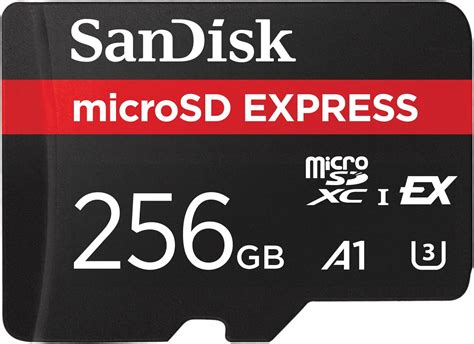
While often a point of confusion, speed ratings (like U1, U3, A1, A2) are less critical for the Switch than for devices like cameras or smartphones recording 4K video. The Switch itself doesn’t fully utilize the absolute fastest speeds available. However, a decent speed class ensures smooth game loading and performance.
- UHS-I (U3): This speed class is perfectly adequate for the Nintendo Switch. It indicates a minimum write speed of 30MB/s.
- Application Performance Class (A1 or A2): A1 and A2 ratings are good to have as they are optimized for running applications and provide better random read/write performance, which can slightly improve game loading times. Most modern, reputable microSD cards meet at least A1 standards.
Don’t overspend on an SD card with extreme speeds that the Switch can’t fully leverage. A U3, A1-rated card is usually the best balance.
Brand and Reliability
Stick to well-known, reputable brands to avoid counterfeit cards or those with poor reliability. Trusted brands offer warranties and consistent performance.
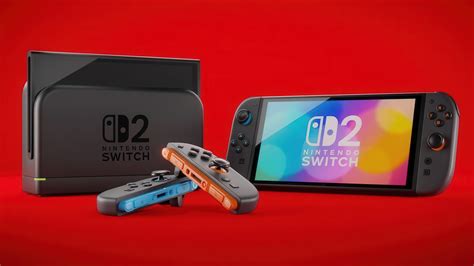
- SanDisk: Widely regarded as the industry leader, especially their ‘Extreme’ and ‘Ultra’ lines. SanDisk even makes officially licensed Nintendo Switch SD cards, though any equivalent SanDisk card will work just as well.
- Samsung: Their ‘EVO Select’ and ‘EVO Plus’ series are excellent alternatives, offering competitive pricing and strong performance.
- Lexar, PNY, Kingston: Other reliable brands that offer good options.
Recommended SD Cards for Mixed Gaming
Based on the factors above, here are the top recommendations for a mixed library of AAA and indie games:
The Sweet Spot: 512GB microSDXC
For the vast majority of users, a 512GB card strikes the perfect balance between ample storage and cost-effectiveness. It provides enough room for several large AAA titles alongside dozens of indies, ensuring you won’t constantly be managing storage.
- SanDisk 512GB Ultra / Extreme microSDXC: These are excellent choices. The Ultra series is more budget-friendly, while the Extreme offers slightly faster speeds (though the difference on Switch is minimal). Both are reliable and widely available.
- Samsung 512GB EVO Select / Plus microSDXC: Samsung’s offerings are strong competitors, often providing similar performance and reliability to SanDisk at a comparable or sometimes better price point.
Future-Proofing: 1TB microSDXC
If budget isn’t a primary concern and you want maximum convenience, a 1TB card means you’ll likely never have to think about storage again.
- SanDisk 1TB Ultra / Extreme microSDXC: The go-to choice for ultimate storage.
- Samsung 1TB EVO Select / Plus microSDXC: A great alternative for high-capacity needs.

Maximizing Your Storage: Tips & Tricks
- Archive Software: If your SD card starts to fill up, consider archiving games you’re not currently playing. This deletes the game data but keeps its icon and save data, making it easy to redownload later without losing progress.
- Delete Screenshots/Videos: Over time, the Switch can accumulate many screenshots and video clips. Regularly review and delete unnecessary media to free up a small amount of space.
- Cloud Saves: A Nintendo Switch Online subscription backs up your save data to the cloud, meaning even if you archive a game, your progress is safe.
Installation and Setup
Installing an SD card in your Nintendo Switch is incredibly straightforward:
- Power off your Switch completely.
- Locate the microSD card slot (under the kickstand on the original and OLED models, or on the bottom edge of the Switch Lite).
- Insert the microSD card until it clicks into place.
- Power on your Switch. The system will automatically detect and format the card if needed, making it ready for use.
Conclusion
For a gamer with a diverse library of big AAA and cherished indie digital titles, a high-capacity microSD card is an essential investment. While 256GB can be a good start, the 512GB capacity often provides the best balance of cost, space, and convenience, making it the ideal choice for most. Opt for reputable brands like SanDisk or Samsung, and ensure the card meets at least a U3 and A1 speed rating for optimal performance. With the right SD card, you can immerse yourself in your favorite games without the constant worry of running out of space.


