Best microSD for Switch: Balancing speed & cost for indies & AAA?

The Nintendo Switch, with its modest 32GB (or 64GB for OLED model) internal storage, quickly fills up, especially for avid digital game collectors. A microSD card isn’t just an accessory; it’s practically a necessity to expand your library and ensure you never have to delete a cherished title to make room for a new adventure. But with so many options, how do you pick the best one without overspending or sacrificing performance?
Understanding Switch microSD Card Requirements
Nintendo officially supports UHS-I (Ultra High Speed Phase I) microSD cards. While UHS-II cards exist and are faster, the Switch itself doesn’t support their higher bus speeds, meaning you won’t see any performance benefit from them. Focus on UHS-I cards. Within UHS-I, you’ll encounter different speed classes:
- UHS Speed Class 1 (U1): Minimum sequential write speed of 10 MB/s.
- UHS Speed Class 3 (U3): Minimum sequential write speed of 30 MB/s.
For application performance, you might also see A1 or A2 ratings. The Switch can benefit from A1 for faster app loading and game data management, but A2 offers diminishing returns on the console. Most reputable U1 cards today will easily meet or exceed the Switch’s operational needs.

Speed vs. Cost: Finding the Sweet Spot
This is where the core balancing act lies. Faster cards (U3, A2 rated) generally come with a higher price tag. The crucial question is: do you really need that extra speed for your Switch?
Extensive testing by various tech outlets consistently shows that the real-world performance difference between a good U1 card and a U3 card on the Nintendo Switch is often negligible, usually only a few seconds faster loading times at best, or even no discernible difference. The Switch’s internal bus is a limiting factor. Therefore, for most users, a U1 card from a reputable brand offers the best value.
Indie Games vs. AAA Titles: Does It Matter?
Game type does play a minor role, but perhaps not in the way you might expect.
- Indie Games: Typically smaller file sizes and less demanding in terms of constant data streaming. A standard U1 card will handle these perfectly fine, with virtually no difference experienced between U1 and U3.
- AAA Games: Larger file sizes (sometimes 20GB-50GB+) and more graphically intensive. While a U3 card could theoretically offer a marginal speed boost for initial loading or scene transitions, the Switch’s internal hardware means the bottleneck isn’t usually the microSD card’s raw speed once you’re past a certain point (which U1 cards comfortably achieve). The biggest factor here is storage capacity.
Recommended microSD Cards for Switch
When choosing a card, prioritize capacity and reliability over chasing extreme speeds. Look for cards from well-known, trusted brands to avoid counterfeits and ensure consistent performance.
- Capacity:
- 128GB: Good for casual players or those who buy mostly physical.
- 256GB: Excellent value, suitable for most digital-heavy players.
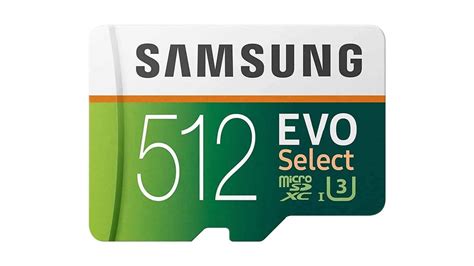
- 512GB: For serious digital collectors, offering ample space for dozens of AAA titles.
- 1TB: The ultimate choice for those who want to download everything, but also the most expensive per GB.
- Brands: SanDisk, Samsung, Lexar, Western Digital, PNY are all reliable choices. The SanDisk microSDXC for Nintendo Switch is officially licensed and often a popular, safe bet.
Installation & Management Tips
- Formatting: Always format your new microSD card directly on the Switch console. Go to System Settings > System > Formatting Options > Format microSD Card.
- Data Transfer: If you’re upgrading, you can transfer data manually using a PC or simply re-download games. The Switch won’t directly copy installed games from one card to another.
- Storage Management: Keep an eye on your storage by going to System Settings > Data Management. You can archive software (delete game data but keep save data) to free up space without losing progress.

Conclusion: The Best Balance
For the vast majority of Nintendo Switch users, the “best” microSD card strikes a balance between generous capacity, reliable performance (UHS-I, U1), and a reasonable price point. While a U3 or A2 card might offer a theoretical edge, the practical benefits are minimal, making them an unnecessary expense for many. Aim for a 256GB or 512GB U1 card from a reputable brand, and you’ll have more than enough space and speed to enjoy your entire Switch library, whether it’s an expansive AAA epic or a charming indie gem.