Best microSD for Nintendo Switch: Expand storage for all your games?

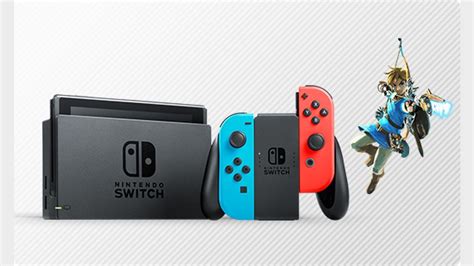
The Nintendo Switch, an incredibly versatile and popular gaming console, comes with a respectable 32GB (or 64GB for the OLED model) of internal storage. While this might seem sufficient for a few games, the reality for most dedicated gamers is that it fills up surprisingly fast. Digital downloads, game updates, and screenshots can quickly devour that space, leaving you scrambling to delete games just to make room for new ones. This is where a high-quality microSD card becomes an essential upgrade, transforming your gaming experience by providing ample room for every adventure.
Why Your Switch Needs More Storage
Many modern Switch games, especially AAA titles, can range from 10GB to over 30GB. Games like The Legend of Zelda: Tears of the Kingdom, Pokémon Scarlet/Violet, or Mario Kart 8 Deluxe, when downloaded digitally, can quickly consume a significant portion of your console’s internal memory. Even if you prefer physical game cartridges, many require substantial downloadable updates, patches, and DLC that still take up internal storage. Expanding your storage with a microSD card means:
- More Digital Games: Download and keep more titles without worrying about deleting old favorites.
- All DLC and Updates: Never miss out on extra content or important game patches.
- Plenty of Screenshots/Videos: Capture and save all your epic in-game moments without hesitation.
- Faster Loading Times: While internal storage is generally faster, a good quality microSD card can still offer excellent load times, sometimes even comparable to or better than slower internal speeds for certain operations.
Key Factors When Choosing a microSD Card
Not all microSD cards are created equal, and picking the right one involves understanding a few key specifications. The Nintendo Switch supports microSD, microSDHC, and microSDXC cards.
Speed (Read/Write)
This is arguably the most critical factor. Speed affects game loading times, how quickly games install, and how smoothly data is accessed. Look for cards with a high ‘UHS Speed Class’ rating (U1 or U3) and ‘Video Speed Class’ (V10, V30). The Nintendo Switch can benefit significantly from cards with high read speeds, ideally 100MB/s or more. While write speeds are less critical for gameplay, they impact how quickly you can transfer files to the card.
Capacity
MicroSD cards are available in a wide range of capacities, from 16GB up to 2TB. For most Switch owners, a 128GB or 256GB card is a great starting point, offering a substantial boost over the internal storage without breaking the bank. If you plan to heavily rely on digital downloads or have a vast game library, 512GB or even 1TB will provide long-term peace of mind.
Brand Reputation
Stick to reputable brands. SanDisk, Samsung, and Lexar are consistently top performers known for their reliability and performance. Avoid no-name brands or suspiciously cheap cards, as they often fail quickly or don’t deliver on advertised speeds.
Top microSD Card Recommendations for Nintendo Switch
Based on performance, reliability, and value, these cards consistently rank high for Nintendo Switch users:
SanDisk Extreme / Extreme PRO
SanDisk is the official licensee for Nintendo Switch-branded microSD cards, and for good reason. Their Extreme and Extreme PRO lines offer exceptional read speeds (up to 160MB/s or more) and excellent reliability. While the official branded cards are a safe bet, the standard SanDisk Extreme or Ultra cards offer similar performance often at a better price.
Samsung EVO Select / Plus
Samsung’s EVO Select and EVO Plus series are fantastic alternatives, offering robust performance and excellent value. They boast high read speeds (around 100-130MB/s) and are known for their durability. They come in various capacities, making them suitable for all types of Switch users.

Lexar Play
Designed specifically for gaming, the Lexar Play microSDXC card delivers impressive read speeds up to 150MB/s, ensuring quick loading times for your games. It’s a solid choice for performance-conscious gamers looking for a dedicated gaming-focused solution.
How to Install and Manage Your microSD Card
Installing a microSD card in your Nintendo Switch is incredibly simple:
- Turn off your Switch: Always power down your console completely before inserting or removing a microSD card.
- Locate the slot: The microSD card slot is usually hidden under the kickstand on the back of the console.
- Insert the card: Gently push the card into the slot until it clicks into place.
- Power on: Turn your Switch back on. It should automatically detect and format the card if it’s new.
Once installed, you can manage your data in the System Settings under ‘Data Management’. Here you can see how much space is left on your internal storage and the microSD card, and even transfer data between them.
Conclusion
Investing in a good quality microSD card is perhaps the most practical upgrade any Nintendo Switch owner can make. It liberates you from storage anxieties, allowing you to download new releases, revisit old favorites, and keep all your game data without compromise. By focusing on reputable brands and cards with high read speeds and adequate capacity, you’ll ensure your Switch experience remains smooth, expansive, and endlessly enjoyable.