





How to optimize Nintendo Switch storage for many digital games?
The Ever-Growing Digital Library Dilemma
The Nintendo Switch, with its vast library of fantastic digital-only titles and the convenience of eShop purchases, quickly fills up its internal storage. While the original Switch and Switch Lite come with 32GB of internal memory, and the OLED model offers 64GB, this capacity is often insufficient for even a modest collection of downloaded games, many of which can easily exceed 10GB or even 20GB each. Managing this digital hoard efficiently is key to avoiding constant deletion and re-downloading.
Expand Your Horizons with a MicroSD Card
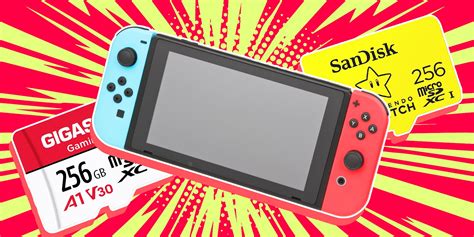
The most crucial step in optimizing your Switch storage is investing in a high-capacity microSD card. The Switch supports microSD, microSDHC, and microSDXC cards, with capacities reaching up to 2TB (though 1TB is currently the largest commercially available). These cards are where the vast majority of your digital games, updates, and DLC will reside.
Choosing the Right MicroSD Card:
- Capacity: For a growing digital library, a 128GB card is a good starting point, but 256GB, 512GB, or even 1TB will offer much more peace of mind.
- Speed: Look for a card with a high read speed (UHS-I compatible, ideally with an A1 or A2 rating). This ensures faster loading times for your games. Brands like SanDisk, Samsung, and Kingston are generally reliable.
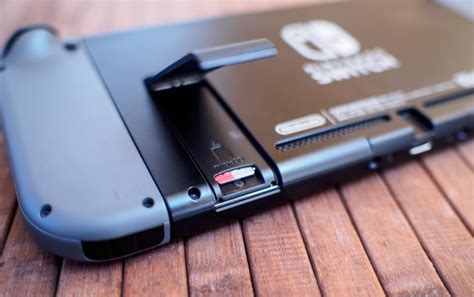
Installing a microSD card is simple: just slide it into the dedicated slot under the kickstand on the back of your Switch. Once inserted, the system will automatically recognize it and start using it for new downloads.
Mastering Storage Management: Archive vs. Delete
Even with a large microSD card, you might eventually reach its limits. The Switch offers two main options for removing games from your active storage: ‘Archive Software’ and ‘Delete Software’. Understanding the difference is vital.
- Archive Software: This is generally the preferred option for digital games. When you archive a game, only its core data is removed from your system, freeing up space. Your save data remains on your Switch’s internal memory (or cloud, if you have Nintendo Switch Online). The game icon stays on your home screen, and you can easily redownload the game at any time without losing your progress.
- Delete Software: This option removes everything associated with the game – the game data itself and its save data (unless you’ve backed it up to the cloud). Use this only for games you’re absolutely certain you’ll never play again, or for physical cartridges whose save data is all you care about keeping.

Regularly Check Your Storage Usage
To stay on top of your storage, it’s good practice to periodically check which games are consuming the most space. Here’s how:
- From the HOME Menu, select System Settings.
- Scroll down the menu on the left and select Data Management.
- Here you can see “Manage Software,” “Screenshots and Videos,” and “Save Data Cloud Backup” (if subscribed to Nintendo Switch Online).
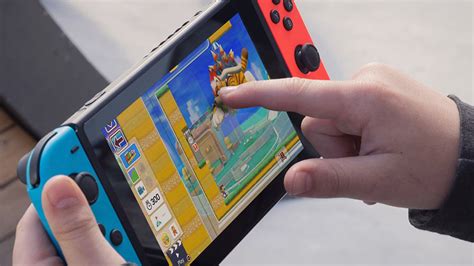
- Under “Manage Software,” you’ll see a list of all your games and their sizes, allowing you to easily identify candidates for archiving.
Prioritize archiving larger games you aren’t currently playing. Remember, small indie titles can add up, but typically it’s the AAA first-party games that are the biggest storage hogs.
Smart Download Habits and Cloud Saves
Beyond expanding and managing, adopting smart habits can prevent future storage headaches:
- Prioritize Downloads: If you have multiple games to download, start with the one you want to play immediately.
- Don’t Hoard Demos: Demos can take up significant space; delete them once you’ve decided if you want the full game.
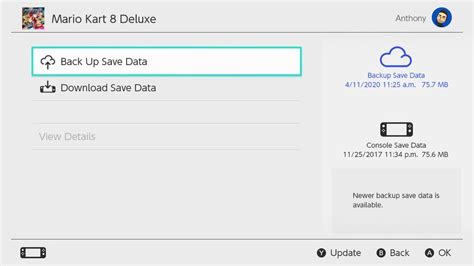
- Leverage Cloud Saves: If you’re a Nintendo Switch Online subscriber, your game save data is automatically backed up to the cloud for most titles. This offers peace of mind, knowing that even if you delete a game entirely, your progress is safe and can be restored when you redownload it.
By combining a large microSD card with smart management techniques like archiving and regularly checking your storage, you can effectively host a massive digital library on your Nintendo Switch without constant worry.
Conclusion: Game On, Uninterrupted
Optimizing your Nintendo Switch storage is a straightforward process that significantly enhances your gaming experience. By investing in a high-capacity microSD card, understanding the difference between archiving and deleting software, and routinely checking your data management, you can ensure that your console always has room for the next big adventure. No more agonizing over which game to sacrifice; keep your entire digital library at your fingertips and jump into your favorite titles whenever inspiration strikes.


