





Simple fixes for Nintendo Switch Joy-Con drift issues?
Understanding and Tackling Joy-Con Drift
Nintendo Switch Joy-Con drift is a prevalent and frustrating issue for many gamers. It occurs when the console registers movement from the control sticks even when they aren’t being touched, leading to unintended character movement, camera panning, or menu selections. While it can severely impact gameplay, there are several simple fixes and preventative steps you can take before resorting to professional repair or replacement.
Start with Software Solutions
Before diving into physical intervention, it’s always best to rule out software glitches. These steps are easy, risk-free, and often surprisingly effective.
1. Update Your Nintendo Switch System Software
- Go to System Settings > System > System Update.
- Ensure your console is running the latest firmware. Updates sometimes include patches that can improve peripheral performance and stability.
2. Calibrate Your Control Sticks
Recalibrating your Joy-Cons can often resolve minor drift issues by resetting the controller’s understanding of its neutral position.
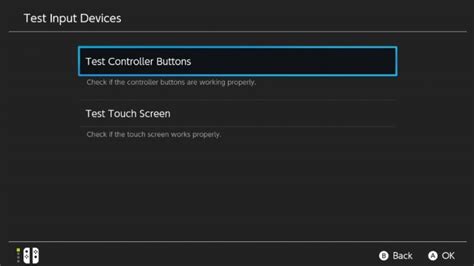
- From the HOME Menu, select System Settings.
- Scroll down the left-hand menu and select Controllers and Sensors.
- Select Calibrate Control Sticks.
- Follow the on-screen instructions to tilt the stick in various directions and confirm its response. If the crosshairs don’t center, proceed with the full calibration process.
3. Disconnect and Reconnect Joy-Cons
Sometimes, simply detaching and reattaching your Joy-Cons can reset their connection and clear minor communication errors. For wireless connection issues, try syncing them again via the Controllers and Sensors menu.
Physical Cleaning and Maintenance
Often, drift is caused by dust, debris, or grime accumulating under the joystick’s skirt, interfering with the internal sensors. A gentle cleaning can work wonders.
1. Use Compressed Air
This is the least invasive physical fix. Hold the Joy-Con upside down, gently lift the rubber skirt at the base of the control stick, and spray short bursts of compressed air into the opening from different angles. This helps dislodge any foreign particles.
2. Apply Electrical Contact Cleaner (with Caution)
For persistent drift, some users have success with electrical contact cleaner (like WD-40 Specialist Contact Cleaner, NOT regular WD-40). This should be done with extreme caution.
- Power off your Switch and remove the Joy-Con.
- Gently lift the rubber skirt around the base of the analog stick.
- Spray a tiny amount of contact cleaner directly into the opening, moving the stick around to help the cleaner penetrate.
- Wipe away any excess immediately.
- Allow it to dry completely for at least 15-30 minutes before reattaching and testing. Repeated applications might be necessary, but use sparingly.
Warning: Using liquids can potentially damage your Joy-Con, especially if not done correctly. Proceed at your own risk.
When to Consider Professional Help or Replacement
If software fixes and cleaning don’t resolve the issue, the problem might be hardware-related, such as wear and tear on the joystick mechanism itself.
1. Nintendo’s Official Repair Program
Nintendo has acknowledged the drift issue and offers free repairs in many regions, even for out-of-warranty Joy-Cons. Visit Nintendo’s official support website for your region to check eligibility and start a repair request.
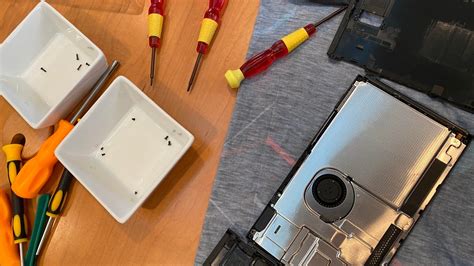
2. DIY Stick Module Replacement (Advanced)
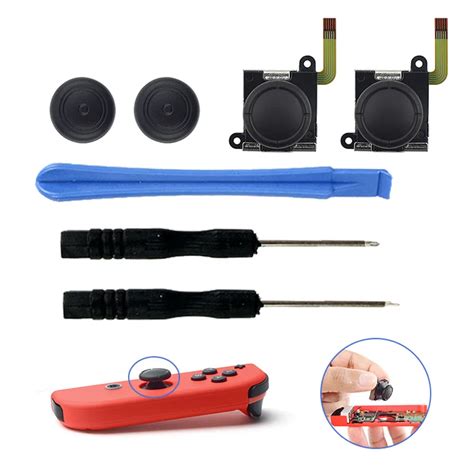
For the technically inclined, replacement joystick modules are available online. This involves disassembling the Joy-Con, which requires specific tools and a steady hand. Be aware that this will likely void any remaining warranty and carries a risk of further damage if not done correctly.
3. Purchase New Joy-Cons
If all else fails, or if you prefer a hassle-free solution, purchasing a new pair of Joy-Cons is always an option. You might also consider third-party controllers designed with more robust stick mechanisms.
Preventative Measures
- Handle with Care: Avoid dropping your Joy-Cons or subjecting them to excessive force.
- Keep Them Clean: Regularly wipe down your controllers to prevent dust and grime buildup.
- Use Protective Covers: Silicone covers can help prevent debris from entering the stick mechanism.
Conclusion
Joy-Con drift can be a major nuisance, but it’s often a solvable problem. By systematically working through these simple software calibrations and physical cleaning methods, many users can restore their Joy-Cons to full functionality. If the issue persists, Nintendo’s repair service or a replacement remain viable options to get you back to uninterrupted gaming.



