Optimize mobile game battery drain?

Conquer Battery Drain: A Guide to Longer Mobile Gaming Sessions
Mobile gaming has become an integral part of our daily entertainment, offering immersive experiences right in the palm of our hands. However, the thrill often comes with a significant downside: rapid battery depletion. High-fidelity graphics, demanding processors, and constant network activity all conspire to drain your smartphone’s power surprisingly quickly. But don’t despair! With a few smart adjustments and habits, you can extend your mobile gaming sessions considerably.
Understanding the Battery Killers
Before diving into solutions, it’s crucial to understand why mobile games are such power hogs. The primary culprits include:
- Intensive Graphics: High-resolution textures, complex animations, and elaborate visual effects require significant GPU power.
- CPU Usage: Game logic, AI, and physics calculations keep your device’s processor working hard.
- Network Activity: Online multiplayer games constantly send and receive data, engaging your Wi-Fi or cellular modem.
- Screen Brightness: The display is often the single biggest battery consumer, especially when cranked up for better visibility.
Optimize In-Game Settings
Many modern mobile games offer customizable settings that can be tweaked to favor battery life over peak performance or visual fidelity.
- Lower Graphics Quality: Most games allow you to reduce texture quality, shadow detail, and visual effects. Start here for the biggest impact.
- Cap Frame Rate (FPS): While 60 FPS is smooth, 30 FPS can often provide a perfectly playable experience with significantly less battery usage. Look for options like ‘Frame Rate Cap’ or ‘Performance Mode’.
- Disable V-Sync and Anti-Aliasing: These features smooth out visuals but are computationally intensive. Turning them off can save power with a minor visual trade-off.
- Adjust Audio: Lowering in-game volume or using headphones (which consume less power than the device’s loudspeaker) can also contribute to power saving.
Device-Level Power Saving Strategies
Beyond the game itself, your device’s overall settings play a huge role in battery consumption.
- Reduce Screen Brightness: This is arguably the most effective step. Lower your screen brightness manually or enable adaptive brightness, ensuring it’s not unnecessarily high.
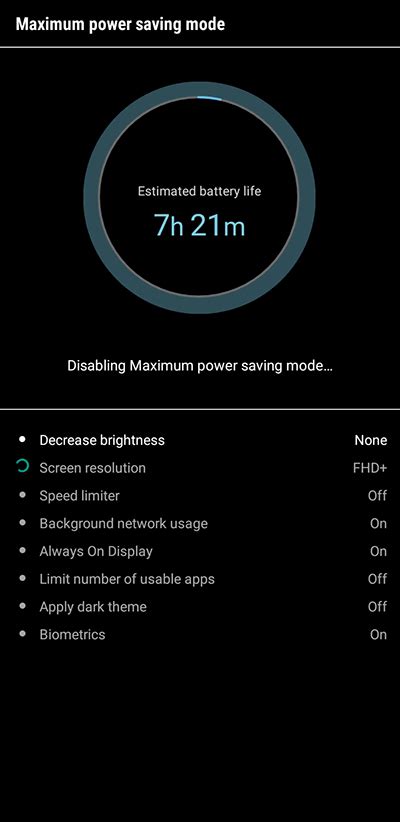
- Enable Power Saving Mode: Your smartphone likely has a built-in ‘Power Saving Mode’ or ‘Battery Saver’ that automatically throttles CPU speed, reduces background activity, and optimizes display settings.
- Disable Unnecessary Connectivity: Turn off Wi-Fi, Bluetooth, GPS, and NFC when you’re not using them. For online games, choose Wi-Fi over cellular data if available, as Wi-Fi is generally more power-efficient.
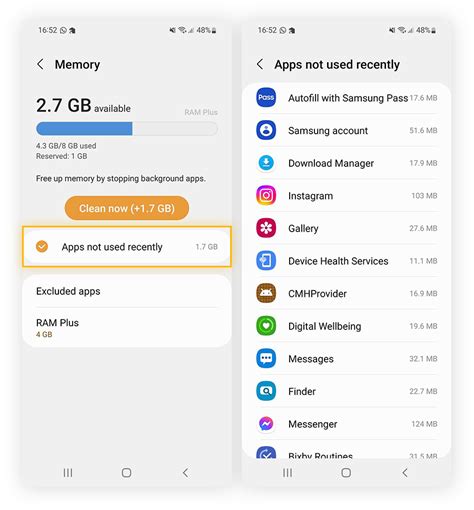
- Close Background Apps: Apps running in the background can silently consume resources. Swipe them away from your recent apps list before gaming.
Smart App and System Management
Maintaining your device and game apps can also indirectly lead to better battery performance.
- Clear Game Cache: Over time, game caches can grow large. Clearing it occasionally can prevent slowdowns and reduce resource usage.
- Keep Software Updated: Game developers and OS providers frequently release updates that include performance optimizations and bug fixes, which can improve efficiency.
- Disable Notifications: Constant notifications can wake your screen and pull your focus, increasing active screen time and processing.
Hardware Considerations and Charging Habits
While less direct, these aspects also impact your battery’s longevity and gaming endurance.
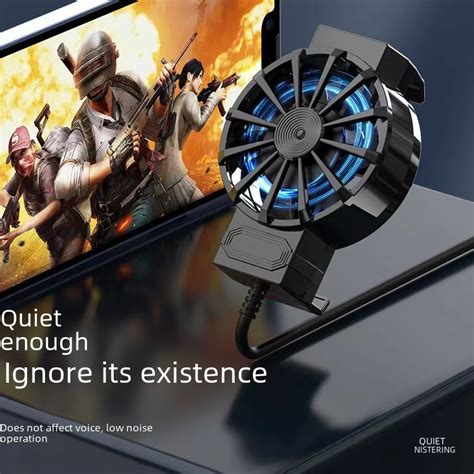
- Keep Your Device Cool: Overheating forces your device to throttle performance and consumes more power to compensate. Avoid playing in direct sunlight or on surfaces that trap heat.
- Charge Smartly: Avoid gaming while charging, as this can generate significant heat and stress the battery, shortening its overall lifespan. Use original or certified chargers.
Conclusion
Optimizing your mobile game battery drain doesn’t require drastic measures. By implementing a combination of in-game setting adjustments, smart device management, and healthy charging habits, you can significantly extend your playtime and ensure your device lasts longer between charges. Experiment with these tips to find the perfect balance between performance and endurance for your favorite mobile titles. Happy gaming!