





Best micro SD card for Switch? Maximize game storage without performance issues.
Why Your Nintendo Switch Needs a Storage Upgrade
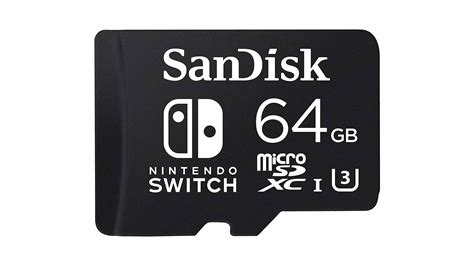
The Nintendo Switch, a marvel of portable gaming, comes with a rather modest 32GB (or 64GB for the OLED model) of internal storage. While sufficient for a few small indie titles or game saves, this space quickly diminishes when you start downloading larger digital games from the eShop or even physical games that require significant updates and DLC. To truly unleash your Switch’s potential and avoid the dreaded “storage full” message, a reliable micro SD card is an essential accessory.
But with countless options on the market, how do you choose the best micro SD card that maximizes your game storage without introducing frustrating performance issues like slow loading times or choppy gameplay? It’s all about understanding the key specifications and choosing a reputable brand.
Understanding Micro SD Card Specifications for Optimal Switch Performance
Not all micro SD cards are created equal, and the Nintendo Switch has specific requirements and limitations you should be aware of. Getting the right card means understanding a few key terms:
UHS-I vs. UHS-II: The Switch’s Speed Limit
The Nintendo Switch supports the UHS-I (Ultra High Speed Phase I) standard. This means it can achieve a maximum theoretical data transfer speed of 104 MB/s. While UHS-II cards exist and offer much faster speeds (up to 312 MB/s), the Switch cannot utilize this extra speed. Investing in a more expensive UHS-II card for your Switch is generally unnecessary, as it will simply operate at UHS-I speeds.
Speed Class and Application Performance Class: What Matters for Gaming
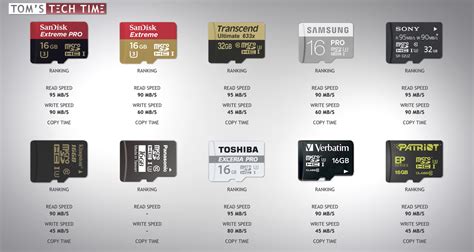
- Speed Class (U1, U3, V30): This indicates the minimum sequential write speed. For the Switch, a U1 (10 MB/s) card is the bare minimum, but a U3 (30 MB/s) or V30 card is highly recommended for smoother game loading and better overall performance.
- Application Performance Class (A1, A2): Introduced specifically for devices running apps directly from the card, these ratings signify sustained random read and write speeds. While A2 offers better random performance than A1, the difference might not be drastically noticeable in typical Switch gaming scenarios. However, choosing an A1 or A2 rated card is a good indicator of overall quality and performance for gaming.
Look for cards labeled with UHS-I, U3, and A1 or A2. These specifications ensure you’re getting a card that the Switch can fully utilize for fast game loading and stable performance.
Choosing the Right Capacity: How Much Storage Do You Truly Need?
The capacity of your micro SD card depends entirely on your gaming habits. Nintendo Switch game sizes vary widely, from a few hundred MBs for indie titles to over 50GB for AAA blockbusters like The Legend of Zelda: Tears of the Kingdom or The Witcher 3: Wild Hunt.
- 128GB / 256GB: Good Starting Points
These capacities are suitable for casual gamers who primarily buy physical games and only download a handful of digital titles or DLC. - 512GB: The Sweet Spot for Most Gamers
A 512GB micro SD card offers an excellent balance between cost and storage space. It’s enough for a substantial library of digital games, including several large titles, without needing to constantly manage your storage. This is often the recommended choice for most users. - 1TB and Beyond: For Digital Hoarders
If you primarily purchase digital games, collect many titles, or anticipate downloading numerous upcoming releases, a 1TB micro SD card will provide ample space for years to come. While more expensive, prices have become more reasonable, making it a viable option for serious digital collectors.
Remember, it’s always better to have a bit more space than you think you need, as game sizes tend to increase over time.
Top Micro SD Card Brands Recommended for Nintendo Switch
While specifications are important, choosing a reputable brand ensures reliability and consistent performance. Here are some of the most trusted names:
- SanDisk: The Official Choice
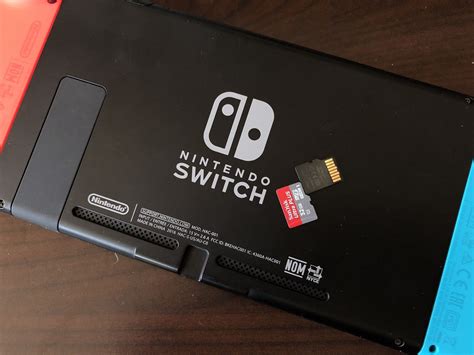
SanDisk is perhaps the most popular and often officially licensed brand for Nintendo Switch micro SD cards. Their SanDisk Ultra and SanDisk Extreme series (look for the A1 or A2 ratings) are excellent choices. They often release Nintendo-branded cards which are simply their standard cards with a themed design, offering reliable performance. - Samsung: Reliable and Fast
Samsung’s EVO Select and PRO Plus series micro SD cards are highly regarded for their consistent performance and durability. They offer great value and are a favorite among tech enthusiasts. - Lexar & PNY: Strong Alternatives
Brands like Lexar and PNY also offer high-quality micro SD cards that meet the necessary specifications for the Nintendo Switch. Their cards are often competitively priced and provide excellent performance.
Stick to these well-known brands to avoid counterfeit cards or those with inflated performance claims.
Installation and Essential Data Management Tips
Installing a micro SD card in your Nintendo Switch is straightforward:
- Turn off your Switch completely (not just sleep mode).
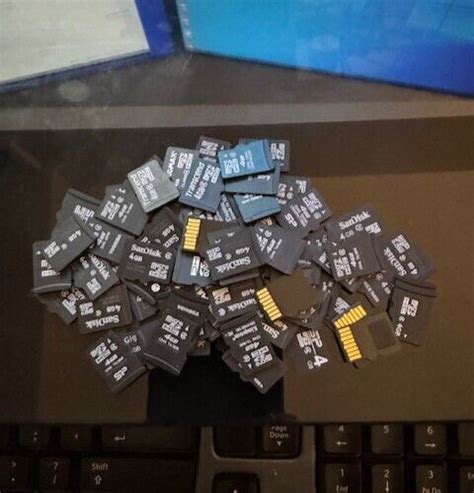
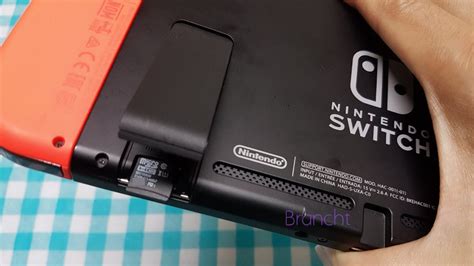
- Open the kickstand on the back of the console to reveal the micro SD card slot.
- Insert the micro SD card with the label facing down until it clicks into place.
- Close the kickstand and power on your Switch.
Your Switch will automatically detect and format the card. Game saves are always stored on the console’s internal memory and cannot be moved to the SD card. However, downloaded software and updates will automatically be saved to your micro SD card once it’s installed. You can also manually move games between the system memory and the micro SD card via the Data Management settings.
Avoiding Performance Pitfalls: What Not to Worry About
Many users worry about micro SD cards causing performance issues. With a properly chosen card, these concerns are largely unfounded:
- Load Times: While internal storage is marginally faster, the difference in game load times between a good UHS-I U3 A1/A2 micro SD card and the Switch’s internal memory is often negligible, typically a few seconds at most.
- Gameplay Performance: Micro SD cards generally do not impact in-game performance (frame rates, rendering) as these are handled by the Switch’s processor and GPU. Their primary role is data storage and retrieval.
- Overspending: As mentioned, don’t overpay for UHS-II cards or cards with extreme read/write speeds that significantly exceed the Switch’s UHS-I limit. Focus on the U3 and A1/A2 ratings from reputable brands.
By sticking to the recommended specifications and brands, you’ll ensure a smooth gaming experience without any noticeable performance bottlenecks.
Conclusion: Unlock Your Switch’s Full Potential
Choosing the best micro SD card for your Nintendo Switch doesn’t have to be complicated. Focus on UHS-I U3 cards with an A1 or A2 rating from a reputable brand like SanDisk or Samsung. Select a capacity that matches your gaming habits, with 512GB being a highly recommended sweet spot for most users.
With the right micro SD card, you can put an end to storage anxiety, download all the digital games you desire, and enjoy your Nintendo Switch to its fullest without any performance compromises. Happy gaming!



