





Practical tips for managing kid’s screen time & finding age-appropriate games?

Navigating the Digital Playground: A Parent’s Guide
In today’s digitally saturated world, managing children’s screen time and ensuring they engage with age-appropriate content can feel like an uphill battle for parents. From educational apps to captivating video games, screens offer a vast landscape of opportunities, but also present challenges regarding balance, safety, and healthy development. This guide offers practical tips to help you set sensible boundaries and confidently select games that enrich your child’s experience.

Setting Smart Screen Time Limits
Establishing clear and consistent rules is the cornerstone of effective screen time management. It’s not just about limiting hours, but also about integrating digital activities thoughtfully into your family’s routine.
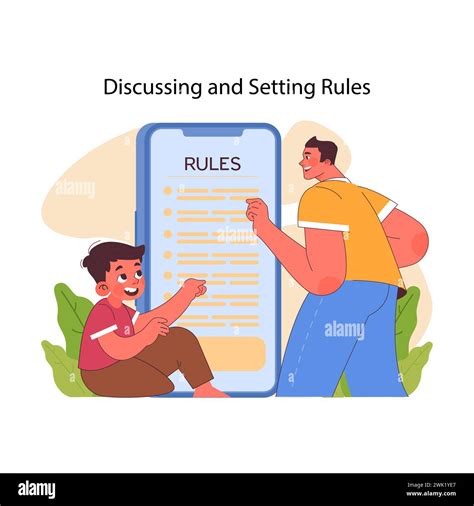
- Create a Family Media Plan: Work together as a family to decide on rules for screen use, including when, where, and for how long screens can be used. Many organizations offer templates for these plans.
- Set Consistent Time Limits: Use timers or built-in device controls to enforce daily or weekly limits. Communicate these limits clearly and stick to them.
- Designate Screen-Free Zones and Times: Implement rules like no screens during meals, an hour before bedtime, or in bedrooms. Encourage outdoor play, reading, and creative activities during these times.
- Prioritize Quality Over Quantity: Not all screen time is equal. Encourage interactive, educational content that promotes learning and creativity over passive viewing or repetitive gaming.
Discovering Age-Appropriate Games
Choosing the right games is crucial for protecting children and ensuring their digital experiences are positive. Not all games are created equal, and what’s suitable for a teenager is certainly not for a toddler.
- Utilize Rating Systems: Familiarize yourself with game rating systems like ESRB (Entertainment Software Rating Board) in North America, PEGI (Pan European Game Information) in Europe, or CERO in Japan. These ratings provide guidance on content suitability (e.g., violence, language, themes).
- Research and Read Reviews: Before downloading or purchasing a game, look up reviews from other parents or trusted educational technology sites. They often highlight game mechanics, educational value, and potential pitfalls.
- Co-Play and Observe: The best way to understand a game is to play it with your child or observe them playing. This allows you to assess the content firsthand, discuss any concerns, and bond over shared activities.
- Look for Educational Value: Many games are designed to teach problem-solving, critical thinking, coding, or even social-emotional skills. Prioritize games that offer more than just entertainment.
- Check for In-App Purchases and Ads: Be aware of games that heavily feature in-app purchases or intrusive advertising, as these can lead to unexpected costs or expose children to inappropriate content.

Balancing Digital and Real-World Engagement
The goal isn’t to eliminate screens, but to achieve a healthy balance. Encourage a diverse range of activities that foster holistic development.
- Encourage Outdoor Play: Make time for physical activity, sports, and exploring nature.
- Promote Creative Hobbies: Support interests in art, music, building, or imaginative play.
- Read Together: Foster a love for books and storytelling through shared reading experiences.
- Family Time: Dedicate time for family board games, conversations, and shared experiences that don’t involve screens.

Lead by Example
Children are excellent imitators. Your own screen habits significantly influence theirs. Be mindful of your screen use, especially when spending time with your children. Demonstrate balanced digital habits, engage in conversations about online safety, and show genuine interest in their digital worlds while also valuing screen-free interaction.

Conclusion
Managing screen time and selecting appropriate games is an ongoing process that requires flexibility, communication, and informed decisions. By setting clear boundaries, researching content, fostering a balanced lifestyle, and leading by example, parents can help their children navigate the digital world safely and constructively, ensuring technology enhances rather than detracts from their development and well-being.



