
Optimize mobile game settings: How to balance graphics, battery, and performance?
Mastering the Mobile Gaming Triad: Graphics, Battery, and Performance
In the vibrant world of mobile gaming, achieving the perfect balance between stunning visuals, long-lasting battery life, and buttery-smooth performance is the holy grail for any serious player. While modern smartphones pack impressive hardware, pushing all settings to their maximum can lead to overheating, rapid battery drain, and stuttering gameplay. Optimizing your game settings isn’t just about compromise; it’s about smart choices that enhance your overall gaming experience.
This guide will walk you through the essential considerations and practical steps to fine-tune your mobile game settings, ensuring you get the most out of every gaming session.

Understanding the Core Elements
Before diving into specific adjustments, it’s crucial to understand the inherent trade-offs between graphics, battery, and performance. Each setting you tweak pulls resources in different directions.
Graphics: Visual Fidelity vs. Resource Drain
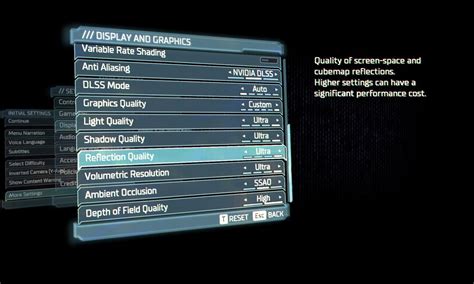
Graphics settings dictate how good your game looks. Options like resolution, texture quality, shadow detail, anti-aliasing, and special effects (reflections, particle effects) all contribute to the visual richness. Higher settings demand more from your phone’s Graphics Processing Unit (GPU), leading to increased power consumption and heat generation. While dazzling visuals are appealing, they often come at the cost of frame rate and battery life.

Battery Life: Keep the Game Going
Mobile gaming is notorious for draining battery life quickly. Graphics-intensive games, high screen brightness, and prolonged CPU/GPU usage are the primary culprits. Optimizing settings can significantly extend your playtime, which is especially important for commuters or those without constant access to a charger. Reducing the load on your hardware directly translates to less power draw and a cooler device.
Performance: Smooth Gameplay is Key
Performance refers to how smoothly and responsively your game runs. The key metric here is Frame Rate Per Second (FPS). A higher, more stable FPS (e.g., 60 FPS) results in fluid animations and better responsiveness, crucial for competitive games. Low FPS or frequent drops (stuttering) can ruin the experience. Performance is heavily influenced by your device’s CPU and GPU, which can be throttled by excessive heat if pushed too hard.
Practical Steps for Optimization
1. Start with In-Game Settings
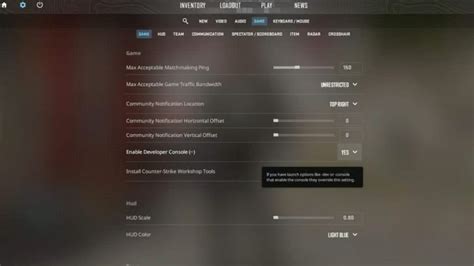
Most modern mobile games offer a dedicated ‘Settings’ or ‘Options’ menu where you can adjust various parameters. This is your primary tool for optimization.
- Resolution: Lowering this can significantly boost performance. While a lower resolution might look slightly less crisp, the performance gain often outweighs the visual trade-off.
- Frame Rate Target (FPS): Many games allow you to cap the FPS (e.g., 30 FPS, 60 FPS). If your device struggles to maintain 60 FPS, capping it at 30 can provide a more consistent experience rather than fluctuating wildly.
- Texture Quality: Lowering textures can free up GPU memory and reduce the visual load.
- Shadows and Effects: Shadows, reflections, bloom, and particle effects are often major performance hogs. Reducing their quality or disabling them entirely can yield significant gains.
- Anti-Aliasing: This smooths jagged edges but is very resource-intensive. Turn it off or set it to a lower level (e.g., FXAA instead of MSAA).
2. Device-Specific Optimizations
Your smartphone itself offers features that can help.
- Game Mode/Boosters: Many Android and iOS devices have built-in game modes that prioritize game performance by clearing RAM, blocking notifications, and optimizing CPU/GPU allocation.
- Close Background Apps: Before launching a demanding game, close all unnecessary background applications to free up RAM and CPU cycles.
- Reduce Screen Brightness: While not directly a performance setting, a lower screen brightness significantly conserves battery life.
- Disable Notifications: Pop-up notifications can break immersion and sometimes cause performance dips.
- High Refresh Rate Displays: If your phone has a 90Hz or 120Hz display, ensure the game supports it and that your phone is set to use the higher refresh rate for a smoother visual experience, if performance allows.
Finding Your Sweet Spot
Optimization is an iterative process. There’s no one-size-fits-all solution, as different games and devices will react differently. Here’s how to approach it:
- Start Low: Begin by setting all graphics options to their lowest or ‘medium’ presets.
- Test Gameplay: Play for 15-30 minutes, noting performance (smoothness, frame drops) and device temperature.
- Gradually Increase: If performance is excellent, slowly increase one setting at a time (e.g., texture quality, then shadows) and re-test. Observe the impact.
- Monitor & Adjust: Pay attention to your device’s heat. If it gets uncomfortably hot, you’ve likely pushed too far. Battery drain will also give you an indication of the power consumption.
- Prioritize: Decide what’s most important to you. Is it visual fidelity, battery life, or raw performance? Adjust accordingly. For competitive games, performance should often take precedence.

Conclusion
Optimizing your mobile game settings is an art form that transforms your gaming experience. By understanding the interplay between graphics, battery, and performance, and by methodically experimenting with in-game and device-level settings, you can unlock a smoother, more enjoyable, and longer-lasting mobile gaming journey. Don’t settle for default; take control of your mobile battlefield.