





Switch storage full: Best ways to manage digital games & free space?
Why Your Nintendo Switch Storage Fills Up Fast
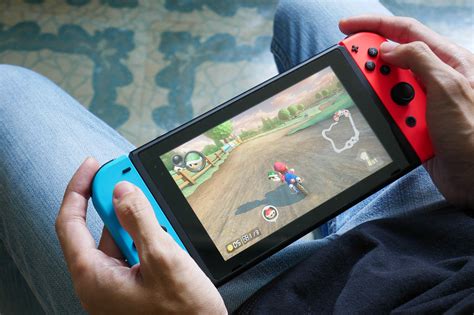
The Nintendo Switch, while an incredible portable console, comes with relatively modest internal storage – 32GB for the standard model and Switch Lite, and 64GB for the OLED model. Considering that many modern games can easily exceed 10GB or even 20GB, it doesn’t take long for that space to vanish, especially if you prefer digital downloads over physical cartridges.
Factors like game updates, downloadable content (DLC), and save data also contribute to the shrinking available space. Before you know it, you’re hit with that dreaded ‘Not enough free space’ message just when you want to download a new title.
Immediate Solutions: Freeing Up Space Now
1. Archive Software
This is often the first and easiest step. Archiving a game removes its data from your system while keeping its save data intact. This means if you decide to play it again later, you only need to redownload the game itself, not start from scratch.
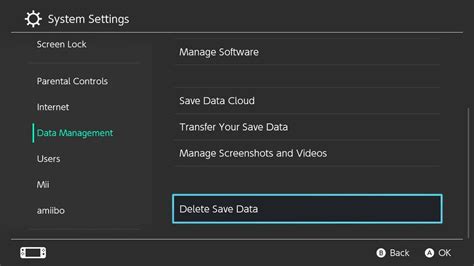
- Go to System Settings > Data Management > Manage Software.
- Select the game you wish to archive.
- Choose ‘Archive Software’.
Remember, physical games that require a download (like some large titles or updates) can also be archived to free up space, though the core game data is on the cartridge.
2. Delete Software
If you’re absolutely certain you won’t play a game again, or if it’s a demo, you can fully delete it. Deleting removes both the game data and its save data. Be cautious with this option if you have sentimental attachments to your progress!
- From the HOME Menu, highlight the game icon.
- Press ‘+’ or ‘-‘ to open Options.
- Go to ‘Manage Software’ > ‘Delete Software’.
3. Clear Cache Data
Over time, your Switch accumulates temporary internet files that can take up space. Clearing this cache won’t delete save data or game information.
- Go to System Settings > System > Formatting Options > Clear Cache.
- Select the user for whom you want to clear cache.
Long-Term Strategies: Expanding Your Storage
While archiving and deleting help in the short term, the most robust solution for a growing digital library is to expand your Switch’s storage.
1. Invest in a microSD Card
The Nintendo Switch supports microSD, microSDHC, and microSDXC cards, offering a significant and cost-effective way to boost your storage capacity. These cards can range from 32GB up to a massive 2TB, though anything over 256GB is usually sufficient for most players.
- Choosing a Card: Look for U1 or U3 speed ratings for optimal game loading. Brand matters for reliability (e.g., SanDisk, Samsung, PNY).
- Installation: Simply insert the microSD card into the slot under the kickstand on the back of your Switch. The system will automatically detect it.
Once installed, all new digital downloads will automatically save to the microSD card until it’s full. You can also manually transfer existing software from internal memory to the microSD card.
2. Transfer Data to microSD Card
If you already have games on your internal memory, you can move them to your new microSD card:
- Go to System Settings > Data Management > Manage Software.
- Select a game currently on internal memory.
- Choose ‘Archive Software’.
- Then, redownload the game from the eShop. Since the microSD card is now the primary storage, it will download directly there.
Unfortunately, there’s no direct ‘move’ option for installed games; you must archive and redownload.

Best Practices for Ongoing Storage Management
- Regularly Review Your Library: Periodically check which games you haven’t played in a long time. Archive or delete those you’re done with.
- Prioritize Physical Cartridges: For very large games you know you’ll play often, consider buying the physical cartridge. While updates and DLC will still take up space, the core game data doesn’t.
- Monitor Save Data: While save data is usually small, keep an eye on it. Nintendo Switch Online subscribers can back up save data to the cloud, providing an extra layer of security.

Conclusion
Managing your Nintendo Switch’s storage doesn’t have to be a headache. By combining immediate solutions like archiving software with the essential long-term strategy of expanding your storage with a quality microSD card, you can ensure you always have enough room for the next big adventure. Stay proactive, and your Switch will remain a lean, mean, gaming machine.


