





Best microSD for Nintendo Switch: maximize game storage?

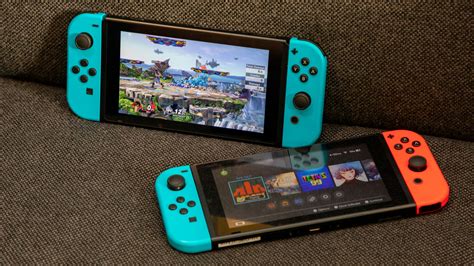
The Nintendo Switch, while a marvel of portable gaming, comes with a rather modest internal storage capacity. With games constantly growing in size, the 32GB (or 64GB on the OLED model) quickly fills up, leaving many players frustrated and forced to delete beloved titles. Fortunately, the Switch offers a simple and effective solution: expandable storage via a microSD card. But with a myriad of options on the market, how do you pick the best one to truly maximize your game storage and ensure a seamless gaming experience?
Why Expand Your Switch’s Storage?
Most digital-only games, and even many physical cartridges, require significant download sizes for updates, DLC, and sometimes even the core game data itself. A 32GB or 64GB internal storage will barely hold a handful of AAA titles. Expanding with a microSD card allows you to build a substantial digital library without constant management, ensuring you always have your favorite games ready to play on the go.
Understanding microSD Card Specifications
Not all microSD cards are created equal. When shopping for your Switch, pay attention to these key specifications:
- UHS-I (Ultra High Speed – Phase I): This is the standard supported by the Nintendo Switch. While UHS-II cards exist and are faster, the Switch cannot take advantage of their increased speed, so investing in one would be overkill and unnecessary.
- Speed Class (C): Indicates minimum sequential write speed. Class 10 (C10) is the most common and offers a minimum of 10MB/s.
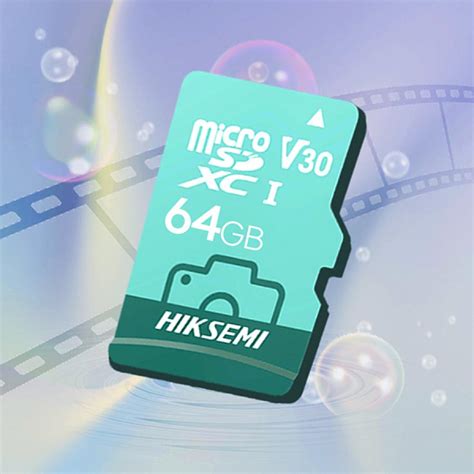
- UHS Speed Class (U): More relevant for modern cards. U1 guarantees a minimum write speed of 10MB/s, while U3 guarantees 30MB/s. For the Switch, U1 is generally sufficient, but U3 can offer slightly faster loading times, especially for larger games.
- Application Performance Class (A): A1 and A2 classes are designed for running apps directly from the card. While A2 is faster, the Switch primarily uses the card for storing game data, so A1 is perfectly fine and often more cost-effective.
Recommended Capacities: How Much Do You Really Need?
The “best” capacity depends heavily on your gaming habits and budget. Here’s a general guide:
- 128GB: A good starting point for casual gamers or those who mainly buy physical cartridges. It offers a significant boost over internal storage.
- 256GB: The sweet spot for many. It provides ample space for a decent digital library without breaking the bank. You’ll likely fit dozens of games here.
- 512GB: Ideal for avid digital collectors. This capacity allows you to download a vast number of games, DLC, and updates without worrying about space for a long time.
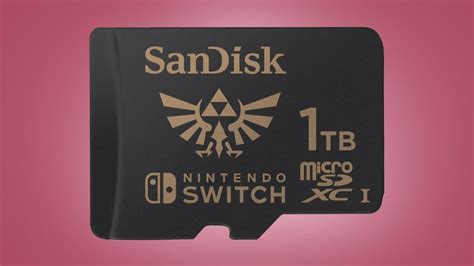
- 1TB: The ultimate choice for serious digital hoarders. While more expensive, it virtually eliminates storage concerns for the foreseeable future, letting you download almost anything you desire.
Remember, it’s generally better to buy a slightly larger card than you think you need, as game sizes tend to increase over time.
Top Picks and Trusted Brands
While specific models change, several brands consistently offer reliable and high-performance microSD cards suitable for the Nintendo Switch. Look for cards from:
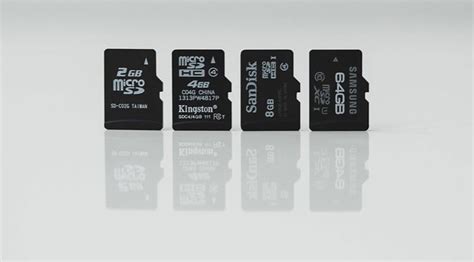
- SanDisk: Widely regarded as a top choice, especially their officially licensed Nintendo Switch cards, which offer consistent performance and reliability.
- Samsung: Their EVO Select and EVO Plus lines are excellent, offering great speed and durability at competitive prices.
- Kingston: Another reputable brand known for dependable memory solutions.
- Lexar: Offers solid performance and good value.
When purchasing, always buy from a reputable retailer to avoid counterfeit cards, which can lead to data loss and poor performance.
Installation and Management Tips
Installing a microSD card is incredibly straightforward: simply open the kickstand on your Switch and slide the card into the slot. The Switch will automatically detect it and format it if necessary. For managing your games, you can move existing downloaded titles from internal storage to the microSD card via the system settings. Future downloads will automatically default to the larger storage.
Regularly check your storage usage in the Data Management section of your Switch settings to keep an eye on available space and identify any large files you might want to archive.
Conclusion: Play More, Worry Less
Investing in a quality microSD card is perhaps the most essential upgrade for any Nintendo Switch owner. It transforms your console from a limited device into a sprawling library, allowing you to carry countless adventures in your pocket without the constant headache of storage management. By understanding the key specifications and choosing a reputable brand and suitable capacity, you’ll ensure your Switch gaming experience is as expansive and enjoyable as possible.


