





What’s the best microSD card for Switch game storage & speed?

Expand Your Nintendo Switch Game Library with the Right microSD Card
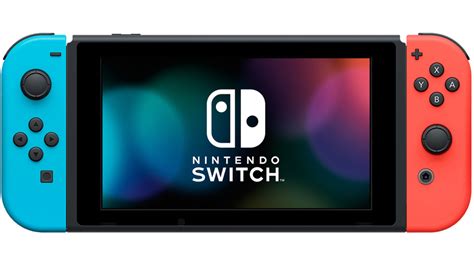
The Nintendo Switch, a marvel of portable gaming, comes with a significant limitation: its internal storage. With only 32GB or 64GB (for the OLED model) built-in, and a portion of that reserved for the system, it doesn’t take long for digital game downloads to fill up the space. This makes a microSD card an indispensable accessory for any serious Switch owner. But with a dizzying array of options, how do you choose the best one for both ample storage and optimal game loading speeds?
Understanding the Essentials: Storage Capacity vs. Speed
When you’re shopping for a microSD card for your Switch, two core factors demand your attention: storage capacity and read/write speed. Storage capacity dictates how many games, DLCs, and screenshots you can keep on your device without constantly deleting and redownloading. Speed, on the other hand, directly impacts how quickly your games load, how fast updates install, and the overall responsiveness of your gaming experience.
Nintendo’s Official Stance on Compatibility
Nintendo officially recommends and supports UHS-I (Ultra High Speed Phase I) microSD cards. While you might encounter faster UHS-II cards on the market, it’s crucial to understand that the Switch console itself doesn’t utilize the additional pins required for UHS-II speeds. This means investing in a UHS-II card won’t provide any performance benefit over a high-quality UHS-I card on your Switch, making UHS-I the most cost-effective choice.
How Much Storage Do You Really Need?
Game sizes on the Switch vary dramatically, from small indie titles under 1GB to massive AAA blockbusters like The Legend of Zelda: Tears of the Kingdom, which can be around 18GB. Your storage needs largely depend on your gaming habits:
- 64GB-128GB: This range is suitable for casual players who primarily buy physical game cartridges and only download a few digital titles or smaller indie games.
- 256GB-512GB: This is often considered the ‘sweet spot’ for most Switch owners. It provides ample space for a substantial library of digital games, DLC, and updates without breaking the bank. Many find 256GB to be a good starting point, with 512GB offering significant peace of mind.
- 1TB+: For the most dedicated digital collectors who want to download virtually every game they own, regardless of size, without ever worrying about storage space.
Speed Matters: Decoding U1, U3, A1, and A2 Ratings
Beyond the UHS-I classification, you’ll see other important speed ratings:
- Speed Class (U1 vs. U3): This rating indicates minimum sequential write speed. U1 guarantees a minimum write speed of 10MB/s, while U3 guarantees 30MB/s. For loading large Switch games and ensuring smooth performance, a U3-rated card offers a noticeable improvement in loading times and overall responsiveness compared to a U1 card.
- Application Performance Class (A1 vs. A2): A1 and A2 ratings are primarily designed for better performance in Android applications, specifically optimizing for random read/write operations. While the Switch doesn’t run Android, an A2-rated card can offer slightly better random read performance, which might translate to marginal improvements in game loading for some titles. However, the U3 rating is generally more critical for the sequential read/write speeds that impact game data. A U3-rated card is sufficient; an A2 rating is a beneficial bonus but not strictly necessary for optimal Switch performance.

Recommended Brands and Models
When selecting a microSD card, reliability is key. Stick to reputable brands known for their quality and performance. SanDisk, Samsung, PNY, and Kingston are excellent choices. You’ll often find models like the SanDisk Extreme or Samsung EVO Select highly recommended due to their U3 and A1/A2 ratings, competitive pricing, and proven track record with the Switch.

Installation and Management Tips
Installing your new microSD card is straightforward: simply power off your Nintendo Switch, lift the kickstand, and slide the card into the slot until it clicks. The Switch will automatically recognize and format it. You can manage your data, including transferring games between internal storage and the microSD card, through the system settings. Keep an eye out for sales on larger capacity cards, as prices can fluctuate.
The Optimal Choice for Your Nintendo Switch
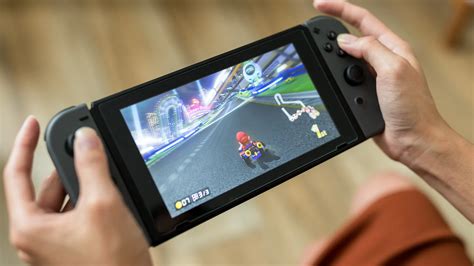
For the best balance of ample storage, swift game loading, and excellent value, a UHS-I U3 A1/A2 microSD card in the 256GB to 512GB range from a reputable brand like SanDisk or Samsung is generally the optimal choice for Nintendo Switch users. Investing in a quality card ensures you have plenty of room for your ever-growing game library and a smooth, responsive gaming experience, allowing you to focus on the fun without storage worries.


