





What’s the best microSD card for expanding Nintendo Switch game storage?

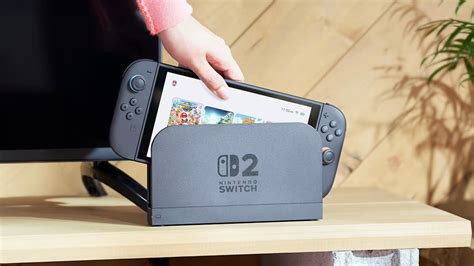
The Nintendo Switch, a marvel of portable gaming, comes with a rather modest 32GB of internal storage (or 64GB for the OLED model). While this is enough for the console’s operating system and a few small indie titles, it quickly fills up once you start downloading larger digital games from the eShop or even just accumulating save data for physical cartridges. To truly unlock the potential of your Switch and build a substantial game library, a microSD card is not just an accessory; it’s an essential upgrade.
Why You Need a MicroSD Card for Your Switch
Many popular Switch games, such as The Legend of Zelda: Tears of the Kingdom, Pokémon Scarlet/Violet, or Mario Kart 8 Deluxe, can range from 7GB to over 15GB each. Download a few of these, and your internal storage will be maxed out in no time. A microSD card provides a simple, effective, and relatively inexpensive solution to massively expand your available space, allowing you to carry dozens, if not hundreds, of games with you wherever you go.
Key Factors When Choosing a MicroSD Card
Not all microSD cards are created equal. When selecting one for your Nintendo Switch, several key specifications matter for optimal performance and value.
1. Capacity: How Much Space Do You Need?
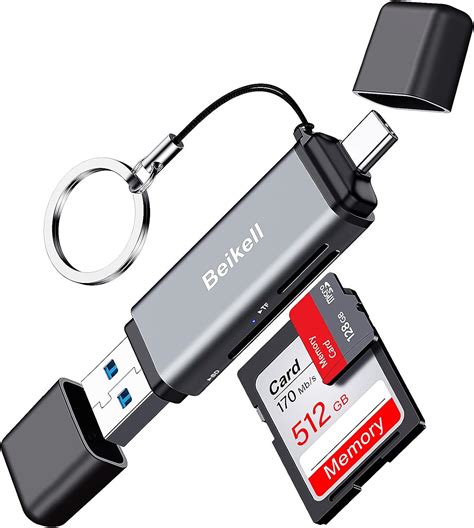
This is arguably the most crucial factor. microSD cards for the Switch are available in various capacities, from 32GB all the way up to 2TB (though 1TB is currently the practical maximum for many). Consider your gaming habits:
- 64GB-128GB: Good for casual players who mainly buy physical games but download some indies or DLC.
- 256GB-512GB: Ideal for most players who download a mix of digital and physical games. This range offers a great balance of capacity and price.
- 1TB: For hardcore digital collectors who want to download virtually every game they own without worrying about space.
Keep in mind that game sizes vary wildly. Check the eShop page for your favorite titles to get an idea of how much space they require.
2. Speed: UHS-I is Your Standard
The Nintendo Switch supports the UHS-I (Ultra High Speed Phase I) interface, which offers maximum theoretical read speeds of up to 104 MB/s. While faster UHS-II cards exist, the Switch cannot take advantage of their higher speeds, making them an unnecessary expense. Look for cards with:
- UHS Speed Class 1 (U1) or 3 (U3): U1 guarantees a minimum write speed of 10 MB/s, and U3 guarantees 30 MB/s. Both are fine for the Switch, but U3 offers a slight edge in some scenarios.
- Application Performance Class A1 or A2: These ratings indicate a card’s ability to handle random read/write operations efficiently, which is beneficial for running apps and games. A1 is perfectly adequate for the Switch; A2 offers marginal benefits that aren’t usually noticeable on the console.
Focus on cards that prioritize good sequential *read* speeds (often advertised as ‘up to X MB/s’), as this impacts game loading times. Most modern, reputable UHS-I cards will perform well.
3. Brand and Reliability
Stick with reputable brands to ensure reliability and performance. SanDisk, Samsung, and Kingston are highly recommended. While Nintendo does license some SanDisk cards with official branding, these are functionally identical to their standard counterparts but often carry a premium price tag. Any high-quality, generic SanDisk or Samsung card will work just as well.
Top MicroSD Card Recommendations for Nintendo Switch
Based on a balance of speed, capacity, and value, here are some of the best microSD cards for your Nintendo Switch:
SanDisk MicroSDXC for Nintendo Switch (Official Licensed)
These cards are officially licensed by Nintendo and often feature iconic Switch graphics (like a Star or Mushroom). They are essentially SanDisk’s highly reliable Ultra/Extreme series cards, optimized for the Switch. They come in capacities ranging from 64GB to 512GB and offer excellent UHS-I U3 A1 performance.
SanDisk Ultra/Extreme MicroSDXC (Non-Licensed)
The non-licensed versions of SanDisk’s cards offer the same great performance and reliability as the official ones, often at a lower price point. The SanDisk Ultra line is a fantastic budget-friendly option, while the Extreme line offers slightly better speeds for a modest price increase.
Samsung EVO Select/Plus MicroSDXC
Samsung’s EVO Select (often sold on Amazon) and EVO Plus lines are highly regarded for their consistent performance, excellent value, and durability. They offer strong read/write speeds that are perfect for the Switch and come in a wide range of capacities.
Lexar Play MicroSDXC
Lexar Play cards are specifically designed for gaming and mobile devices, offering A1 or A2 performance and good read speeds. They are often a competitive alternative to SanDisk and Samsung.
Installation and Formatting
Installing a microSD card into your Nintendo Switch is straightforward:
- Turn off your Switch console completely.
- Open the kickstand on the back of the console to reveal the microSD card slot.
- Insert the microSD card with the label facing down until it clicks into place.
- Close the kickstand and power on your Switch.
The Switch will automatically detect and format the card if it’s new. If you’re using an existing card with data, you might be prompted to format it, which will erase all existing data. Always back up any important files before formatting!
Conclusion
Upgrading your Nintendo Switch’s storage with a high-quality microSD card is one of the best investments you can make to enhance your gaming experience. By prioritizing a reputable brand, sufficient capacity (256GB or 512GB being the sweet spot for many), and a UHS-I U1 or U3 speed class with an A1 rating, you’ll ensure smooth game loading and plenty of space for all your digital adventures. No longer will you have to constantly delete games to make room for new ones – just plug in your new card and play!


