





Switch storage full? Best MicroSD card for expanding game space.
Why Your Switch Needs a Storage Upgrade
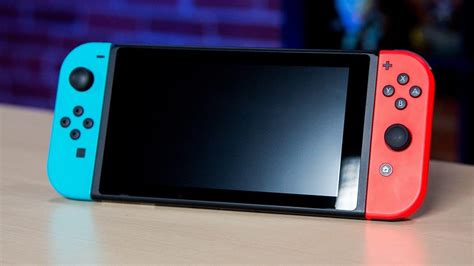
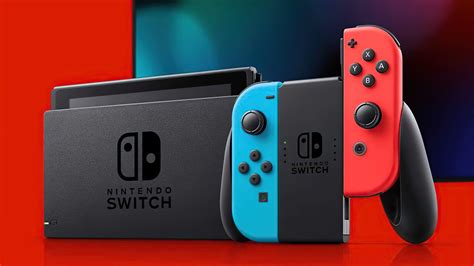
The Nintendo Switch, an incredibly versatile handheld console, comes with a modest 32GB of internal storage (or 64GB for the OLED model). While this might seem sufficient for a few games, modern AAA titles can easily consume tens of gigabytes, and even smaller indie games add up quickly. Factor in system updates, game patches, and screenshots, and you’ll find your storage alarmingly full sooner rather than later. This often leads to frustrating choices: delete old favorites to make room for new ones, or forego new digital purchases altogether.
Fortunately, the solution is simple and relatively inexpensive: a MicroSD card. Expanding your Switch’s storage capacity is a must-do upgrade for any serious gamer, allowing you to download more games, keep your entire digital library accessible, and avoid the constant management of precious space.
Understanding MicroSD Card Specs: Speed and Capacity
Choosing the right MicroSD card isn’t just about picking the biggest one. You need to consider two critical factors: speed and capacity. The Nintendo Switch supports UHS-I (Ultra High Speed Phase I) cards, with a maximum data transfer rate of 104 MB/s. While faster UHS-II cards exist, the Switch doesn’t utilize their full speed, so you’d be paying for performance you can’t use.
- Speed Ratings: Look for cards with a ‘U1’ or ‘U3’ speed class. U1 guarantees a minimum write speed of 10 MB/s, while U3 guarantees 30 MB/s. For optimal game loading times and smooth performance, a U3 rating is recommended, though U1 cards generally perform well enough for most Switch games. Also, look for A1 or A2 app performance class, which indicates better random read/write speeds, beneficial for game loading.
- Capacity: This is where you decide how much breathing room you want. Common capacities range from 64GB all the way up to 1TB. Consider your gaming habits: if you primarily buy physical cartridges, a smaller card (128GB-256GB) might suffice for digital-only titles and updates. If you’re all-digital, a 512GB or even 1TB card will give you peace of mind for years to come.
Top Picks: Best MicroSD Cards for Nintendo Switch
When it comes to reliability and performance, a few brands consistently stand out. Investing in a reputable brand ensures better data integrity and read/write speeds.
1. SanDisk MicroSDXC for Nintendo Switch
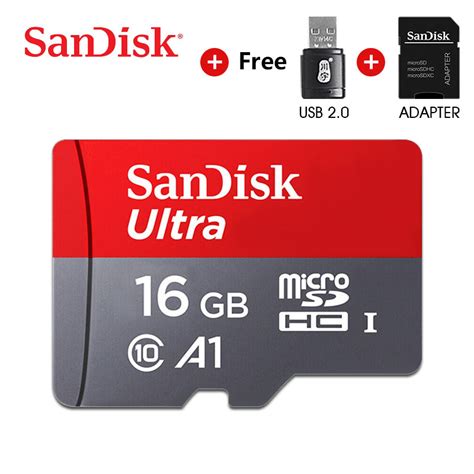
SanDisk has an official partnership with Nintendo, offering branded cards with the Switch logo. These are excellent choices, available in various capacities (64GB, 128GB, 256GB, 512GB, 1TB). They are UHS-I, U3, and A1 rated, providing consistent performance. While slightly pricier due to branding, they offer peace of mind.
2. SanDisk Extreme / Ultra MicroSDXC
If you prefer a non-branded SanDisk card, the Extreme and Ultra series are fantastic. The Extreme line offers U3 and A2 ratings, delivering top-tier performance for the Switch. The Ultra cards are a more budget-friendly option, typically U1 and A1, still perfectly adequate for most gamers.
3. Samsung EVO Select / EVO Plus MicroSDXC
Samsung’s EVO Select and EVO Plus lines are highly regarded for their reliability and value. Both are UHS-I, U3, and A2 rated, providing excellent speeds comparable to the SanDisk Extreme series. They are often found at competitive prices and come with solid warranties.
4. PNY PRO Elite / U3 Series MicroSDXC
PNY offers reliable and cost-effective MicroSD cards. Their PRO Elite and U3 series cards meet the UHS-I U3 specification, making them a great option for expanding your Switch’s storage without breaking the bank.

How to Install and Manage Your New MicroSD Card
Installing a MicroSD card in your Nintendo Switch is incredibly straightforward:
- Turn off your Switch: Completely power down the console (not just sleep mode).
- Locate the slot: The MicroSD card slot is usually located under the kickstand on the back of the Switch.
- Insert the card: Gently push the MicroSD card into the slot until it clicks into place.
- Power on: Turn your Switch back on. The console should automatically detect and format the card if it’s new.
Once installed, your Switch will automatically save new game downloads and screenshots to the MicroSD card. You can also manually transfer existing game data from the internal storage to the MicroSD card via the System Settings > Data Management menu. Remember that game saves are typically stored on the internal memory and cannot be moved to the MicroSD card directly.
Maximizing Your Expanded Game Library
With your new MicroSD card in place, you’re ready to download more games than ever before. Here are a few tips for managing your expanded library:
- Prioritize: Keep frequently played games on the faster MicroSD card.
- Archive Wisely: If you temporarily run low on space (unlikely with a large card!), you can archive games without deleting save data. You can always redownload them later.
- Cloud Saves: Nintendo Switch Online subscribers benefit from cloud save backups, ensuring your progress is safe even if a card fails.
Conclusion: Game On Without Limits
Running out of storage on your Nintendo Switch doesn’t have to be a recurring nightmare. By investing in a high-quality MicroSD card, you unlock the full potential of your console, allowing you to build an extensive digital game library without compromise. Choose a card from a reputable brand with sufficient capacity and appropriate speed ratings, and you’ll enjoy endless gaming adventures without the constant worry of managing space. Happy gaming!



