





What’s the best Switch SD card for extensive digital game libraries?

For Nintendo Switch enthusiasts, the allure of digital game purchases is undeniable. The convenience of having your entire library accessible without swapping cartridges is a game-changer. However, this convenience quickly hits a wall when the console’s internal 32GB (or 64GB for OLED) storage fills up. For those with extensive digital game libraries, a high-capacity SD card isn’t just an accessory—it’s a necessity.
Why Your Switch Needs a Robust SD Card
Unlike other consoles, the Nintendo Switch relies heavily on external storage for digital games. While some games are small, many modern titles, especially AAA releases, can easily consume several gigabytes. Without adequate external storage, you’ll be constantly deleting and re-downloading games, a frustrating and time-consuming process.
Understanding SD Card Types and Speeds
The Switch supports microSDHC and microSDXC cards. For extensive libraries, you’ll exclusively be looking at microSDXC, which supports capacities from 64GB up to 2TB. But capacity isn’t the only factor; speed matters too.
Speed Classes: UHS-I and A1/A2 Ratings
- UHS-I (Ultra High Speed Phase I): This is the standard the Switch supports, offering theoretical speeds up to 104 MB/s. Look for cards with a “U1” or “U3” rating (representing minimum write speeds of 10 MB/s and 30 MB/s respectively).
- Application Performance Class (A1/A2): These ratings indicate a card’s ability to handle random read/write operations efficiently, which is crucial for running applications (games) directly from the card. While the Switch doesn’t explicitly require A2, an A1 or A2 rated card will generally offer a smoother gaming experience, especially for larger titles with frequent loading.
Prioritize UHS-I U3 and A1/A2 rated cards for the best balance of speed and compatibility with your Switch.
What Capacity is Truly “Best” for Extensive Libraries?
For players with a handful of digital games, 128GB or 256GB might suffice. But for an “extensive digital game library,” you should aim higher:
- 512GB: A great starting point for serious collectors. This offers substantial room for dozens of major titles and many smaller indie games. Many popular cards are available at this capacity point, offering a good price-to-performance ratio.
- 1TB: The sweet spot for truly extensive libraries. This capacity allows you to download virtually all your purchased games without worry, future-proofing your storage for years to come. While more expensive, the convenience is unparalleled.
- 2TB: Currently the maximum theoretical capacity supported by microSDXC, though 2TB cards are still very rare and prohibitively expensive for most consumers. A 1TB card is more than sufficient for almost anyone’s needs right now.

Top Recommended SD Card Brands for Nintendo Switch
When it comes to reliability and performance, a few brands consistently stand out:
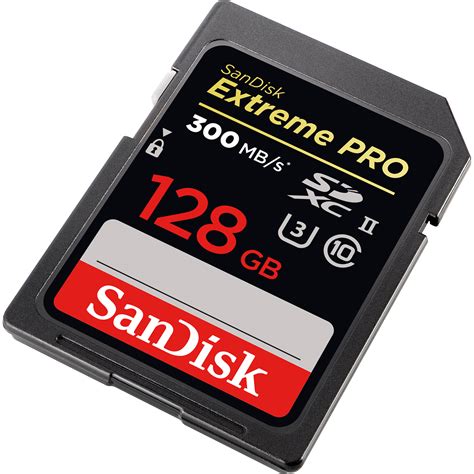
- SanDisk: Widely considered the gold standard. Their “SanDisk Extreme” and “SanDisk Ultra” lines are incredibly popular and reliable. SanDisk even produces officially licensed Nintendo Switch branded cards, which are essentially re-skinned versions of their Ultra series, guaranteeing compatibility.
- Samsung: The “Samsung EVO Select” and “PRO Plus” series offer excellent performance and durability. They are often competitive in pricing and are known for their consistent speeds.
- Lexar: Another reputable brand, Lexar offers reliable and fast microSD cards that are well-suited for the Switch, such as their “PLAY” or “Professional” series.
Focus on reputable brands to avoid counterfeit cards and ensure your data is safe and accessible.
Installation and Management Tips
Once you have your new SD card, installation is straightforward: simply insert it into the slot beneath the kickstand of your Switch. If you’re upgrading from a smaller card, you can transfer your data using a PC or by redownloading all games from the eShop onto the new card.
To ensure optimal performance, occasionally check your Switch’s data management settings. While the console largely handles game data efficiently, knowing what’s stored where can help you make informed decisions if you ever need to free up space (though with a 1TB card, this should be a rare occurrence).
The Verdict: Prioritize Capacity and Reputable Brands
For an extensive digital game library on the Nintendo Switch, the “best” SD card is one that combines high capacity (ideally 512GB or 1TB) with reliable UHS-I U3 and A1/A2 speed ratings from a trusted brand like SanDisk, Samsung, or Lexar. While faster cards exist, the Switch’s internal architecture won’t fully utilize speeds beyond UHS-I, so don’t overspend on ultra-high-speed options that offer diminishing returns.
Investing in a quality, high-capacity SD card is the most effective way to enjoy your vast collection of digital Switch games without storage anxiety, ensuring a seamless and enjoyable gaming experience for years to come.



