





What’s the safest way to clean your Switch & console for peak performance?
Why Regular Console Cleaning is Essential
Your Nintendo Switch and other gaming consoles are powerful pieces of technology, but like any electronic device, they accumulate dust, grime, and debris over time. This build-up can lead to several problems: reduced airflow causing overheating, sticky buttons, unresponsive joysticks, and even a shorter lifespan for your beloved gaming system. Regular, safe cleaning isn’t just about aesthetics; it’s vital for maintaining peak performance and ensuring your console stays in top condition for years to come.
Before you begin any cleaning process, always ensure your console is powered off and unplugged from the wall. For the Nintendo Switch, make sure it’s removed from its dock. Gather your tools, and let’s get started on bringing that shine and performance back!

Essential Tools for Safe Console Cleaning
Using the right tools is paramount to avoid damaging sensitive electronics. Here’s a list of recommended items:
- Microfiber cloths: Soft, lint-free, and perfect for wiping screens and surfaces without scratching.
- Compressed air (or a small electronic duster): Ideal for blasting dust out of vents and ports. Hold the can upright and use short bursts to prevent moisture build-up.
- Isopropyl alcohol (70% or higher): Excellent for sanitizing surfaces and removing stubborn grime. Apply it to a microfiber cloth, not directly to the device.
- Cotton swabs: Useful for reaching into small crevices and cleaning around buttons.
- Soft-bristled brush (e.g., a clean, soft toothbrush or small paintbrush): Helps dislodge dust from intricate areas.
- Non-abrasive screen cleaner: Specifically designed for electronics screens, if water isn’t enough.
Cleaning Your Nintendo Switch
Screen and Body
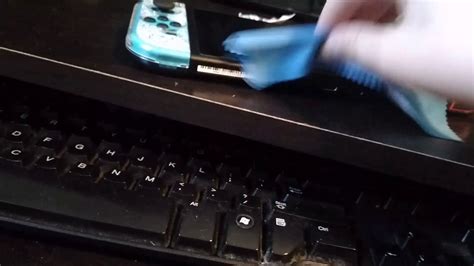
The Switch’s touchscreen is a magnet for fingerprints and smudges. Use a clean, dry microfiber cloth to gently wipe the screen. For tougher marks, dampen a corner of the cloth with a tiny amount of screen cleaner or distilled water. Never spray liquids directly onto the screen.
For the console’s body, Joy-Cons, and dock, a microfiber cloth lightly dampened with isopropyl alcohol (70% or higher) works wonders for removing oils, dirt, and sanitizing surfaces. Pay attention to the textured grips and areas where your hands frequently touch.

Ports and Vents
The USB-C port, game card slot, headphone jack, and vents are crucial areas. Use short bursts of compressed air to clear out dust. For the vents, aim from different angles to ensure thorough cleaning. Avoid sticking anything metal or sharp into the ports. A cotton swab, lightly dampened with alcohol, can carefully clean around the edges of the ports, but never inside.
General Console Cleaning (PS5, Xbox, etc.)
Exterior and Vents
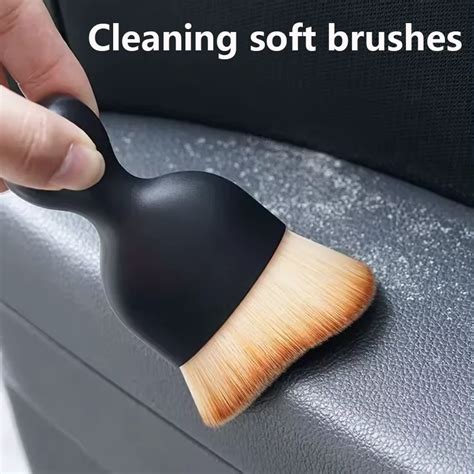
For larger consoles like the PlayStation 5, Xbox Series X/S, or older generations, dust is the primary enemy. Use compressed air to blow dust out of all ventilation grilles. These vents are critical for heat dissipation, and clogged vents can lead to overheating and reduced performance. Hold the can a few inches away and use short, controlled bursts. A soft-bristled brush can help dislodge stubborn dust before using compressed air.
Ports and Disc Drives
Like the Switch, use compressed air for USB ports, HDMI ports, and power inputs. If your console has a disc drive, never spray compressed air directly into the disc slot, as it can push dust further inside or damage internal components. Stick to exterior dusting for these areas.
Controller Care for Optimal Gaming
Controllers are arguably the dirtiest part of your gaming setup. They collect sweat, dead skin, and food particles. Regularly wipe down your controllers with a microfiber cloth dampened with isopropyl alcohol. Pay special attention to the seams, around buttons, and under joysticks. Cotton swabs can be very effective for cleaning around the edges of buttons and inside the small gaps of triggers or D-pads. For sticky buttons, a very small amount of alcohol applied with a cotton swab and worked around the button’s edge can sometimes help, but be careful not to let liquid seep inside.

What to Absolutely Avoid
- Harsh chemicals: Bleach, window cleaner, or abrasive cleaners can damage plastic and screen coatings.
- Excessive moisture: Never spray liquids directly onto your console or drench a cloth. A slightly damp cloth is all you need.
- Sharp objects: Don’t use needles, knives, or anything that can scratch or damage internal components when cleaning ports or crevices.
- Opening your console: Unless you are an experienced technician, do not open your console. This can void warranties and cause irreparable damage.
- Vacuum cleaners: While powerful, vacuums can generate static electricity which is harmful to electronics, or suck up small components. Stick to compressed air.

Maintaining Peak Performance
A little preventative maintenance goes a long way. Make it a habit to give your console a quick wipe-down every week or two, and a more thorough cleaning every 1-3 months, depending on how often you use it and your home environment. Keeping your gaming area dust-free also helps. By following these safe cleaning practices, you’ll not only keep your Nintendo Switch and other consoles looking pristine but also ensure they deliver peak performance for countless hours of gaming enjoyment.


