





Which Switch SD card is best for expanding game storage?
Why Expand Your Nintendo Switch Storage?
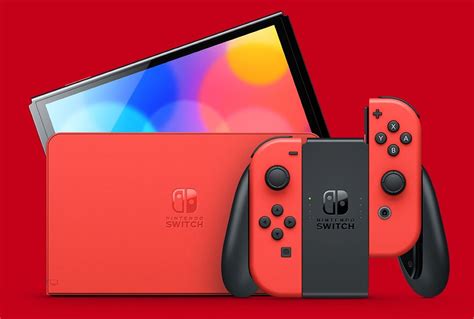
The Nintendo Switch, an incredibly versatile console, comes with a rather modest 32GB of internal storage (or 64GB for the OLED model). While this might seem sufficient for a few games, modern titles can easily consume several gigabytes each. Digital downloads, especially, can quickly fill up your console, leading to the frustrating message: “You don’t have enough free space.” Expanding your Switch’s storage with a microSD card is not just a convenience; it’s practically a necessity for any avid gamer.
An external SD card allows you to download more games, DLC, and software updates without constantly deleting older titles. This guide will help you navigate the options and choose the best microSD card for your Nintendo Switch, ensuring you have ample space for all your adventures.
Understanding Switch SD Card Compatibility
The Nintendo Switch uses microSD cards, specifically supporting microSDHC (High Capacity) and microSDXC (Extended Capacity) standards. While you can use older microSD cards, their capacities are generally too small for modern gaming needs. Here’s a quick breakdown:
- microSDHC: Supports capacities from 4GB to 32GB.
- microSDXC: Supports capacities from 64GB up to 2TB. This is the standard you should focus on for serious storage expansion.
The Switch is compatible with virtually all microSDXC cards available on the market, so you don’t need to worry about specific proprietary formats beyond ensuring it’s a microSDXC card.
Key Factors When Choosing Your Switch SD Card
Capacity: How Much Do You Really Need?
This is arguably the most critical factor. The size of your digital game library will dictate the capacity you need. Here are some common choices:
- 64GB/128GB: Suitable for casual gamers who mostly buy physical cartridges and only download a few digital titles or smaller indie games.
- 256GB: A good balance for most gamers. It offers substantial space for a decent digital library without breaking the bank. Many popular AAA Switch titles range from 5GB to 15GB, so 256GB can hold a good number.
- 512GB: Recommended for avid digital collectors. If you frequently buy digital games and want to keep a large library installed, 512GB provides significant breathing room.
- 1TB: The ultimate choice for serious digital hoovers. If you plan to download almost every game you own and never want to worry about space, 1TB is the way to go. While more expensive, it future-proofs your storage for years.
Remember that some games, even if bought physically, require significant downloads for updates or additional content, which will consume SD card space.
Speed: Is It Important for Gaming?
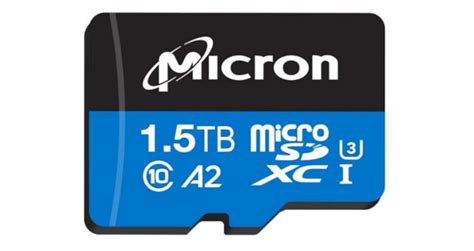
SD card speed is measured by read and write speeds. For the Nintendo Switch, read speed is generally more important as it dictates how quickly games load. The Switch supports UHS-I cards, with a theoretical maximum read speed of 104MB/s. Look for cards with:
- UHS Speed Class 1 (U1) or 3 (U3): U1 guarantees a minimum write speed of 10MB/s, while U3 guarantees 30MB/s. For the Switch, U1 is usually sufficient, but U3 cards often offer better overall performance.
- Video Speed Class V10 or V30: Similar to U-ratings, V10 guarantees 10MB/s and V30 guarantees 30MB/s.
- Application Performance Class A1 or A2: These ratings are more relevant for smartphones running apps directly from the SD card. While not strictly necessary for Switch game loading, cards with A1 or A2 ratings often indicate good random read/write performance, which can be beneficial.
In practice, most reputable brands’ microSDXC cards will offer speeds more than adequate for the Switch. You won’t notice a significant difference between a U1 and a U3 card in terms of game loading times on the Switch, as the console itself becomes the bottleneck before the card does.

Brand Reliability: Stick with Trusted Names
While cheaper, lesser-known brands might seem appealing, it’s always best to stick with established manufacturers for microSD cards. Reputable brands offer better reliability, consistent performance, and often come with good warranties. Counterfeit cards are also a common issue with cheaper options, which can lead to data loss or advertised capacities being false.
Top Recommended SD Cards for Nintendo Switch
Based on a balance of performance, reliability, and value, these brands and models consistently receive high praise from Switch owners:
- SanDisk Ultra microSDXC: Often considered the go-to choice. It offers excellent value, reliable performance, and is readily available. SanDisk also offers officially licensed Nintendo Switch microSD cards, which are essentially the Ultra cards with a Nintendo branding and design, but functionally identical.
- SanDisk Extreme microSDXC: A step up in speed, offering faster read/write times. While the Switch might not fully utilize its top-tier speeds, it’s a premium, highly reliable option that can be found for a good price during sales.
- Samsung EVO Select/Plus microSDXC: Samsung’s EVO series cards are also incredibly popular, known for their strong performance, durability, and competitive pricing. They are often compared directly with SanDisk’s offerings and provide a fantastic alternative.
- Lexar PLAY microSDXC: A newer competitor known for decent performance and often aggressive pricing, especially in higher capacities.
All these options come in a range of capacities, from 64GB up to 1TB, allowing you to choose based on your specific storage needs and budget.
Installation and Formatting Tips
Installing a microSD card in your Nintendo Switch is straightforward:
- Turn off your Nintendo Switch completely (don’t just put it to sleep).
- Open the kickstand on the back of the console to reveal the microSD card slot.
- Insert the microSD card with the label facing down until it clicks into place.
- Close the kickstand and power on your Switch.
The Switch will automatically detect and format the card if it’s new. If you’ve previously used the card, you might be prompted to format it. Formatting will erase all existing data on the card, so back up any important files first!

Conclusion
Choosing the best SD card for your Nintendo Switch primarily comes down to capacity and brand reliability. For most gamers, a 256GB or 512GB microSDXC card from a reputable brand like SanDisk or Samsung will provide an excellent balance of space, speed, and value. Don’t let limited storage hold back your gaming experience; invest in a quality microSD card and enjoy an expansive digital library on your Switch.


