What’s the top tip for new players to quickly grasp game basics in any genre?

The Universal Challenge of New Game Immersion
Stepping into a new game, regardless of its genre, can often feel like being dropped into an alien world. A deluge of information, unfamiliar controls, complex objectives, and cryptic icons can overwhelm even the most seasoned gamers. For new players, this initial hurdle can be daunting, sometimes even leading to abandonment. But what’s the single most effective strategy to cut through the confusion and quickly grasp the essentials?
The top tip for new players to swiftly understand game basics across any genre is this: Engage deliberately with the game’s initial guidance and meticulously observe its user interface (UI). This isn’t just about ‘playing the tutorial’; it’s about actively dissecting the game’s silent language.
Don’t Skip – Engage with Tutorials and First Missions
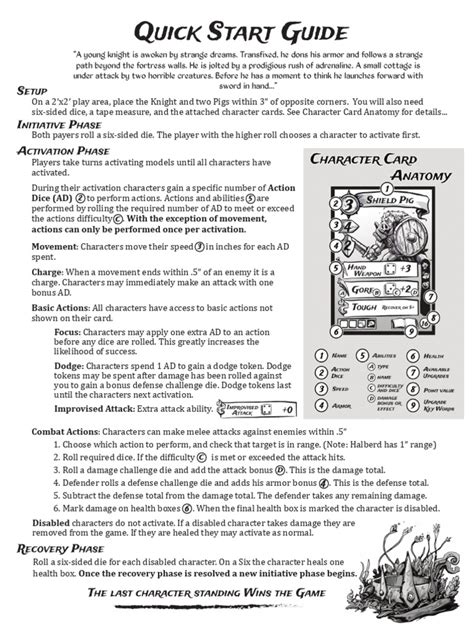
Many players, eager to jump into the action, rush through or even skip introductory sequences. This is a critical mistake. Tutorials, prologue missions, and early-game objectives are meticulously designed to introduce core mechanics, control schemes, and fundamental concepts. Don’t just follow instructions; understand the why behind them.
Pay close attention to pop-up messages, highlighted elements, and character dialogue. These are your first, most explicit teachers. Practice the movements, try out the abilities, and internalize the objective types. This deliberate engagement builds a foundational understanding that you can then build upon.

Your Best Friend: The User Interface (UI)
Once you’ve absorbed the initial direct guidance, your next best teacher is the game’s User Interface. The UI isn’t just decoration; it’s a constant stream of vital information, often conveying more about the game’s immediate state and mechanics than any dialogue or text box. Look for:
- Health and Resource Bars: What do different colors mean? How do they deplete and regenerate?
- Mini-Maps and Navigation Aids: What do icons represent? How do objectives appear?
- Ability and Item Icons: What are their cooldowns? How do they change when activated or unavailable?
- On-Screen Prompts: Do they suggest button presses for context-sensitive actions?
By consciously interpreting these visual cues, you’ll start to build an intuitive understanding of the game’s systems, even before they are explicitly explained.
Understanding Core Feedback Loops
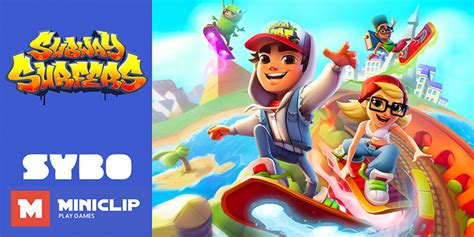
Every game operates on feedback loops: you perform an action, and the game responds. Grasping these loops is crucial. When you attack an enemy, what happens? Do you see damage numbers? Hear a specific sound effect? Does their health bar change color? When you pick up an item, is there a visual confirmation, a sound, or a change in your inventory display?
Connecting your input to the game’s output is key to understanding cause and effect. This applies to everything from combat effectiveness to resource management and quest progression. The faster you recognize these patterns, the quicker you’ll internalize optimal strategies.

Experiment, Fail, and Learn
Once you have a basic grasp from the tutorial and UI observation, don’t be afraid to experiment. Try different button combinations (in safe environments), test the limits of your abilities, and push boundaries. Failure in games is rarely permanent; it’s an opportunity to learn. Ask yourself: What happened? Why did it happen? What can I do differently next time? This active experimentation reinforces the knowledge gained from initial guidance and UI interpretation.

Applying the Principle Across Genres
This tip holds true universally:
- RPGs: Understand stat distribution, inventory management, and quest markers through initial explanations and UI.
- FPS: Learn weapon recoil, map layouts, and objective indicators via early gameplay and HUD elements.
- Strategy Games: Grasp resource gathering, unit types, and base building by carefully following initial instructions and interpreting the strategic UI.
- Puzzle Games: Observe how elements interact and what visual/auditory cues indicate progress or failure.
By proactively engaging with the onboarding process and becoming a student of the user interface, you empower yourself to decode any game quickly.

Your Fast Track to Mastery
In a world of ever-evolving game complexities, the ability to quickly adapt is invaluable. By making a conscious effort to engage with initial guidance and meticulously observe the UI and feedback loops, new players can demystify any game, regardless of its genre. This approach transforms the initial overwhelming experience into a structured, engaging learning process, paving the way for quicker mastery and greater enjoyment.