





What’s the optimal SD card size for a growing Nintendo Switch game library?
Navigating the Nintendo Switch Storage Dilemma
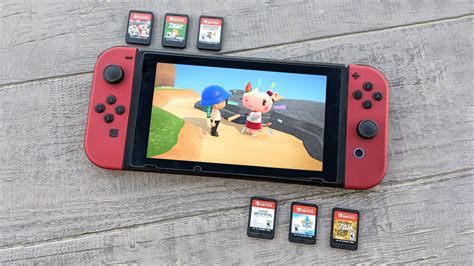
The Nintendo Switch, a beloved hybrid console, offers incredible gaming experiences on the go or at home. However, its Achilles’ heel for many dedicated players is its limited internal storage. With only 32GB (or 64GB for the OLED model) of built-in space, a growing digital game library quickly bumps up against capacity limits. This necessitates an external microSD card, but what size truly provides the optimal balance for your burgeoning collection?
Understanding Your Storage Needs
Before diving into specific card sizes, it’s essential to understand how the Switch utilizes storage. Even if you primarily buy physical game cartridges, many titles require significant downloads for updates, patches, and DLC, which are stored on the console’s internal memory or your SD card. Full digital titles, of course, demand even more space. Game file sizes vary dramatically, from under 1GB for smaller indie titles to over 30GB for major first-party releases like The Legend of Zelda: Tears of the Kingdom or Pokémon Scarlet/Violet.
Consider your personal gaming habits:
- Digital vs. Physical: Do you prefer the convenience of digital downloads or collecting physical cartridges? Digital-heavy players will need significantly more SD card space.
- Game Volume: How many games do you typically play and keep installed at one time? Are you a collector who rarely deletes games, or do you cycle through them?
- DLC and Updates: Even physical games often have large update files or paid DLC that consume storage.
- Future Proofing: How much growth do you anticipate in your game library over the next few years?
Popular SD Card Sizes and Their Suitability
The Minimalist: 64GB – 128GB
While an improvement over the internal storage, these sizes are quickly outgrown by most active Switch users. A 64GB card might hold 2-4 large digital games, while 128GB could accommodate 5-8. If you’re a casual player who mostly buys physical games and only downloads a handful of indies or very few large digital titles, this might suffice initially. However, for a “growing” library, it’s a temporary solution at best.
The Balanced Choice: 256GB
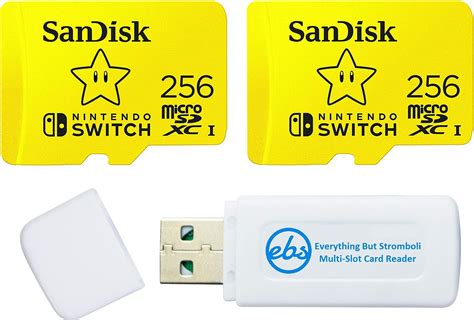
A 256GB microSD card hits a sweet spot for many. It offers ample room for a solid collection of digital games, including several AAA titles and numerous smaller indies, without a prohibitive cost. This size provides a good balance for players who actively download new games but are also comfortable archiving titles they aren’t currently playing. It’s an excellent entry point for future-proofing without overspending immediately.
The Optimal Choice for Growth: 512GB
For a truly “growing Nintendo Switch game library,” a 512GB microSD card emerges as the optimal choice. This capacity offers significant headroom, allowing you to download dozens of full-sized digital games, including all major first-party titles and a substantial collection of indies, without constantly worrying about space. It provides excellent long-term value, deferring the need for another upgrade for many years, even with regular new game purchases. You can keep most of your favorite games installed simultaneously, ready to play whenever you like.

The Enthusiast’s Pick: 1TB
If you are a hardcore digital-only collector with a vast budget and absolutely no desire to ever delete or archive a game, a 1TB microSD card is your ultimate solution. This capacity will hold virtually every digital game you could reasonably want to install on your Switch. While impressive, it comes at a premium price point, and for many users, 512GB provides more than enough practical space.
Beyond Size: Speed and Management Tips
While capacity is crucial, also consider the SD card’s speed rating. Look for cards with a UHS-I (Ultra High Speed Class 1) rating and ideally an A1 or A2 application performance class. These ensure faster game loading times and smoother performance. Most major brand microSD cards (SanDisk, Samsung, Lexar, PNY) meet these requirements.
Tips for managing your library:
- Archive vs. Delete: The Switch allows you to “archive” software, which removes the game data but keeps its icon and save data, making redownloading easier.
- Check Storage Regularly: Go to System Settings > Data Management to see what’s taking up space.
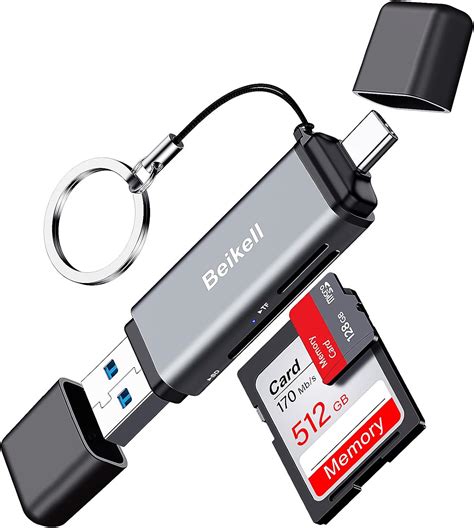
- Consolidate: If upgrading, transfer all data from your old card to the new one using a PC.
Conclusion
For a growing Nintendo Switch game library, a 512GB microSD card stands out as the optimal choice. It offers a generous amount of space for a diverse collection of digital titles, handles significant updates and DLC, and provides excellent future-proofing without the premium cost of a 1TB card. While 256GB is a solid starter, 512GB truly accommodates a burgeoning library, allowing you to enjoy your games without constant storage worries. Invest wisely, and your Switch will be ready for countless hours of adventure.


