What’s the best way to structure a beginner game guide to teach core mechanics efficiently?

Crafting an Engaging First Impression for New Players
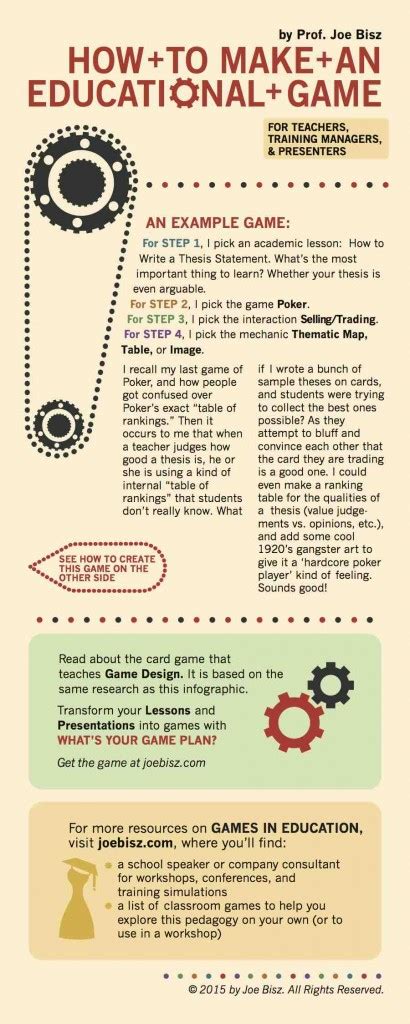
A well-structured beginner game guide is more than just a set of instructions; it’s the player’s crucial first interaction with your game world. Efficiently teaching core mechanics is paramount to player retention and enjoyment, setting the stage for a fulfilling gaming experience. This article explores the best strategies for designing guides that onboard new players smoothly, ensuring they grasp essential concepts without feeling overwhelmed.

Prioritizing Gradual Introduction and Context
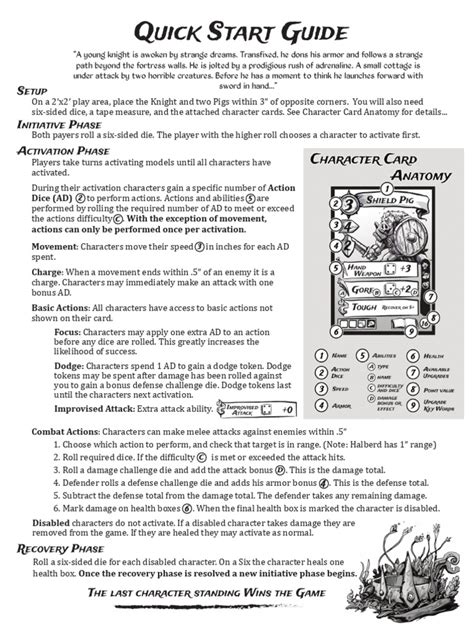
The most effective guides adopt a “learn-by-doing” approach, gradually introducing mechanics rather than dumping all information upfront. Start with the absolute basics, like movement and camera control, and immediately give players a small, guided task that utilizes these new skills. Context is key: explain why a mechanic is important before showing how to use it. For instance, instead of just saying “Press ‘W’ to move forward,” explain that moving forward helps them reach objectives or escape danger, then demonstrate.
Each new mechanic should build upon previously learned skills. Avoid presenting complex systems before foundational ones are mastered. This incremental learning reduces cognitive load and fosters a sense of accomplishment as players progress through the guide. Think of it as a series of mini-lessons, each culminating in a successful application of a new skill.
Key Phases of an Efficient Beginner Guide
1. Initial Onboarding: The Absolute Essentials
Focus solely on what’s needed to take the first few steps. This typically includes basic locomotion, camera control, and perhaps a very simple interaction (e.g., picking up an item). Keep this phase brief, interactive, and highly visual. The goal is to get players moving and interacting within seconds.
2. Core Loop Introduction: The Game’s Heartbeat
Once players can navigate, introduce the game’s primary loop: what they’ll be doing most often. If it’s an RPG, this might be combat basics, quest acceptance, and inventory management. For a puzzle game, it’s the core puzzle interaction. Present these mechanics with immediate, low-stakes opportunities for practice.

3. Progressive Disclosure: Unveiling Complexity
As players become comfortable, progressively introduce more advanced mechanics, UI elements, and strategic nuances. This could be unlocking new abilities, explaining more complex crafting systems, or detailing status effects. The timing here is crucial; introduce these only when players have demonstrated proficiency with earlier concepts, or when the game naturally progresses to require them.
4. Practice and Reinforcement: Cementing Knowledge
A guide isn’t complete without opportunities for practice. This can take the form of a dedicated training arena, a series of simple challenges, or even just leaving players in a safe environment where they can experiment without penalty. Provide clear feedback on their actions, highlighting success and explaining failures constructively. Quizzes or mini-games within the guide can also reinforce learning.

Incorporating Effective Teaching Elements
- Visual Aids and Demonstrations: Use animations, highlighted UI elements, and clear diagrams to show, not just tell. A short video clip demonstrating a combat maneuver is often more effective than paragraphs of text.
- Interactive Elements: True “learn-by-doing” means having players perform actions. Guide them with prompts but let them execute the commands.
- Concise, Clear Language: Avoid jargon and overly technical terms. Use simple, direct sentences. If you must use game-specific terminology, introduce and define it clearly.
- Positive Reinforcement and Feedback: Celebrate successes and provide immediate, constructive feedback on mistakes. This helps players understand the consequences of their actions and learn from them.
- Skippable Options: While essential for new players, seasoned gamers or those replaying may appreciate the option to skip parts or all of the tutorial.
Common Pitfalls to Avoid
Beware of information overload, which can quickly frustrate new players. Resist the urge to explain every single detail upfront. Similarly, avoid making assumptions about a player’s prior gaming knowledge; design for true beginners. Unskippable, lengthy cinematic tutorials can also be detrimental, as players often just want to get to the gameplay.
Remember that the goal is to empower players, not to lecture them. A successful beginner guide seamlessly integrates teaching into the initial gameplay experience, turning learning into an enjoyable part of the game itself.
Conclusion: The Foundation for Player Engagement
Structuring a beginner game guide efficiently means embracing gradual progression, providing immediate context and practice, and utilizing clear, interactive teaching methods. By focusing on essential mechanics first, building complexity incrementally, and avoiding common pitfalls, developers can create an onboarding experience that not only teaches effectively but also fosters early player engagement and long-term retention. A thoughtful guide transforms potential frustration into early triumph, paving the way for players to fully explore and enjoy the game world you’ve created.