





What’s the best way to manage Switch storage for indie games and AAA titles?
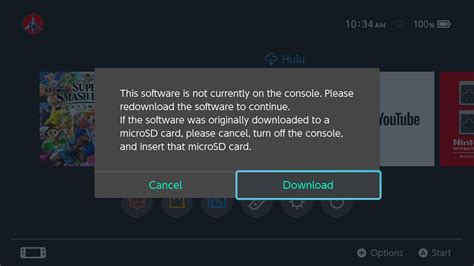
Navigating the Nintendo Switch Storage Challenge
The Nintendo Switch, with its vast library spanning charming indie gems and expansive AAA blockbusters, offers an unparalleled gaming experience. However, its relatively modest internal storage (32GB for the original and Lite models, 64GB for the OLED) quickly becomes a bottleneck for even moderate game collections. Efficient storage management isn’t just a convenience; it’s a necessity to keep your favorite titles accessible and your console running smoothly.
This guide will walk you through the best strategies for organizing your Switch storage, considering the unique demands of both compact indie titles and colossal AAA games.
Understanding Your Storage Landscape: Internal vs. External
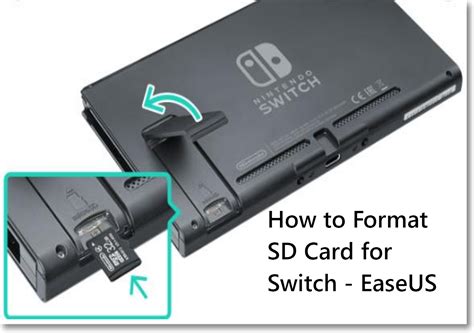
Before diving into specific strategies, it’s crucial to understand how your Switch utilizes storage. The internal memory is where system software, save data, and some game data reside. For everything else – game downloads, updates, and DLC – a microSD card is your primary expansion solution.
The Nature of Game Files: Indie vs. AAA
- Indie Games: Often characterized by smaller file sizes, ranging from a few megabytes to a few gigabytes. You can fit dozens, if not hundreds, of these on a decent microSD card. Their frequent updates are generally small.
- AAA Titles: These are the storage hogs. Modern AAA games can easily consume 10GB, 20GB, or even over 50GB of space. Their high-resolution textures, extensive levels, and cinematic assets demand significant storage. Updates and DLC for these titles can also be substantial.
The Indispensable MicroSD Card
A high-capacity microSD card is not optional; it’s essential for any serious Switch owner. But not just any card will do.
Choosing the Right Card
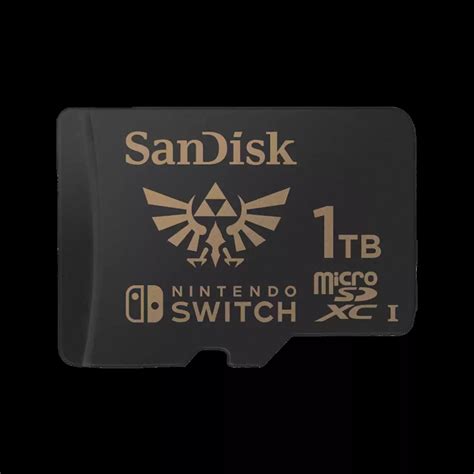
- Capacity: Aim for at least 128GB, but 256GB or 512GB offers much more breathing room. If you primarily buy digital AAA titles, a 1TB card might be a worthwhile investment.
- Speed: Look for cards with a high read speed (e.g., U3 or A1/A2 ratings). While write speed is less critical for gameplay, faster read speeds can marginally improve loading times. Reputable brands like SanDisk, Samsung, and Kingston are recommended.
Management Tips for MicroSD Cards
Once installed, the Switch will automatically use the microSD card for new downloads. You can also transfer data between the internal storage and the card via the System Settings. Regularly check your available space to anticipate future needs.
Digital vs. Physical: A Strategic Decision
The choice between downloading games from the eShop and buying physical game cartridges has significant storage implications.
- Physical Games: These take up minimal internal or microSD card space, as most of the game data is on the cartridge itself. However, many physical games still require substantial downloads for day-one patches, updates, or even essential game content that couldn’t fit on the cart.
- Digital Games: All digital games and their updates are stored either on the internal memory or the microSD card. While convenient for not swapping cartridges, they directly contribute to your storage burden.
Making the Choice
For AAA titles, consider purchasing physical copies if you want to minimize digital storage use, but always be prepared for potential download requirements. For indie games, digital is often the only option and perfectly manageable given their smaller sizes.
Smart Storage Strategies and Cleanup
Proactive management can save you from constant storage headaches.
Archiving vs. Deleting
- Archiving: This removes the game data from your console but keeps the game icon on your home screen and preserves your save data. It’s ideal for games you might want to play again without losing progress.
- Deleting: This removes the game data and its icon. While save data is usually kept separately, it’s safer to archive if you’re unsure.
Always archive large AAA titles you’re not actively playing. For smaller indie games, you can often keep more downloaded due to their minimal footprint.
Prioritize and Organize
- Critical Games: Keep your most frequently played titles, especially AAA games, downloaded and ready.
- Rotate Indie Games: With their smaller sizes, it’s easier to download and archive indie titles as you move through them.
- Regular Cleanup: Periodically review your installed games. Unfinished or rarely played titles are prime candidates for archiving.
Conclusion
Managing your Nintendo Switch storage effectively is a balancing act between convenience and capacity. By investing in a high-quality, high-capacity microSD card, making informed decisions between digital and physical game formats, and regularly archiving large AAA titles while keeping a rotating selection of your favorite indies, you can ensure your Switch is always ready for your next gaming adventure. With a little planning, you’ll spend less time deleting and more time playing.


