





What’s the best Switch SD card for a growing game library?
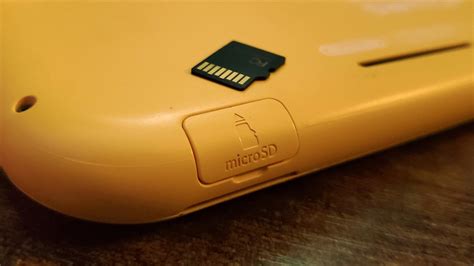
For many Nintendo Switch owners, the console’s internal 32GB (or 64GB for the OLED model) storage quickly becomes insufficient. Digital game purchases, system updates, and even screenshots can eat up space at an alarming rate. If you’re building a substantial digital game library or simply want the flexibility to download without worry, investing in a good microSD card is essential. But with so many options, how do you pick the best one?

Why Your Switch Needs More Storage
While physical game cartridges save space on your Switch, digital titles are often more convenient and frequently go on sale. Games like The Legend of Zelda: Tears of the Kingdom can take up over 18GB, while many other AAA titles range from 10GB to 25GB. Even smaller indie games add up quickly. Without an expanded storage solution, you’ll find yourself constantly archiving or deleting games, which means redownloading them every time you want to play – a frustrating and time-consuming process.
Decoding SD Card Specifications for Switch
The Nintendo Switch exclusively uses microSD cards. Specifically, it supports three types:
- microSD (2GB max): Too small for modern use.
- microSDHC (High Capacity, 4GB-32GB): Better, but still limited for a growing library.
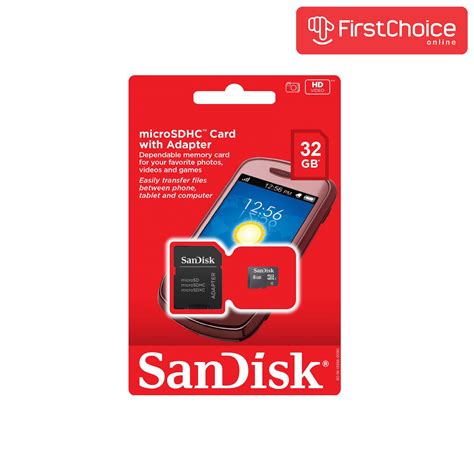
- microSDXC (Extended Capacity, 64GB-2TB): This is what you should be looking for.
Beyond capacity, speed is critical. While the Switch doesn’t take advantage of the absolute fastest microSD cards available, there are some important ratings to consider:
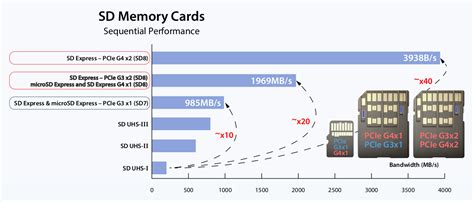
- UHS-I (Ultra High Speed Phase I): The Switch supports UHS-I cards, with a theoretical maximum speed of 104 MB/s. Most good cards will hit around 60-90 MB/s read and write, which is perfectly adequate.
- Speed Class (C2, C4, C6, C10): Most modern cards are Class 10 (C10), guaranteeing a minimum write speed of 10 MB/s.
- UHS Speed Class (U1, U3): U1 guarantees 10 MB/s minimum write speed, while U3 guarantees 30 MB/s. A U3 card is preferable for slightly faster game loading and transfers, though U1 is often sufficient.
- Application Performance Class (A1, A2): These ratings indicate how well a card handles random read/write operations, which are crucial for running applications (like games). A1 and A2 cards are optimized for this, with A2 offering even better performance. Look for at least A1 for the best experience.
How Much Storage is Enough?
This is the big question. It depends on your gaming habits:
- 128GB: A good starting point if you only have a few digital games or mostly play physical cartridges. It offers decent expansion without breaking the bank.
- 256GB: The sweet spot for many. It provides ample room for a solid digital library of a dozen or more AAA titles plus numerous indies, updates, and screenshots.
- 512GB: If you plan to go all-digital or collect many large titles, 512GB offers significant peace of mind. You’ll rarely, if ever, have to delete games.
- 1TB: For the ultimate digital hoarder. While pricier, a 1TB card virtually eliminates all storage concerns for the foreseeable future, even with a massive collection.
Consider the average game size you play. A 256GB card can hold roughly 10-15 large games, while a 512GB card can double that. Future-proofing your storage is a smart move, as redownloading an entire game library due to a card upgrade can be tedious.

Top Contenders: What to Look For
When choosing, prioritize reputable brands to ensure reliability and avoid counterfeit cards. Leading brands like SanDisk, Samsung, Lexar, and PNY are generally safe bets.
- SanDisk Ultra or Extreme: SanDisk cards are officially licensed by Nintendo and are very popular. The Ultra series offers great value with good speeds (UHS-I U1 or U3, A1), while the Extreme series offers slightly better performance (UHS-I U3, A2) for a bit more cost. Both are excellent choices.
- Samsung EVO Select/Plus: Samsung’s EVO line provides competitive speeds (UHS-I U3, A2) and excellent reliability at a good price point. The EVO Select (often Amazon exclusive) and EVO Plus are virtually identical in performance.
- Lexar PLAY: Designed with gaming in mind, Lexar PLAY cards offer A1 or A2 performance and U1 or U3 speed classes, making them a solid, often budget-friendly, alternative.
Focus on cards that are UHS-I U3 and at least A1 for optimal performance on your Switch. While the Switch doesn’t fully utilize A2’s capabilities as much as some other devices, an A2 card future-proofs you slightly and ensures top-tier random read/write speeds that can benefit game loading.
Setting Up and Maintaining Your New SD Card
Once you have your new microSD card, installation is straightforward:
- Turn off your Nintendo Switch completely.
- Open the kickstand on the back of the console to reveal the microSD card slot.
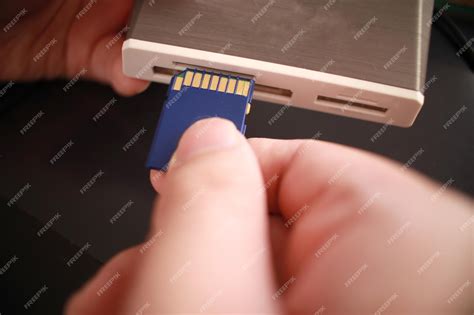
- Insert the card face down, pushing it in until it clicks.
- Turn on your Switch. The console will automatically detect and format the card if necessary.
Games downloaded from this point will automatically save to the microSD card. If you want to move existing games from your internal storage to the SD card, you’ll need to archive them and then redownload them, as there’s no direct ‘move’ function for individual titles. However, the Switch will prioritize the SD card for new downloads once it’s inserted.
Conclusion
For a growing game library on your Nintendo Switch, a microSDXC card of at least 256GB is highly recommended, with 512GB being the ideal sweet spot for most dedicated digital gamers. Prioritize cards with UHS-I U3 and A1 or A2 ratings from reputable brands like SanDisk or Samsung. By choosing wisely, you’ll ensure a smooth, worry-free gaming experience with plenty of room for all your current and future adventures.


