What’s the best Nintendo Switch SD card for expanding digital game storage?
Why Your Nintendo Switch Needs a Storage Upgrade
The Nintendo Switch is a fantastic portable console, but its 32GB (or 64GB for the OLED model) of internal storage fills up surprisingly fast. With many popular games like The Legend of Zelda: Tears of the Kingdom, Pokémon Scarlet/Violet, and numerous indie titles demanding significant space, expanding your storage with a microSD card isn’t just a luxury—it’s a necessity for any avid digital game collector.
Understanding microSD Cards for Your Switch
Not all microSD cards are created equal. When choosing one for your Nintendo Switch, there are a few critical factors to consider:
Capacity: How Much Space Do You Need?
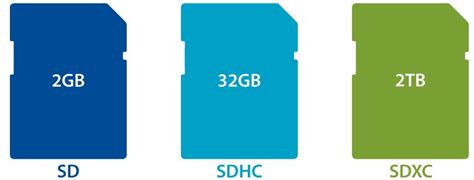
- 64GB-128GB: Suitable for casual gamers with a few digital titles. It’s an upgrade, but you might find yourself needing more space quickly.
- 256GB-512GB: The sweet spot for most gamers. This capacity offers a significant amount of space for multiple AAA titles, indie games, and DLC without breaking the bank.
- 1TB+: For hardcore digital collectors who want to download virtually everything without worrying about space. While more expensive, these cards offer ultimate peace of mind.
Speed: Read and Write Performance
Speed is vital for ensuring smooth game loading and overall system performance. Look for these classifications:
- UHS-I (Ultra High Speed Phase I): This is the standard for the Switch. The console doesn’t support the faster UHS-II or UHS-III, so don’t pay extra for them.
- Speed Class (U1 vs. U3):
- U1 (Class 10): Minimum write speed of 10MB/s. Generally sufficient for the Switch.
- U3: Minimum write speed of 30MB/s. Offers slightly better performance, especially for larger games or frequent data transfers, though the practical difference on the Switch might be minimal.
- A1 vs. A2 App Performance Class: These are less critical for the Switch as they relate more to smartphone app performance, but A1 or A2 cards typically also have good sequential read/write speeds.
Top Recommended microSD Cards for Nintendo Switch
While many brands offer microSD cards, some have proven to be consistently reliable and offer great value for Switch users.
SanDisk for Nintendo Switch
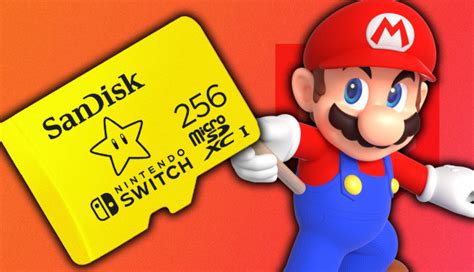
SanDisk has an official licensing deal with Nintendo, producing branded microSD cards specifically for the Switch. These cards are reliable, come in various capacities (64GB, 128GB, 256GB, 512GB), and often feature iconic Nintendo artwork. They are U3 rated and offer excellent performance.
SanDisk Ultra / Extreme
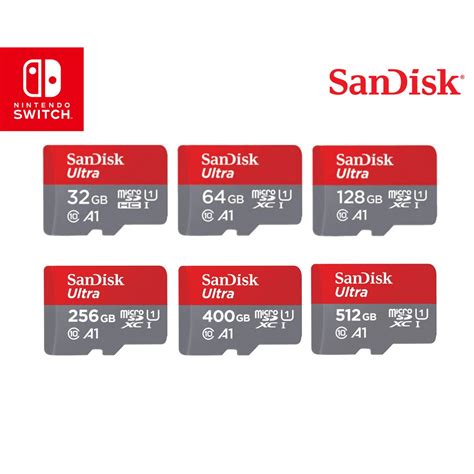
If you prefer not to pay a premium for the Nintendo branding, SanDisk’s standard Ultra (U1) and Extreme (U3) lines are also excellent choices. The Extreme series offers slightly faster speeds, which can be beneficial, but the Ultra series is usually more than adequate and more budget-friendly.
Samsung EVO Select / EVO Plus
Samsung’s EVO Select (Amazon exclusive) and EVO Plus series are highly regarded for their reliability, speed (U3 rated), and competitive pricing. They are a strong alternative to SanDisk and are widely available.
Installing and Managing Your Switch SD Card
Installation is Simple
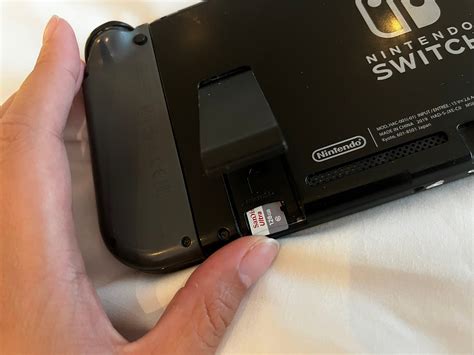
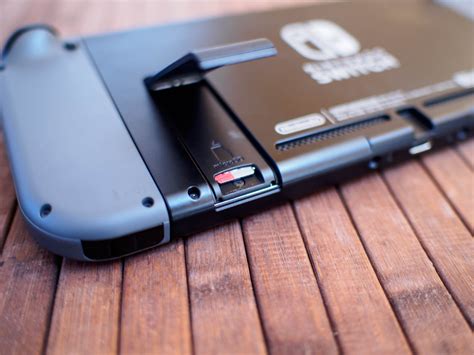
The microSD card slot is located under the kickstand on the back of your Nintendo Switch. Simply open the kickstand, insert the card until it clicks, and close the kickstand. The Switch will automatically detect and format the card if needed.
Moving Games and Data
Once installed, new downloads will automatically go to the microSD card. If you want to move existing games from your console’s internal storage to the SD card, you’ll need to archive them from the internal storage and then redownload them, which will then install them to the SD card. Unfortunately, there’s no direct ‘move’ option for individual games.
Final Recommendation and Tips
For most Nintendo Switch owners, a 256GB or 512GB U3 rated microSD card from a reputable brand like SanDisk or Samsung offers the best balance of capacity, speed, and value. Always purchase from trusted retailers to avoid counterfeit cards.
Investing in a good quality microSD card is one of the most practical upgrades you can make for your Nintendo Switch, ensuring you have ample space for all your digital adventures without constantly deleting and redownloading games.