What’s the best microSD card for Switch to expand game library?

Why a MicroSD Card is Essential for Your Switch
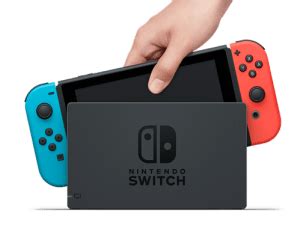
The Nintendo Switch, whether it’s the original model, the Lite, or the OLED, comes with a limited amount of internal storage. While 32GB (for original/Lite) or 64GB (for OLED) might seem adequate initially, it quickly fills up once you start downloading digital games, DLCs, and game updates. Many popular titles can easily take up 10-20GB or more on their own, making a microSD card not just an upgrade, but a necessity for any serious Switch gamer looking to expand their digital game library without constantly deleting and re-downloading titles.
Key Factors When Choosing Your Switch MicroSD Card
Selecting the right microSD card isn’t just about finding the cheapest option. Several critical factors influence performance, reliability, and ultimately, your gaming experience.
Capacity: How Much Storage Do You Really Need?
This is often the first consideration. MicroSD cards for the Switch come in various sizes, from 64GB all the way up to 2TB (though 1TB is currently the practical maximum widely available and affordable). Your ideal capacity depends heavily on your gaming habits:
- Casual Gamer (64GB-128GB): If you primarily buy physical game cartridges and only download a few digital titles or smaller indie games, a smaller card might suffice.
- Moderate Gamer (256GB-512GB): For those who mix physical and digital purchases, or download a good number of indie and mid-sized digital games, this range offers a good balance of cost and storage.
- Heavy Digital Gamer (512GB-1TB+): If you prefer to buy most or all of your games digitally, especially larger AAA titles, then 512GB or even 1TB is highly recommended to avoid running out of space quickly. Remember, game updates and DLCs also consume space!
Speed: Understanding Read, Write, and A1/A2 Ratings
While capacity gets the most attention, speed is crucial for smooth gameplay. The Switch benefits from faster read speeds, which impact game loading times and overall responsiveness. You’ll want to look for cards with:
- UHS-I (Ultra High Speed Phase I): The Nintendo Switch supports UHS-I cards, with a theoretical maximum read speed of 104MB/s. While UHS-II cards exist and are faster, the Switch cannot fully utilize their higher speeds, making them an unnecessary expense.
- Speed Class (C10): Most modern microSD cards are at least Class 10 (C10), meaning a minimum sequential write speed of 10MB/s. This is the baseline you should aim for.
- UHS Speed Class (U1 or U3): U1 guarantees a minimum write speed of 10MB/s, while U3 guarantees 30MB/s. For the Switch, a U1 card is generally sufficient, but U3 can offer slightly better performance for data-intensive tasks.
- Application Performance Class (A1 or A2): These ratings are important for applications (like games on a console) because they define minimum random read/write speeds, which are more indicative of real-world performance than sequential speeds. The Switch recommends A1-rated cards. A2 offers even better random performance but, similar to UHS-II, the Switch may not fully leverage the A2 standard’s benefits, though it won’t hurt to use one.
Recommendation: Prioritize cards that are UHS-I, U1 (or U3), and at least A1-rated for the best balance of performance and cost on your Switch.
Reliability and Brand Reputation
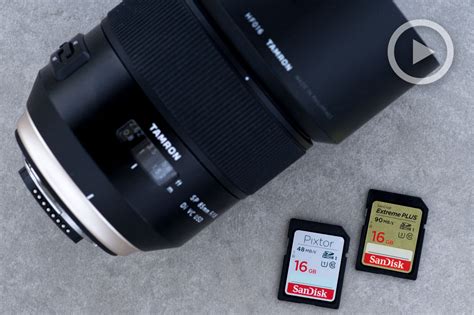
A faulty microSD card can lead to corrupt game data or lost saves, which is every gamer’s nightmare. Stick to reputable brands known for quality and reliability. SanDisk, Samsung, and Kingston are consistently top performers in this category, offering good warranties and robust build quality. Many gamers specifically opt for SanDisk’s officially licensed Nintendo Switch microSD cards, which are optimized for the console and often feature recognizable Nintendo branding.
Top MicroSD Card Recommendations for Nintendo Switch
While specific model numbers can change, these brands consistently offer excellent options:
- SanDisk microSDXC for Nintendo Switch: These officially licensed cards are often considered the go-to choice. They are UHS-I, U3, and A1 rated, ensuring optimal performance, and come in various capacities with iconic Nintendo designs.
- SanDisk Extreme / Extreme Pro: If you’re looking for an un-licensed but still premium SanDisk option, the Extreme and Extreme Pro lines offer excellent speeds (UHS-I, U3, A2) and reliability, often at competitive prices.
- Samsung EVO Select / EVO Plus: Samsung’s EVO line provides fantastic value. These cards are highly reliable, offer great performance (UHS-I, U3, A2), and are frequently available at competitive prices, making them a popular choice.
- Kingston Canvas Go! Plus: Kingston also offers high-performance microSD cards that are well-suited for the Switch, providing robust speeds (UHS-I, U3, A2) and dependable storage.

Installing and Managing Your MicroSD Card
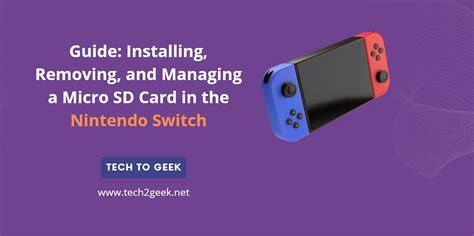
Installing a microSD card in your Nintendo Switch is incredibly simple:
- Turn off your Switch completely (not just sleep mode).
- Flip open the kickstand on the back of the console to reveal the microSD card slot.
- Insert the microSD card with the label facing down, pushing it in until it clicks.
- Close the kickstand and power on your Switch.
Your Switch will automatically recognize the new storage. You can manage data by going to System Settings > Data Management. Games downloaded after the card is inserted will automatically save to the microSD card. You can also move existing downloaded games from internal storage to the microSD card, but game save data always remains on the console’s internal memory.
Making the Right Choice for Your Gaming Habits
The best microSD card for your Switch ultimately comes down to a balance of capacity, speed, and your budget. While a 128GB or 256GB card might be a good starting point for many, avid digital gamers will find peace of mind with 512GB or even 1TB. Always prioritize reputable brands and ensure the card meets at least the A1 and U1 speed ratings to guarantee a smooth and enjoyable gaming experience.
Don’t let limited storage hold back your gaming adventures. Invest in a quality microSD card today and unlock the full potential of your Nintendo Switch’s game library, ensuring you always have room for the next big adventure.