What’s the best microSD card for Switch game storage & performance?

The Nintendo Switch, an incredibly versatile console, comes with a modest 32GB (or 64GB for the OLED model) of internal storage. Given that many modern games can easily exceed 10GB, and digital downloads are increasingly popular, a microSD card is an essential upgrade for any serious Switch owner. But with so many options available, how do you pick the best one for both storage needs and optimal game performance?
Understanding Your Storage Needs
Before diving into technical specifications, consider how much storage you actually need. Digital-only players or those with extensive game libraries will require significantly more space than those who primarily buy physical cartridges. Remember, even physical games often require patches, DLC, and save data that consume storage.
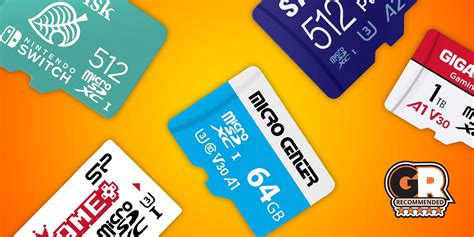
- 128GB: A good starting point for casual gamers or those who mostly buy physical.
- 256GB: A solid all-around choice for most players, offering ample space for several large digital titles and many smaller ones.
- 512GB: Ideal for avid digital collectors or those who don’t want to worry about managing storage for a long time.
- 1TB+: For the most dedicated digital library builders. While pricier, these offer unparalleled freedom.
Key Performance Factors: Speed and Ratings
Simply having a high-capacity card isn’t enough; speed also matters. The Switch supports UHS-I microSD cards, which means you don’t need to splurge on faster (and more expensive) UHS-II cards, as the Switch won’t utilize their full potential. Here’s what to look for:
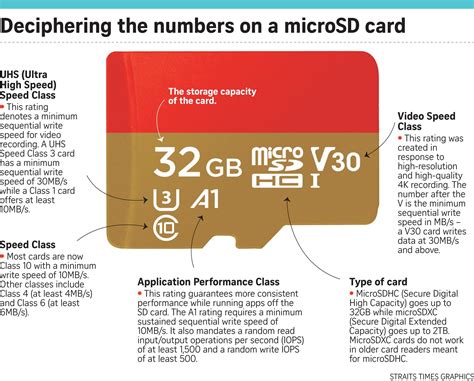
UHS Speed Class (U1 or U3)
- UHS-I U1: Guarantees a minimum write speed of 10 MB/s. This is the minimum acceptable for smooth Switch performance.
- UHS-I U3: Guarantees a minimum write speed of 30 MB/s. While not strictly necessary, U3 cards often offer better overall read/write performance, leading to slightly faster game loading times and smoother in-game asset streaming. Most modern, reputable cards are U3.
Application Performance Class (A1 or A2)
These ratings are crucial for devices that run applications directly from the card, like the Switch running games. They measure random read/write performance, which is more indicative of real-world gaming experience than sequential speeds.
- A1 (Application Performance Class 1): Guarantees a minimum random read IOPS (Input/Output Operations Per Second) of 1,500 and random write IOPS of 500. This is generally considered the baseline for a good Switch experience.
- A2 (Application Performance Class 2): Guarantees a minimum random read IOPS of 4,000 and random write IOPS of 2,000. While theoretically faster, the Switch’s hardware might not fully exploit the A2 card’s maximum potential. However, an A2 card will typically perform at least as well as, if not better than, an A1 card, potentially offering a marginal boost in loading times for some games. If the price difference is negligible, an A2 card is a safe bet for future-proofing.
Recommendations for the Best Performance
To summarize, when choosing a microSD card for your Nintendo Switch, prioritize these specifications:
- UHS-I interface: Don’t overpay for UHS-II.
- U3 Speed Class: Provides better sustained performance.
- A1 or A2 Application Performance Class: Essential for smooth game loading and operation.
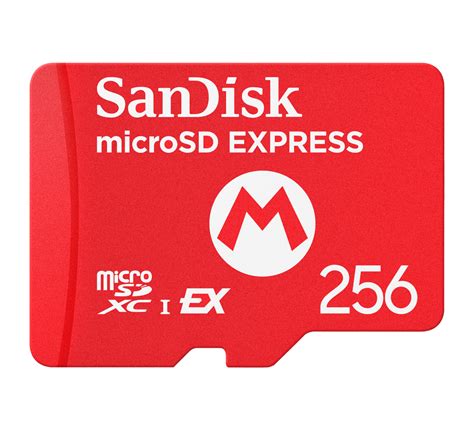
- Reputable Brands: Stick with well-known brands like SanDisk, Samsung, or Kingston to ensure reliability and genuine performance. Many manufacturers offer ‘Nintendo-licensed’ cards, which are often SanDisk cards with a higher price tag; their regular A1/A2 U3 UHS-I cards perform identically.

Conclusion
The best microSD card for your Nintendo Switch balances capacity with speed. For most users, a 256GB or 512GB UHS-I U3 A1 card from a reputable brand offers the sweet spot between performance, storage, and cost. If you can find an A2 card at a similar price, it’s a worthwhile upgrade. Investing in a quality microSD card ensures you spend less time waiting and more time enjoying your extensive Switch game library.