





What’s the best microSD card for Switch game storage, considering speed and price?
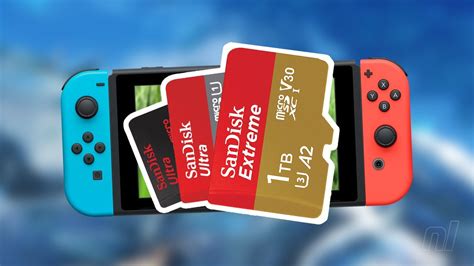
The Nintendo Switch, while a marvel of portable gaming, comes with a rather modest 32GB (or 64GB for the OLED model) of internal storage. With modern game sizes often exceeding this, a microSD card isn’t just an accessory; it’s an essential upgrade for any serious Switch owner. But with a dizzying array of options, how do you choose the one that offers the best balance of speed and price?
Why Your Switch Needs a MicroSD Card
Many digital-only games, downloadable content (DLC), and game updates can quickly consume the Switch’s limited built-in memory. Investing in a reliable microSD card ensures you have ample space for your growing game library, preventing the frustrating need to archive or delete titles just to make room for new ones. A good card also impacts load times, though the Switch’s hardware has its own limitations.
Understanding MicroSD Card Specifications for Switch
When shopping for a microSD card, you’ll encounter various acronyms and numbers. Here’s what’s most relevant for your Switch:
- UHS-I (Ultra High Speed-I): This is the maximum speed interface the Nintendo Switch supports. While there are faster UHS-II and UHS-III cards, the Switch cannot utilize their higher speeds, so paying extra for them is unnecessary.
- Speed Class (U1, U3): This indicates minimum sustained write speeds. U1 guarantees 10MB/s, while U3 guarantees 30MB/s. For games, U1 is generally sufficient, but U3 offers a slight edge for larger games and potentially faster transfers.
- Application Performance Class (A1, A2): These ratings relate to a card’s ability to handle random read/write operations, which are crucial for running apps and games. The Switch can benefit from A1-rated cards for smoother game loading. A2 offers even better performance but, again, the Switch’s hardware might not fully utilize it. An A1 rating is a good target.
- Read Speed: Often advertised as up to 100MB/s, this is the most critical speed for game loading. The Switch itself can achieve around 60-90 MB/s from a good UHS-I card.
Capacity: How Much Storage Do You Really Need?
Game sizes vary wildly, from a few hundred megabytes for indie titles to over 30GB for AAA blockbusters like The Legend of Zelda: Tears of the Kingdom. Consider your gaming habits:
- 128GB: Good for casual players with a mix of physical cartridges and a few digital downloads.
- 256GB: The sweet spot for most gamers, offering plenty of room for a substantial digital library.
- 512GB: Ideal for heavy digital purchasers or those who want to keep almost their entire library downloaded.
- 1TB: For the ultimate collector. These are more expensive but provide virtually limitless storage for years to come.
Speed: Is Faster Always Better for the Switch?
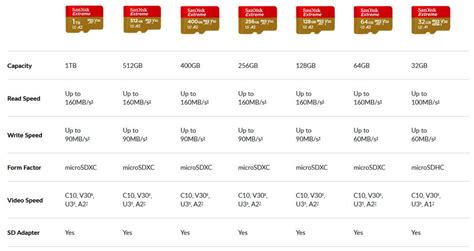
While faster cards generally translate to quicker load times, the Nintendo Switch has a bottleneck. It can only take advantage of UHS-I speeds, meaning a card boasting 170MB/s or 200MB/s read speeds won’t perform significantly better than a card rated for 100MB/s, as the Switch itself caps out around 60-90 MB/s. Prioritize a card with a strong, consistent read speed (around 80-100MB/s) and an A1 rating over one with incredibly high theoretical speeds that the Switch can’t use.
The Price Factor: Getting Value for Money
MicroSD card prices have become incredibly competitive. You’ll find diminishing returns past a certain point. A 256GB or 512GB card offers the best balance of capacity per dollar, especially if you catch them on sale. Avoid no-name brands, as they often have inconsistent performance and reliability issues.
Top MicroSD Card Recommendations for Nintendo Switch
Based on a balance of speed, reliability, and price, here are some top contenders:
Best All-Rounder: SanDisk microSDXC Card for Nintendo Switch (Officially Licensed)
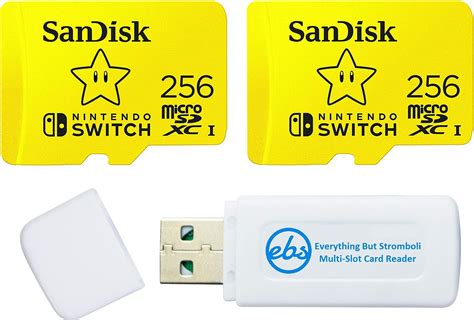
SanDisk’s officially licensed cards are a fantastic choice. They come in various capacities (64GB to 1TB) and offer read speeds up to 100MB/s and write speeds up to 90MB/s, making them perfectly suited for the Switch. They are U3 and A1 rated, ensuring smooth game performance. While slightly pricier than generic cards, their reliability and official branding provide peace of mind.
Great Value Pick: Samsung EVO Select / EVO Plus
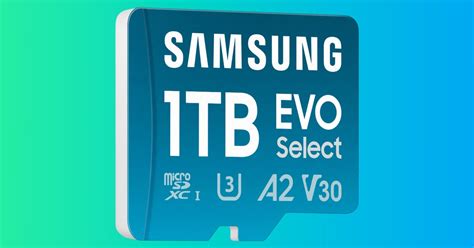
Samsung’s EVO Select (available on Amazon) and EVO Plus are perennial favorites for their excellent performance-to-price ratio. They offer up to 100MB/s read and 60-90MB/s write speeds, are U3 and A1 rated, and come with a solid warranty. These cards often go on sale, making them an incredible bargain for capacities like 256GB or 512GB.
Premium Performance: SanDisk Extreme / Extreme PRO
If you prioritize absolute top-tier performance within the Switch’s capabilities and don’t mind spending a bit more, the SanDisk Extreme and Extreme PRO series are excellent. While their maximum advertised speeds go beyond what the Switch can handle, their baseline performance, durability, and reliability are exceptional. They are U3 and A2 rated, ensuring consistent, robust performance for any application.
Installation and Usage Tips
- Power Off: Always power off your Switch completely before inserting or removing a microSD card.
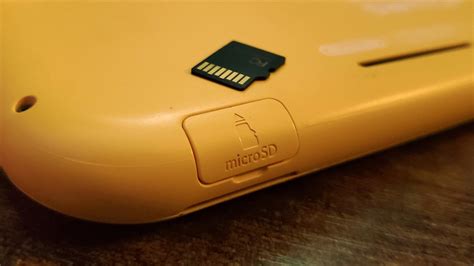
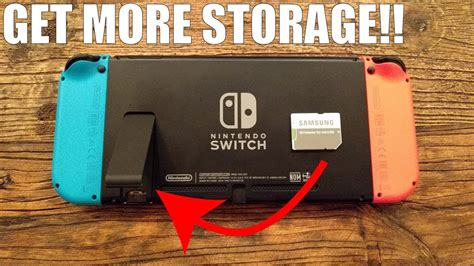
- Insert Firmly: The slot is usually under the kickstand. Push the card in until it clicks.
- Transferring Data: The Switch will automatically format a new card. If you’re upgrading from an old card, you can transfer data by copying all contents from the old card to your PC, then to the new card.
- Formatting: If you experience issues, you can format the card via the Switch’s system settings (System > Formatting Options > Format microSD card). This will erase all data, so back up first!
Conclusion: Making Your Choice
For most Nintendo Switch owners, the sweet spot lies with a 256GB or 512GB microSD card with a UHS-I U3 A1 rating and read speeds of up to 100MB/s. Brands like SanDisk (especially the licensed Switch cards) and Samsung EVO series offer an excellent blend of speed, reliability, and value. While you can opt for more expensive cards, the performance difference on the Switch will likely be negligible. Choose a reputable brand, consider your budget and storage needs, and enjoy expanding your digital world on the Nintendo Switch!


